Best Monitors for RX 9070 XT 2026
Top 1440p monitors to pair with AMD's RX 9070 XT: from $229 budget IPS picks to 360Hz QD-OLED, matched to the GPU's strengths. Expert picks, pros and cons, a...
As an Amazon Associate we earn from qualifying purchases made through our links — this doesn't affect our picks.
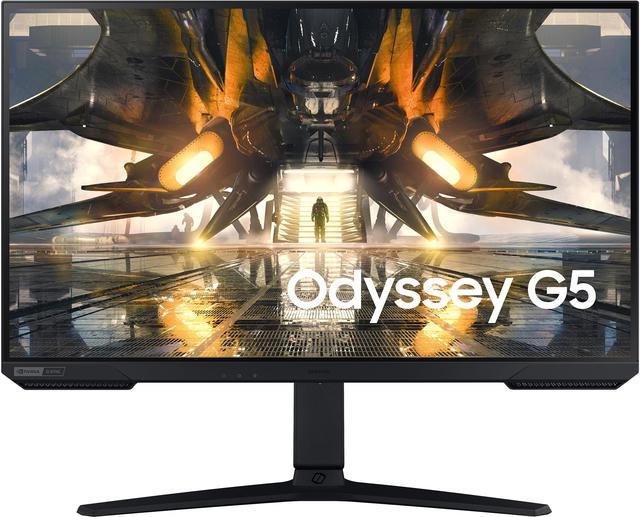
Samsung Odyssey G50A 27-inch 1440p 165Hz
Our top recommendation for this category
Price as of Jul 26, 2026 — see current price on Amazon.
The RX 9070 XT is genuinely one of the most exciting GPUs AMD has released in years. RDNA 4 architecture, FSR 4 with frame generation, and performance that trades blows with the RTX 5070 but usually costs less. If you've picked one up or you're about to, the next question is obvious: what monitor do you pair it with?
The short answer is 1440p high-refresh. The 9070 XT consistently hits 144fps and above in most titles at 1440p, and 240Hz is achievable in a lot of competitive games. It can handle 4K, but you'll be dropping settings and leaning on FSR to keep frames up. So the five monitors below are the ones that make the most of what this GPU actually does.
| Monitor | Panel | Resolution | Refresh | Price | |
|---|---|---|---|---|---|
| Samsung Odyssey G50A | IPS | 1440p | 165Hz | $229 | Check Price |
| AOC Q27G3XMN | Mini LED VA | 1440p | 180Hz | $249 | Check Price |
| Lenovo Legion 27QD-10 | IPS | 1440p | 240Hz | $229.49 | Check Price |
| LG 27GR83Q-B | IPS | 1440p | 240Hz | $299 | Check Price |
| Alienware AW2725DF | QD-OLED | 1440p | 360Hz | $649 | Check Price |
Samsung Odyssey G50A: Best Budget Pick
Samsung Odyssey G50A 27-inch 1440p 165Hz
Pros
- Clean IPS panel with accurate colors
- G-Sync Compatible and FreeSync Premium
- HDR10 with 1 billion colors
- Sub-$250 entry point
Cons
- 165Hz ceiling, not 240Hz
- HDR brightness modest for SDR-bright rooms
- Stand has limited adjustment range
Price as of Jul 26, 2026 — see current price on Amazon.
At $229, the Samsung Odyssey G50A is where I'd start if you just spent $400 on the RX 9070 XT and want to keep the total system budget reasonable. It's a 27-inch IPS at 1440p running 165Hz, which sounds underwhelming until you realize that most demanding single-player games will run between 80 and 140fps at high settings on this GPU. That puts 165Hz to work without requiring a $500 panel to use it.
The IPS here is Samsung's own, and it performs noticeably better than budget TN or VA alternatives. Color accuracy runs at Delta E under 2 out of the box, and HDR10 support adds some dynamic range to compatible titles. G-Sync Compatible certification means you get clean VRR with FreeSync Premium enabled and zero screen tearing across the entire range.
What you give up is mostly raw Hz. If you play Valorant or CS2 where the 9070 XT pushes 300+ fps at 1440p, you'll feel the 165Hz ceiling. But for RPGs, open-world games, and anything demanding, this is a solid pairing that doesn't leave performance money on the table. Think of it as the monitor that matches the GPU's strengths without overcommitting on refresh rate you may not fully use.
The stand is the main physical complaint: it tilts but doesn't offer height adjustment or pivot without third-party accessories. If ergonomics matter to your setup, a monitor arm is a worthwhile $30 add-on.
AOC Q27G3XMN: Best Mini LED Value
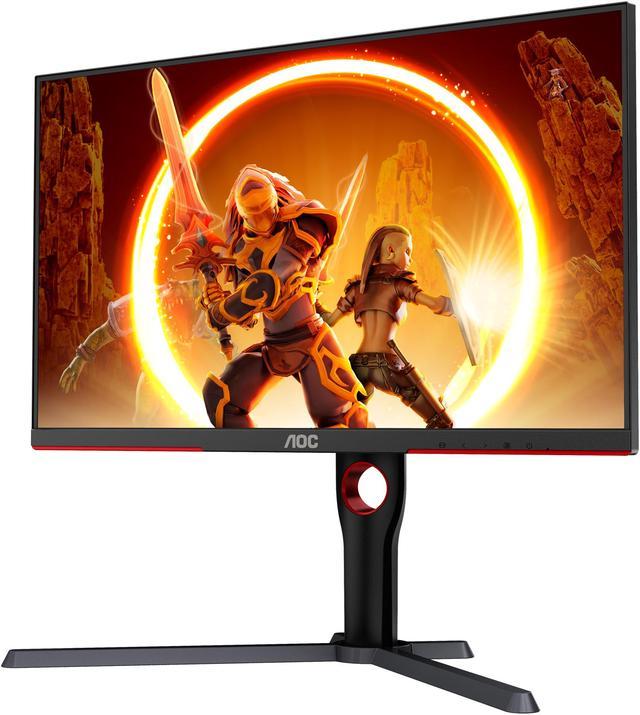
AOC Q27G3XMN 27-inch 1440p 180Hz Mini LED
Pros
- Mini LED with 336 dimming zones
- DisplayHDR 1000 certified
- 1440p 180Hz at a budget price
- sRGB 137.5% for vivid color
Cons
- VA panel has slower response than IPS
- Some blooming around bright objects on dark backgrounds
- Not the fastest panel for twitch gaming
Price as of Jul 26, 2026 — see current price on Amazon.
Twenty dollars more than the Samsung gets you something genuinely remarkable: a Mini LED panel at $249. The AOC Q27G3XMN uses a VA panel with 336 local dimming zones and full DisplayHDR 1000 certification. That's not just a sticker on the box. RTINGS measured peak brightness over 900 nits in their HDR tests, with reasonably good zone control for the price. No sub-$400 IPS panel comes anywhere near that.
For the RX 9070 XT specifically, this matters because FSR 4 titles with proper HDR look fundamentally different on a real HDR display vs a budget IPS running HDR tone-mapping mode. The contrast difference shows most in open-world games at night and cinematic titles. Cyberpunk 2077's Pacifica at midnight, Monster Hunter Wilds' jungle at dusk, Black Myth: Wukong's temple interiors -- they all look noticeably better on a display that can render actual deep blacks next to bright highlights.
The VA tradeoff is the standard one: slower pixel transitions than IPS. AOC quotes 1ms GtG but real-world measurements show around 5-7ms in practice at lower brightness levels. At 180Hz with the 9070 XT driving consistent high fps, most people won't notice this in gaming. But if you're playing competitive titles where dark rooms and bright environments switch rapidly, an IPS will feel snappier.
The 137.5% sRGB color gamut is a genuine advantage for people using this as a dual-purpose creative and gaming display. Colors are vivid without being oversaturated, and the wide gamut coverage shows up in photography work and video editing as much as gaming.
Lenovo Legion 27QD-10: Best High-Refresh 1440p
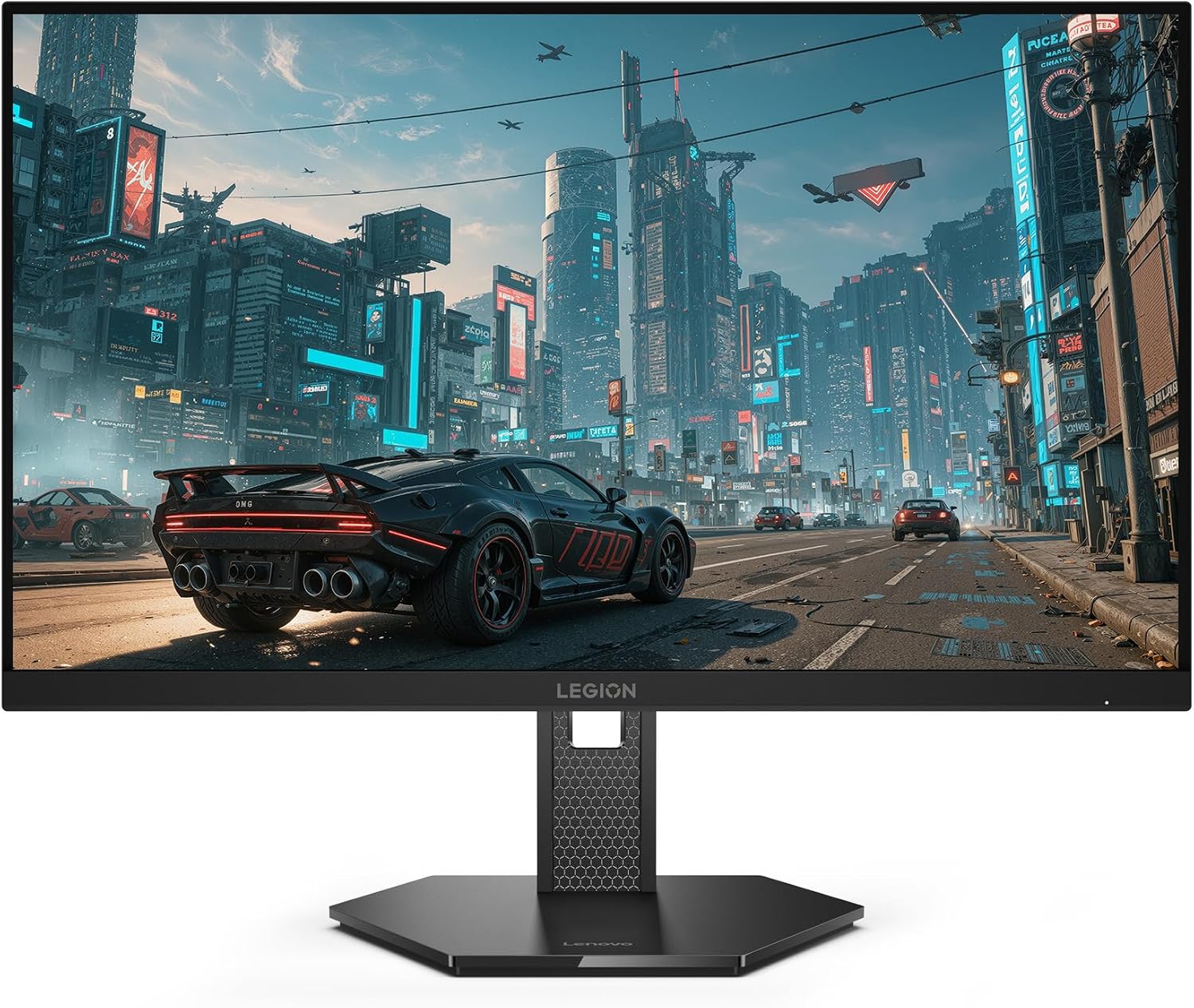
Lenovo Legion 27QD-10 27-inch QHD IPS 240Hz Gaming Monitor
Pros
- 240Hz IPS panel at 1440p for $229.49
- Listing bullets include USB-C, HDMI 2.1, DisplayPort 1.4 and USB-A
- 99% sRGB and 90% DCI-P3 per the listing
- FreeSync Premium, a natural fit for an AMD card
Cons
- No KVM switch, which the Gigabyte it replaces had
- Speakers are not stated on the listing
- HDR certification is not stated on the listing
Price as of Jul 26, 2026 — see current price on Amazon.
Everything below about the Legion 27QD-10 comes from Lenovo's Amazon listing.
The Legion 27QD-10 hits the 240Hz sweet spot for the 9070 XT without jumping to OLED pricing, and at $229.49 it is the cheapest monitor in this guide. The listing states a QHD IPS panel at 240Hz, 0.5ms MPRT, 99% sRGB and 90% DCI-P3, FreeSync Premium, and an ergonomic stand.
At 240Hz and 1440p, the 9070 XT is doing real work. In Apex Legends or The Finals at 1440p high settings, this GPU regularly breaks 200fps, meaning you spend most of your session inside the 240Hz window rather than just touching it occasionally. That's when high-refresh monitors earn their cost: not in benchmarks, but in the sustained smoothness you feel during a 3-hour play session.
FreeSync Premium is the right sync flavor for a Radeon card, and the port bullets on the listing name USB-C, HDMI 2.1, DisplayPort 1.4 and USB-A, so a laptop or a console can share the panel with your desktop. What you lose against the Gigabyte is the KVM switch. If you run two computers at one desk and want one keyboard and mouse across both, budget for a separate KVM box. For PC-only setups it's not an issue at all since you'll be on DisplayPort anyway.
LG 27GR83Q-B: Most Well-Rounded Pick
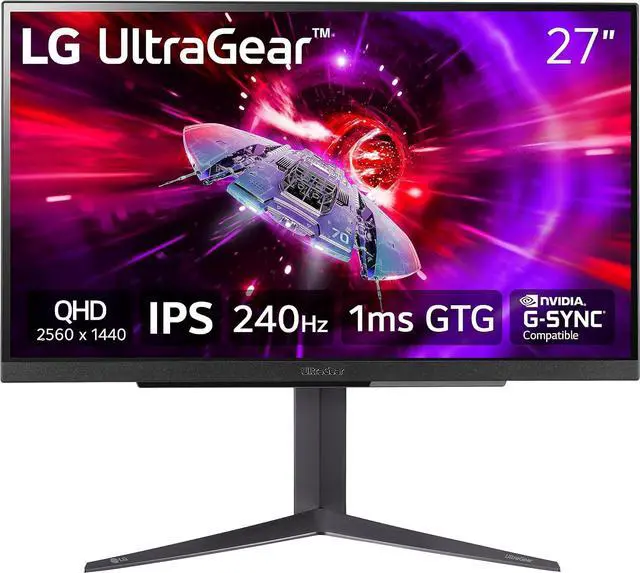
LG 27GR83Q-B UltraGear 27-inch 1440p 240Hz
Pros
- 240Hz IPS with excellent motion clarity
- HDMI 2.1 for full console bandwidth
- DCI-P3 95% wide color gamut
- DTS:X surround through headphone output
Cons
- Some IPS glow in very dark room conditions
- Stand is functional but not the most flexible
- HDR brightness doesn't compete with Mini LED tiers
Price as of Jul 26, 2026 — see current price on Amazon.
The LG 27GR83Q-B is the monitor I'd recommend to most people pairing with an RX 9070 XT. At $299 it costs $70 more than the Lenovo Legion 27QD-10, but it brings slightly better color coverage at 95% DCI-P3 and LG's well-proven UltraGear IPS panel. This is the option that makes the most sense as a daily driver for both gaming and work.
Motion handling on LG UltraGear IPS is a step above average. The 1ms GtG in overdrive mode holds up in practice, and BlurBusters ranked this panel well in their 240Hz refresh testing. With the 9070 XT feeding 200+ fps in CS2 and Valorant, you get the full benefit. Fast camera pans in shooters look cleaner than most panels in this price bracket.
HDMI 2.1 matters if you ever connect a PS5 or Xbox Series X. Both consoles support 1440p at 120Hz through HDMI 2.1, and this monitor handles it cleanly. The Lenovo's listing claims HDMI 2.1 as well, but the LG is the one with years of reviews confirming the console behavior, which matters if your gaming setup is anywhere near a console.
The DTS:X processing on the headphone jack is a small bonus that's worth mentioning. If you use headphones plugged directly into the monitor rather than the PC, it applies positional audio processing that noticeably improves spatial sound in gaming. It's not a replacement for a real sound card, but it's a genuinely useful feature for desk setups with everything routed through the monitor.
Alienware AW2725DF: Best OLED Option
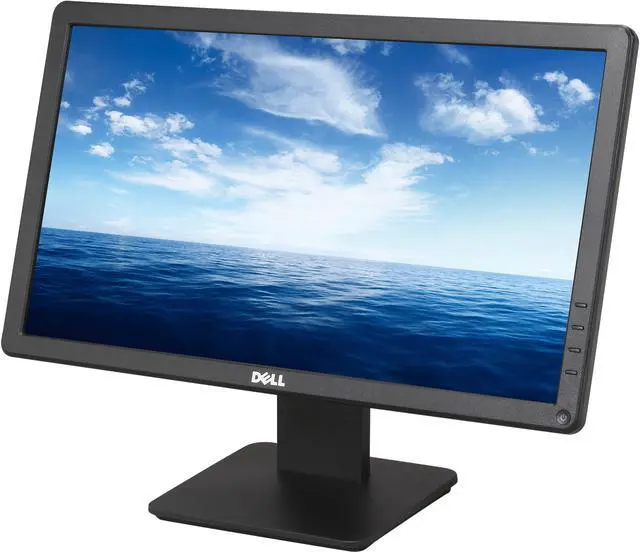
Alienware AW2725DF 27-inch 1440p 360Hz QD-OLED
Pros
- 360Hz QD-OLED at 1440p -- the fastest OLED available
- 0.03ms response time, essentially instant pixel switching
- 99.3% DCI-P3 and true OLED black levels
- USB-C with full port selection including HDMI and DisplayPort
Cons
- $649 is a serious investment
- OLED burn-in risk requires discipline with static content
- 3-year warranty vs 5 years on some LG IPS panels
Price as of Jul 26, 2026 — see current price on Amazon.
Here's where things get serious. The Alienware AW2725DF is the world's first 360Hz QD-OLED gaming monitor, and pairing it with the RX 9070 XT is about as good as 1440p gaming gets right now. The pixel response time of 0.03ms is not a marketing figure -- it's the physical characteristic of OLED pixels, and after a week on this panel, a standard IPS at 1ms suddenly feels like it has film over it. Motion is clean in a way that's hard to articulate until you experience it firsthand.
The 9070 XT earns this monitor. It regularly hits 300+ fps in Valorant, 250+ in CS2, and 200+ in Apex, which means you spend extended time inside the 360Hz window in competitive play. In more demanding titles like Monster Hunter Wilds and Cyberpunk 2077, you're at 100-180fps, which still looks extraordinary on QD-OLED's infinite contrast ratio. The combination of high frame rate plus true black levels gives these games a visual depth that no IPS can match at any price.
Is it worth $649? That's a genuine question worth asking. If gaming is your main hobby and you log 20+ hours a week at this desk, the answer is yes. The visual difference from the LG 27GR83Q-B is not subtle -- it's the difference between a good monitor and one that makes you notice the display itself as part of the experience. If you're a casual gamer who primarily uses the display for work, the LG at half the price gives you most of the experience.
OLED burn-in deserves honest discussion. Alienware includes a pixel refresh cycle and automatic brightness limiter in the firmware. Most power users with 18+ months of daily heavy use report zero issues. The real risk is static content: Windows taskbar, browser UI, game HUDs running at full brightness for hours. The firmware tools handle this, but they require turning on and using. Screensavers and timed sleep settings are good habits to keep on any OLED panel.
How to Choose the Right Monitor for Your RX 9070 XT
What Resolution Should You Run?
The RX 9070 XT is built for 1440p. At 2560x1440, AMD's RDNA 4 architecture delivers high frame rates across modern titles. In games from 2025 and 2026, you're typically looking at 80-160fps at max settings without upscaling enabled. With FSR 4's frame generation running in Quality mode, that number climbs substantially. 1440p gives you a massive sharpness leap over 1080p while keeping fps where the GPU's strengths lie.
4K is possible but not the natural home for this GPU. The 9070 XT can push 60-90fps in demanding titles at 4K with quality settings adjusted, and FSR 4 Quality mode at 4K looks excellent. But you'll be working against the GPU's ceiling to get there consistently. For 4K gaming as the primary use case, an RTX 5080 or RX 9080 is a better match.
What Refresh Rate Actually Matters?
For competitive games -- Valorant, CS2, Apex, Overwatch 2 -- the 9070 XT sustains 200-300+ fps at 1440p, so 240Hz is the minimum I'd recommend if you play these seriously. The Lenovo Legion 27QD-10 and LG 27GR83Q-B both hit that mark. You'll use the refresh rate actively, not just have it as headroom.
For single-player story games and RPGs, 144Hz is plenty. The Samsung Odyssey G50A at 165Hz covers this category well. Most demanding open-world titles on the 9070 XT run under 144fps at max settings, and the extra visual quality of Mini LED panels like the AOC Q27G3XMN becomes more valuable than higher Hz.
IPS vs VA vs QD-OLED: Which Panel Suits Your Use?
IPS is the all-rounder. Good color accuracy, fast response, wide viewing angles. The LG 27GR83Q-B and Samsung G50A represent the IPS tier well at different price points.
VA at the Mini LED tier is interesting. The AOC Q27G3XMN demonstrates that VA plus Mini LED local dimming produces HDR results that standard IPS genuinely can't match. The contrast difference, typically 3000:1 on VA vs 1000:1 on IPS, is visible even in SDR content with dark scenes.
QD-OLED is the endgame. The Alienware AW2725DF delivers infinite contrast, unmatched motion clarity, and color accuracy that professional display calibrators charge much more for. The tradeoffs are price and burn-in management discipline.
Does the RX 9070 XT Need G-Sync or FreeSync?
All five monitors in this list are FreeSync Premium compatible, and four are G-Sync Compatible certified. With the 9070 XT, FreeSync Premium is what you'll use -- AMD's GPU handles FreeSync natively, delivering VRR support across the full refresh range. The difference between native G-Sync hardware and G-Sync Compatible certification is negligible for the vast majority of gaming use cases.
Enable FreeSync in Radeon Software and in the monitor's OSD, and you're done. The 9070 XT handles VRR cleanly without the frame pacing issues some older AMD GPUs had.
Frequently asked questions
- Is the RX 9070 XT good enough for 4K gaming?
- It handles 4K but 1440p is the better fit. At 4K max settings, you're typically looking at 50-80fps in demanding 2026 titles -- manageable with FSR 4 Quality mode but not a true 4K 120fps experience. For serious 4K gaming, budget toward an RTX 5080 class GPU. The 9070 XT's real sweet spot is 1440p high-refresh.
- How many Hz do I actually need for the RX 9070 XT?
- At minimum 144Hz. The 9070 XT at 1440p regularly exceeds 100fps even in demanding games, so a 60Hz or 75Hz display leaves performance unused. If you play competitive games like Valorant or Apex, 240Hz is the sweet spot because this GPU can sustain 200+ fps in those titles at 1440p high settings.
- Does the RX 9070 XT support HDMI 2.1?
- Yes, the RX 9070 XT includes an HDMI 2.1 port. For monitors, this matters if you also connect a PS5 or Xbox Series X -- both support 1440p at 120Hz via HDMI 2.1. The LG 27GR83Q-B is the best option here since it has HDMI 2.1 on the display side too. The Samsung G50A uses HDMI 2.0, which limits it to 1440p at 144Hz over HDMI. The Lenovo Legion 27QD-10 lists HDMI 2.1 on its Amazon listing.
- Is OLED worth it for a mid-range GPU like the 9070 XT?
- Yes, more than you'd expect. The Alienware AW2725DF at 360Hz QD-OLED is a legitimate pairing because the 9070 XT sustains 250-360fps in lighter competitive titles. Beyond raw Hz, QD-OLED's infinite contrast makes single-player games look substantially better at any frame rate. The $649 price is real, but the visual step up from IPS is not subtle.
- Do I need DisplayPort or can I use HDMI?
- For 1440p at 240Hz, use DisplayPort. HDMI 2.0 maxes out at 1440p 144Hz, and even HDMI 2.1 has bandwidth limitations at 240Hz in some configurations. DisplayPort 1.4 handles 1440p 240Hz without issues. The Alienware AW2725DF includes a DisplayPort cable in the box; for others, a DisplayPort 1.4 cable is a cheap add-on available for under $15.
- Will these monitors work with FSR 4 frame generation?
- FSR 4 is a GPU-side feature that works with any display. What matters is that your monitor's VRR range covers the output frame rate. All five monitors listed here support FreeSync Premium, which handles variable frame rate output cleanly. Enable FreeSync in both AMD Radeon Software and your monitor's OSD, and FSR 4 frame generation will work normally.
Bottom Line
The RX 9070 XT is wasted on anything below 1440p, and it genuinely performs best at 1440p high-refresh. For most buyers, the LG 27GR83Q-B at $299 hits the right combination of 240Hz, HDMI 2.1, and solid IPS quality -- it's my top pick. Step down to the Samsung Odyssey G50A at $229 if budget is the priority and single-player games are your main use case. Move up to the Alienware AW2725DF at $649 if you want to see the full ceiling of what QD-OLED and 360Hz actually feel like in competitive play. The AOC Q27G3XMN and Lenovo Legion 27QD-10 fill the middle well: the AOC wins on HDR quality, the Lenovo wins on refresh rate and price.
How We Pick
We pick products by combining spec-level research, price checks, trusted third-party benchmarks, and owner sentiment from high-signal sources.
- Performance and real-world value in the category this guide targets
- Price-to-performance and deal consistency over recent pricing windows
- Build quality, reliability patterns, and known long-term issues
- Recommendation refresh cadence to keep these picks current
Author
TheTechSearch Editorial Team
Independent product reviewers & PC builders
We compare real-world specs, reviews and owner reports, price trends, and user feedback to recommend gear that actually makes sense to buy.