Best Dash Cams 2026
Five proven dash cams for every budget, from the $150 ROVE R2-4K DUAL to the Nextbase 622GW, with real Sony STARVIS 2 night vision and verified Amazon links.
As an Amazon Associate we earn from qualifying purchases made through our links — this doesn't affect our picks.
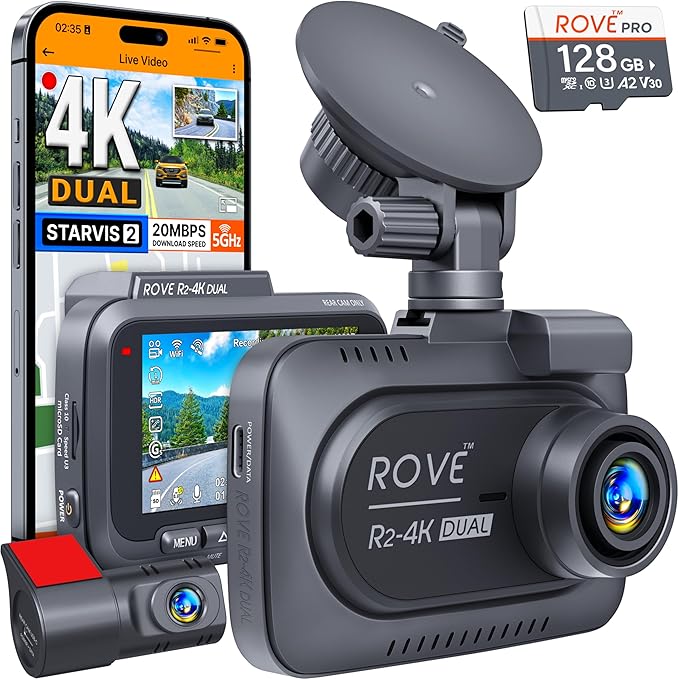
ROVE R2-4K DUAL Dash Cam Front and Rear
Our top recommendation for this category
Price as of Jul 9, 2026 — see current price on Amazon.
In this guide
- Quick Picks
- ROVE R2-4K DUAL: Best Value Front and Rear Dash Cam
- Garmin Dash Cam Mini 3: Best for a Clean, Invisible Install
- VIOFO A229 Plus: Best Dual 2K Front and Rear Dash Cam
- Vantrue N4 Pro: Best 3-Channel Dash Cam for Rideshare Drivers
- Nextbase 622GW: Best Premium Dash Cam with Image Stabilization
- What to Look for in a Dash Cam
- Bottom Line
Three years ago, a decent dash cam cost $200 and still gave you washed-out footage at night. The Sony STARVIS 2 sensor generation changed that. Now cameras under $150 can pull usable license plate reads after dark, and the front-and-rear category has gone from a niche enthusiast thing to standard issue for anyone who drives regularly.
We compared five cameras on sensor, rear coverage, parking mode and price, using spec sheets and published reviews. Here's how they stack up.
Quick Picks
| Camera | Price | Resolution | Channels | Best For | |
|---|---|---|---|---|---|
| ROVE R2-4K DUAL | ~$149.99 | 4K + 1080p | 2 | Best Value | Check Price |
| Garmin Dash Cam Mini 3 | ~$99.99 | 1080p | 1 | Cleanest Install | Check Price |
| VIOFO A229 Plus | ~$189.99 | 1440p + 1440p | 2 | Enthusiast Pick | Check Price |
| Vantrue N4 Pro | ~$250 | 4K + 1080p + 1080p | 3 | Rideshare/Trucks | Check Price |
| Nextbase 622GW | ~$249.99 | 4K + 1080p | 2 | Premium Feature Set | Check Price |
ROVE R2-4K DUAL: Best Value Front and Rear Dash Cam
ROVE R2-4K DUAL Dash Cam Front and Rear
Pros
- Includes a free 128GB SD card
- 4K front with STARVIS 2 sensor
- 5GHz Wi-Fi for fast phone transfers
- Built-in GPS logs speed and route
Cons
- Rear camera only 1080p (front is 4K)
- App can be slow to connect initially
Price as of Jul 9, 2026 — see current price on Amazon.
ROVE consistently lands at the top of Amazon's bestseller list in the dash cam category, and it's not hard to see why. For around $150 (Amazon's price when I checked in September 2026), you get a 4K front camera built on Sony's STARVIS 2 sensor, a 1080p rear camera, GPS, 5GHz Wi-Fi, and they throw in a 128GB SD card. That's a legitimately complete package.
The STARVIS 2 sensor is the real story here. Compared to the previous generation, you get roughly 2x better low-light sensitivity. In dim parking garages and on unlit streets, that's the difference between a readable plate and a smeared blob.
The 4K footage from the front is sharp enough that you'll have no trouble parsing what happened in an incident. Rear capture at 1080p is a step down, but it's fine for the purpose. The 3-inch IPS screen is actually useful for reviewing clips without pulling out your phone.
One thing worth knowing: the included 128GB card is a ROVE-branded card, not a SanDisk or Samsung. It works fine, but if you're planning on heavy parking-mode use you'll want a higher-endurance card eventually. That said, most people won't hit that wall for a year or more.
Garmin Dash Cam Mini 3: Best for a Clean, Invisible Install
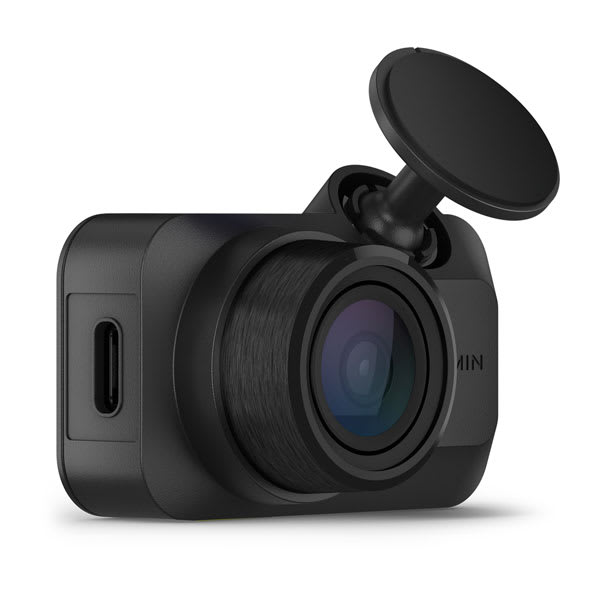
Garmin Dash Cam Mini 3
Pros
- Truly tiny (smaller than a matchbox)
- Built-in Clarity polarizer cuts windshield glare
- Voice commands work reliably
- No screen keeps it discreet
Cons
- 1080p only, no rear camera included
- Parking mode requires constant power cable (sold separately)
- No 5GHz Wi-Fi
Price as of Jul 9, 2026 — see current price on Amazon.
If your goal is a dash cam that disappears, the Mini 3 is it. Garmin made this thing smaller than a car key fob. Once you run the cable cleanly and position it near the rear-view mirror, most passengers won't notice it at all.
It records at 1080p with a 140-degree field of view. Not 4K, not 2K, and Garmin knows that. What they've done instead is put a built-in polarizing lens filter in the camera (they call it the Clarity Polarizer) to reduce glare from the windshield. It's actually clever engineering for a class of camera that lives against glass all day. I noticed cleaner footage on sunny afternoons compared to competitors that skip this feature.
Voice control works: say "OK Garmin, save video" or "OK Garmin, take a photo" and it responds. No fumbling with buttons while you're driving. The auto-incident detection locks footage when the G-sensor trips, which is standard at this point but implemented well here.
At $99.99 when I checked in September 2026, the price is a lot easier to swallow for a single-channel 1080p camera than the $150 it used to sit at. You're paying for the Garmin brand trust, the size engineering, and that polarizer. If those things matter to you, it's worth it. If you need front-and-rear coverage or maximum video quality, look at the VIOFO below.
VIOFO A229 Plus: Best Dual 2K Front and Rear Dash Cam
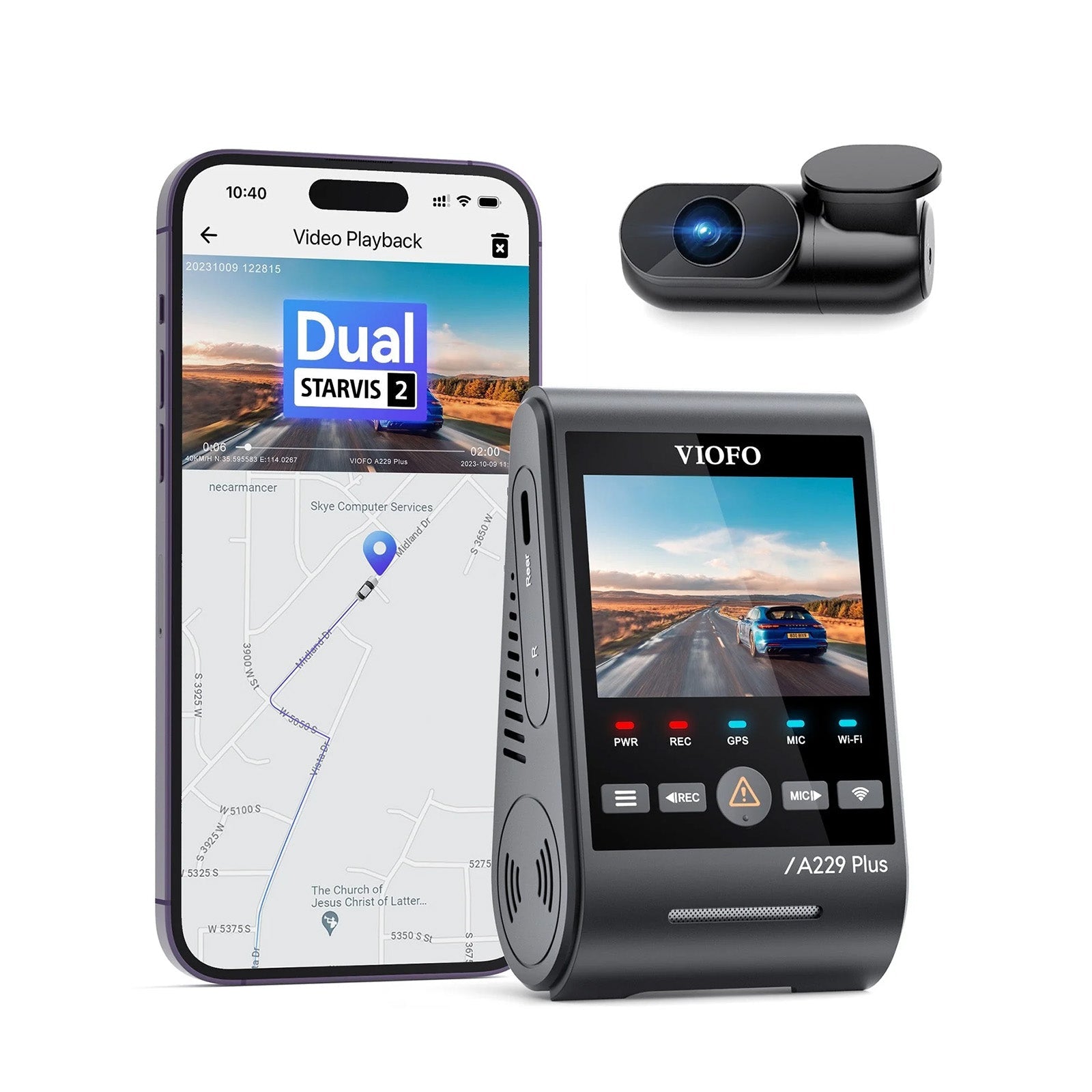
VIOFO A229 Plus Dash Cam Front and Rear
Pros
- Both front and rear record at 1440p
- Dual Sony STARVIS 2 sensors
- HDR mode improves exposure in mixed lighting
- Supports up to 512GB microSD cards
Cons
- No screen included (app or separate monitor needed)
- 5GHz Wi-Fi range isn't huge
- Setup takes longer than plug-and-play options
Price as of Jul 9, 2026 — see current price on Amazon.
The r/dashcam community on Reddit tends to land on VIOFO when someone asks for a recommendation that won't disappoint, and the A229 Plus is the sweet spot in their lineup right now. The key thing that separates it from budget competition is that both cameras use STARVIS 2 sensors. Most front-and-rear setups skimp on the rear and put a cheaper sensor back there. Not this one.
You get 1440p from both ends, which means rear footage is actually usable for reading plates when someone rear-ends you. That's what matters in a real insurance claim. The HDR mode helps significantly in situations with extreme contrast, like driving toward a bright sunrise with cars in your mirrors.
The camera has no built-in screen, which some people find annoying. You configure it through the VIOFO app via 5GHz Wi-Fi, and it works. But there's a learning curve if you're used to just pointing a camera and hitting record. Once it's set up, you leave it alone and it does its job.
GPS recording with a bundled mount means your footage gets speed and location stamps, which has come in handy more than once when dealing with insurance questions. Voice control handles the day-to-day stuff. It supports up to 512GB, so loop recording for extended parking mode coverage is viable.
Vantrue N4 Pro: Best 3-Channel Dash Cam for Rideshare Drivers
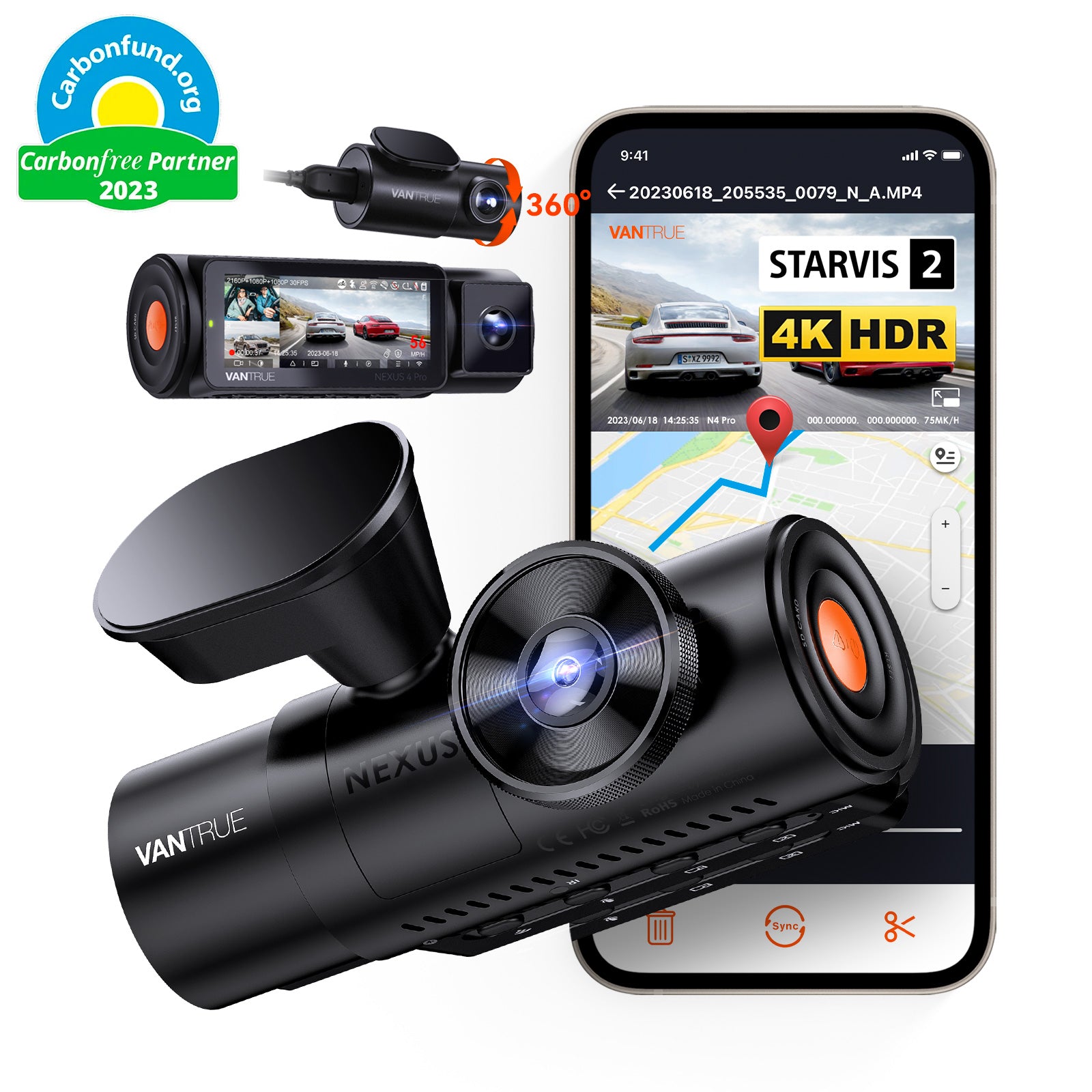
Vantrue N4 Pro 4K 3 Channel Dash Cam
Pros
- Records front, cabin, and rear simultaneously
- IR infrared cabin camera works in total darkness
- Supercapacitor survives extreme heat, won't swell
- PlatePix technology for sharper plate captures
Cons
- Price jumps significantly over 2-channel options
- Three cables to route through the car
- App has a steeper learning curve
Price as of Jul 9, 2026 — see current price on Amazon.
If you're driving for Uber, Lyft, or any rideshare platform, or if you routinely haul other people in your vehicle, a cabin camera is not optional. The Vantrue N4 Pro is the camera to buy in this category.
It runs three simultaneous streams: 4K front, 1080p cabin (infrared for night recording), and 1080p rear. The front uses VIOFO's STARVIS 2 IMX678 sensor paired with Vantrue's PlatePix technology, which is basically aggressive sharpening and contrast applied to the plate area. I've seen it read plates at distances where competitors give up.
The supercapacitor power system matters more than people realize. Regular batteries in dash cams can swell and fail in a hot car parked in the sun, especially in Texas or Arizona summers. Supercapacitors handle the temperature cycling much better and typically outlast the camera itself. It's the reason why enthusiasts consistently recommend supercapacitor cameras for long-term reliability.
The main friction with this one is installation. Three cables running to three cameras takes a couple of hours to do cleanly. Most people have it professionally installed or run the cables loosely for a while before tidying up. Once done, it's rock solid.
Nextbase 622GW: Best Premium Dash Cam with Image Stabilization
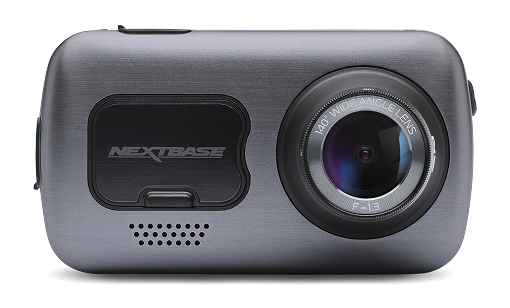
Nextbase 622GW Dash Cam 4K
Pros
- Electronic image stabilization reduces vibration blur
- 120fps super slow motion mode
- what3words integration for precise incident location
- Alexa built-in
- Emergency SOS sends location to contacts
Cons
- Front-only camera out of the box (rear sold separately)
- Expensive relative to comparable recording quality
- Touchscreen can be hard to use in direct sunlight
Price as of Jul 9, 2026 — see current price on Amazon.
The Nextbase 622GW is the camera for people who want a dash cam feature set that goes beyond just recording footage. It has electronic image stabilization, which matters more than it sounds: on rough roads or cobblestones, competitors produce jittery footage that's hard to read. The 622GW smooths that out.
The 120fps slow motion mode is genuinely useful for things like close-proximity incidents where you want to break down what happened frame by frame. Most dash cams record at 30fps and you get blur at key moments.
The Emergency SOS feature is probably the most distinctive thing here. It can detect if you've been in a serious collision and automatically send your GPS location to nominated emergency contacts. The what3words integration tags your exact location in footage to a 3-word address, which is more precise than standard GPS coordinates.
That said, at $249.99 you're getting a single-channel camera. The rear camera for the 622GW is sold separately, which feels like a move designed to push buyers into a higher total spend. If you need front and rear at this budget, the Vantrue N4 Pro covers more ground. But if you want the premium feature stack and don't care about rear coverage as much, the Nextbase is the nicest front-camera experience in this guide.
What to Look for in a Dash Cam
Resolution and Sensor Quality
The camera's resolution number doesn't tell the whole story. A 4K camera with a cheap CMOS sensor can produce worse night footage than a 2K camera with Sony's STARVIS 2 sensor. When evaluating any dash cam, look for STARVIS 2 (sometimes written as IMX675 or IMX678) specifically. It's the current gold standard for dash cam imaging and makes the biggest difference in low-light scenarios where most incidents happen.
Battery vs Supercapacitor
Most budget dash cams use an internal lithium battery. This works fine in mild climates. If you live somewhere that gets very hot summers (above 100 degrees consistently), you should strongly consider a supercapacitor-based camera like the Vantrue N4 Pro. Batteries degrade and can swell when repeatedly heated in a parked car. Supercapacitors don't have this problem and typically last the life of the camera.
Parking Mode
This is where things get complicated. Parking mode lets the dash cam record when your car is parked and the engine is off. It's genuinely useful. But most dash cams need constant power to run parking mode, which means you need a hardwire kit installed into your fuse box. Some newer models have buffer parking mode using a small capacitor charge. If parking mode matters to you, verify whether the camera needs a hardwire kit and budget another $20-30 for it.
Wi-Fi and the App Experience
All five cameras here have Wi-Fi for transferring footage to your phone. The practical question is how fast and how stable the connection is. The 5GHz Wi-Fi in the ROVE, VIOFO, and Vantrue cameras transfers a 1-minute clip in under 30 seconds. 2.4GHz cameras can take several minutes for the same file. The app quality varies a lot by brand: VIOFO's app is functional but dated, ROVE's is cleaner, and Garmin's integration with their Tread or DriveAssist ecosystem is the most polished.
GPS: Do You Actually Need It?
For most people, yes. GPS logs your speed, heading, and location onto the footage, which is important evidence if you're ever involved in an insurance dispute. It also lets you map trips after the fact. Cameras without GPS cost slightly less, but the value of that data in a real incident usually outweighs the price difference.
Frequently asked questions
- Do I need a dash cam that records front and rear?
- For most drivers, yes. The majority of insurance disputes involve rear-end collisions or parking lot incidents, and a front-only camera won't capture those. Any of the front-and-rear cameras in this guide (ROVE, VIOFO A229 Plus, Vantrue N4 Pro) handle that. Budget around $150-$190 for solid dual coverage.
- What is a STARVIS 2 sensor and why does it matter?
- Sony STARVIS 2 is a back-illuminated CMOS sensor technology that provides roughly 2x better light sensitivity than the previous generation. In practice, this means you can actually read license plates at night, in parking garages, and in rain. If a camera doesn't list STARVIS 2 (or specifically the IMX675 or IMX678 sensor), it's an older-generation chip.
- Can I use any microSD card in a dash cam?
- Most dash cams work with standard microSD cards, but you should use high-endurance variants designed for continuous write cycles. Samsung PRO Endurance and SanDisk High Endurance are the two most recommended. Regular cards wear out faster because dash cams constantly overwrite footage. The VIOFO A229 Plus supports up to 512GB, which gives roughly 60-plus hours of 1440p dual-channel footage before it starts looping.
- What is parking mode and do I need it?
- Parking mode keeps the dash cam recording when your car is parked and off, typically triggered by motion or impact detection. It requires either a constant power source (hardwire kit, about $20-$30 extra) or a battery pack add-on. If you park in high-traffic areas, busy streets, or if your car has been hit in parking lots before, it's worth it. If you always park in a garage, it's less essential.
- Will a dash cam affect my insurance rates?
- Insurance companies don't automatically lower rates for having a dash cam. What they do is use the footage as evidence in fault disputes. Having clear 4K footage of an accident where the other driver was at fault can be the difference between a payout and a denied claim. Some UK insurers offer premium discounts, but this hasn't broadly arrived in the US yet.
- How do I install a dash cam cleanly without dangling cables?
- Route the power cable from the camera mount along the top of the windshield, then down the A-pillar (the vertical piece between the windshield and driver's window) and along the dash trim to the 12V port or a hardwire kit connection. A plastic trim removal tool (about $5) makes this much easier. Most cameras come with enough cable (typically 10-13 feet) to reach the 12V port on the center console without showing the wire.
Bottom Line
For most drivers, the ROVE R2-4K DUAL is the answer. You get 4K front recording, a rear camera, GPS, 5GHz Wi-Fi, and a 128GB card for around $150. It's a lot of camera for the money, and the STARVIS 2 sensor in front genuinely outperforms what you'd have gotten from any camera in this price bracket two years ago.
Step up to the VIOFO A229 Plus at around $190 if you want 2K on the rear as well, which makes a real difference for capturing what's behind you in incident footage. Go with the Vantrue N4 Pro if you're a rideshare driver or need cabin coverage. The Nextbase 622GW earns its premium price if image stabilization and the Emergency SOS feature are meaningful to you.
All five cameras here use STARVIS 2 sensors, have GPS, and will hold up over time. The era of buying a $30 no-name camera and getting garbage footage is over if you shop from this list. Still deciding whether you need one at all? Read is a dash cam worth it first.
How We Test
We score products by combining spec-level research, pricing history, trusted third-party benchmarks, and owner sentiment from high-signal sources.
- Performance and real-world value in the category this guide targets
- Price-to-performance and deal consistency over recent pricing windows
- Build quality, reliability patterns, and known long-term issues
- Recommendation refresh cadence to keep these picks current
Author
TheTechSearch Editorial Team
Independent product reviewers & PC builders
We test and compare real-world specs, price trends, and user feedback to recommend gear that actually makes sense to buy.