Best Webcams for Streaming 2026
We compared the top webcams for streaming and video calls in 2026. From 4K flagships to budget picks, here's what actually looks good on camera. Expert picks...
As an Amazon Associate we earn from qualifying purchases made through our links — this doesn't affect our picks.
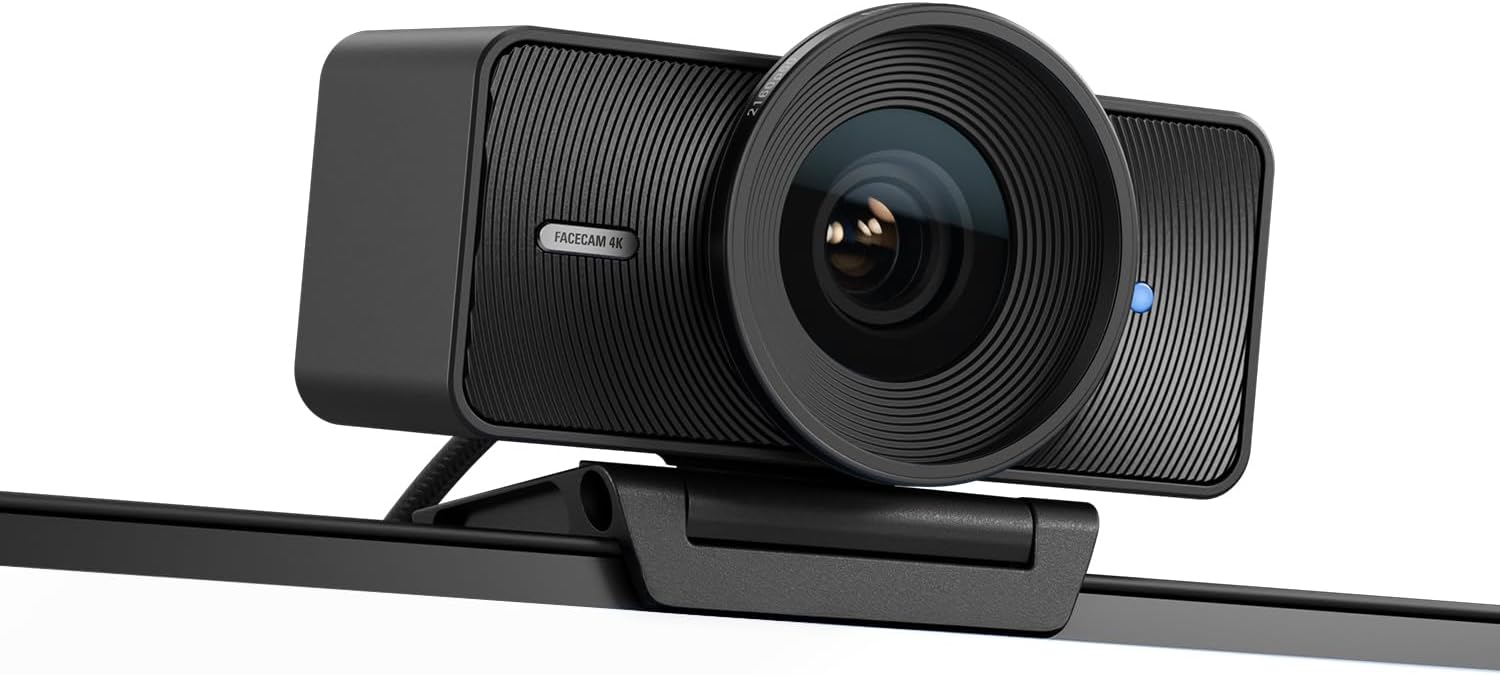
Elgato Facecam 4K
Our top recommendation for this category
Price as of Oct 9, 2026 — see current price on Amazon.
Webcams worth buying run from about $70 to $200, and the gap in image quality is a lot smaller than the gap in price. Sensor size, frame rate and software control decide more than the sticker does. And no webcam fixes a dark room: a key light often does more for your picture than a $100 camera upgrade.
The good news: webcam tech has caught up to where it should've been years ago. 4K is now standard at the high end, low-light performance has improved dramatically, and autofocus actually works. Here's how the four worth buying compare.
Quick comparison
| Webcam | Resolution | Frame Rate | Field of View | Price | |
|---|---|---|---|---|---|
| Elgato Facecam 4K | 4K | 60fps (4K) | 90° | $176.99 | Check Price |
| Logitech MX Brio | 4K | 30fps (4K), 60fps (1080p) | 90° | $199.99 | Check Price |
| Insta360 Link 2 | 4K | 30fps (4K) | 79° | $149.99 | Check Price |
| Logitech C920x | 1080p | 30fps | 78° | $69.99 | Check Price |
Elgato Facecam 4K
Elgato Facecam 4K
Pros
- True 4K at 60fps
- 1/1.8-inch Sony STARVIS 2 sensor
- HDR in its 30fps modes
- Takes standard 49mm lens filters
- Camera Hub gives full manual control
Cons
- No built-in microphone
- Fixed focus, no autofocus
- Privacy cap is sold separately
- Needs a USB 3.0 port for full quality
Price as of Oct 9, 2026 — see current price on Amazon.
The Facecam 4K is the webcam to beat for streaming. It records true 4K at 60fps, and it does it for a $199.99 list price that undercuts most 4K60 rivals.
The sensor is the reason it looks good. Elgato uses a 1/1.8-inch Sony STARVIS 2 chip, which is large for a webcam, and HDR is available in every 30fps mode from 540p up to 4K. There's also a 49mm thread on the front, so you can screw on a regular camera filter. A polarizer to cut glare off glasses is the obvious use.
Elgato's Camera Hub software is where it separates itself. You get manual exposure, pan/tilt/zoom framing and cinematic LUTs. Lock the settings once and the camera stops making its own exposure decisions mid-stream.
The tradeoffs are deliberate. There's no microphone at all, and focus is fixed rather than auto, so it's tuned for someone sitting at a desk, not someone holding products up to the lens. If that's you, and you already own a proper mic, nothing else here beats it.
Logitech MX Brio
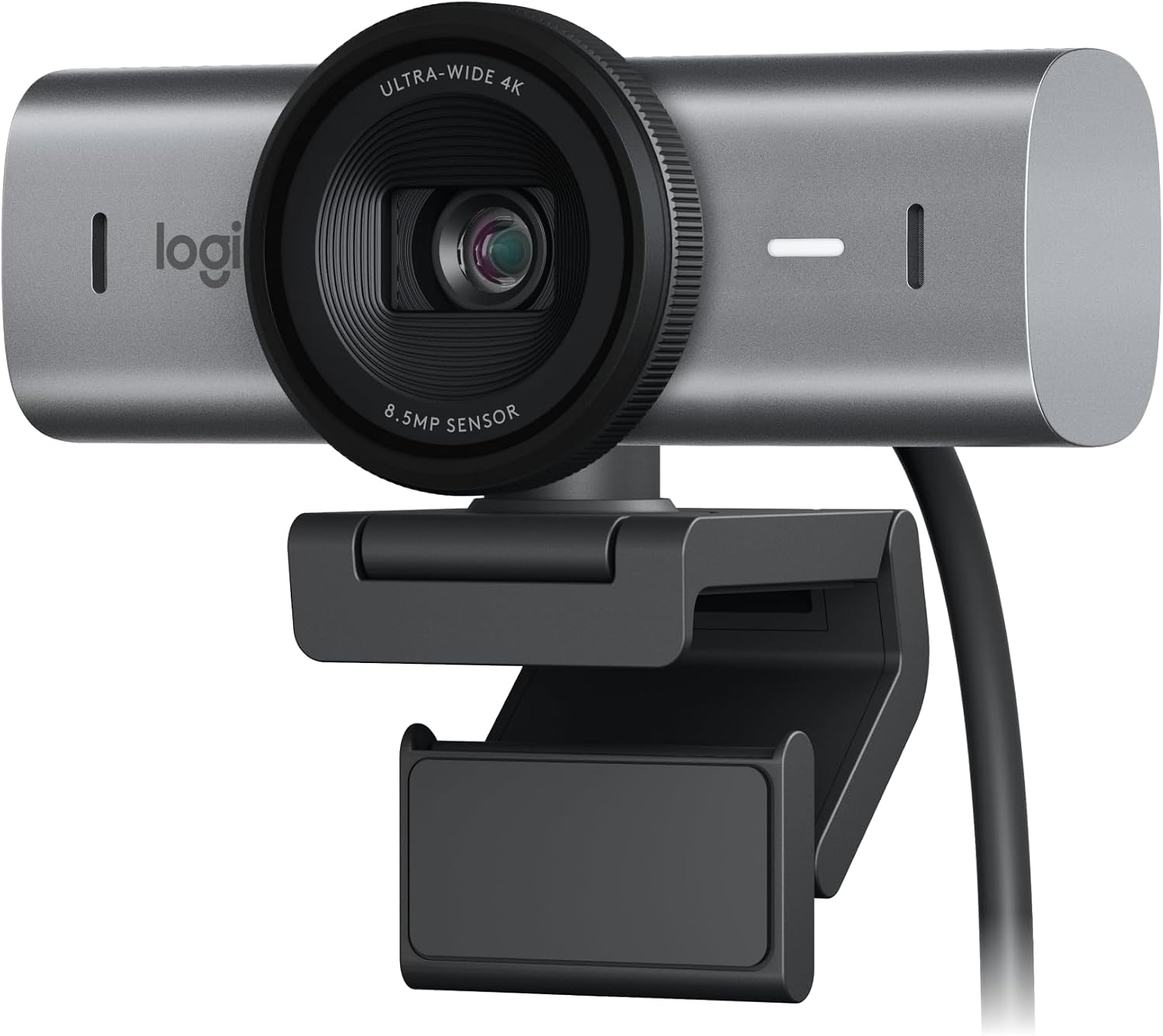
Logitech MX Brio
Pros
- 4K at 30fps, 1080p at 60fps
- Show Mode tilts down to share your desk
- Dual beamforming mics with AI noise reduction
- Built-in privacy shutter
- 90°, 78° or 65° field of view
Cons
- 4K tops out at 30fps
- Costs about the same as the Facecam 4K
- Fine controls need Logi Options+ or G HUB
Price as of Oct 9, 2026 — see current price on Amazon.
The MX Brio is Logitech's flagship webcam, and it's the better pick if your camera does double duty for streams and work calls. Logitech lists it at $199.99.
It uses an 8.5MP Sony STARVIS sensor, and Logitech says its 70% larger pixels give up to 2x finer image detail than the original Brio 4K. Resolution tops out at 4K/30, with 1080p at 60fps for streaming.
Show Mode is the feature people end up using. Tilt the camera down and it frames your desk, which is legitimately useful for artists, crafters, or anyone doing product demos.
The dual beamforming mics use AI noise reduction, and they're fine for a quick Teams call. A built-in shutter rotates over the lens when you're done. For pure streaming, though, the Facecam 4K gives you 60fps at 4K for roughly the same money.
Insta360 Link 2
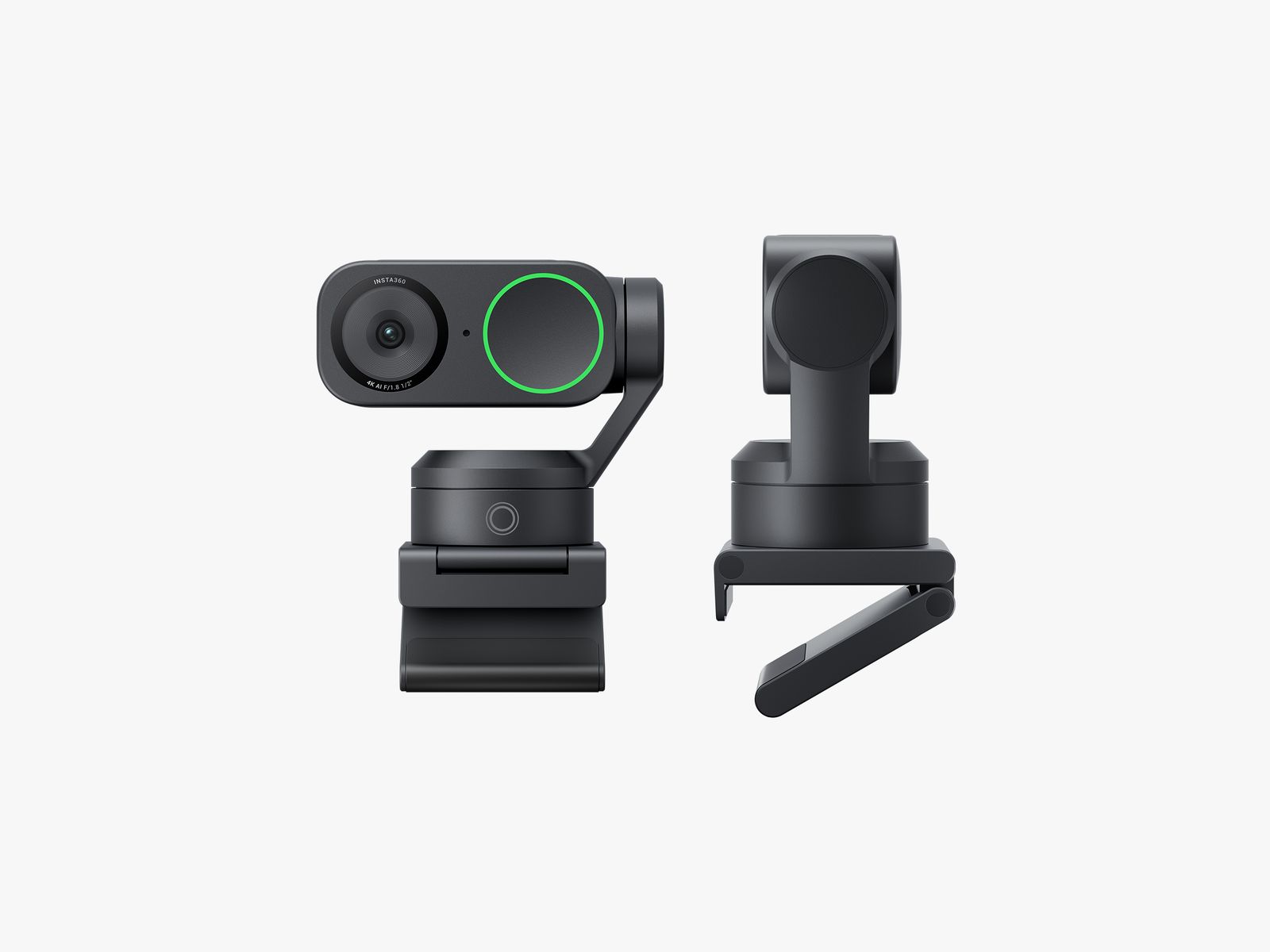
Insta360 Link 2
Pros
- AI-powered tracking follows you around the room
- Gesture controls for zoom and whiteboard mode
- Tiny gimbal adjusts angle automatically
- Great for standing desk setups
- Works as a document camera
Cons
- Tracking can be too aggressive during normal calls
- 4K is limited to 30fps
- The gimbal motor is faintly audible
- AI features need the companion app running
Price as of Oct 9, 2026 — see current price on Amazon.
The Insta360 Link 2 is the most interesting webcam here. It sits on a tiny motorized gimbal that physically tracks your face as you move. Stand up, pace around, lean to the side, and the camera follows. For streamers who move around a lot or anyone with a standing desk, this is a big deal.
Gesture controls let you trigger specific modes by holding up your hand. Open palm zooms in, draw a rectangle in the air and it switches to whiteboard mode, framing whatever's behind you. It sounds like a gimmick, but for teaching or product-demo calls it's a genuinely quick way to switch views.
Image quality is solid but not class-leading. Colors are accurate, dynamic range is good, and 4K looks sharp, but you're capped at 30fps at that resolution. The tracking is the selling point, and it delivers. Just know that during normal seated calls, the constant micro-adjustments can be distracting, and locking the tracking for those is the usual fix.
Logitech C920x
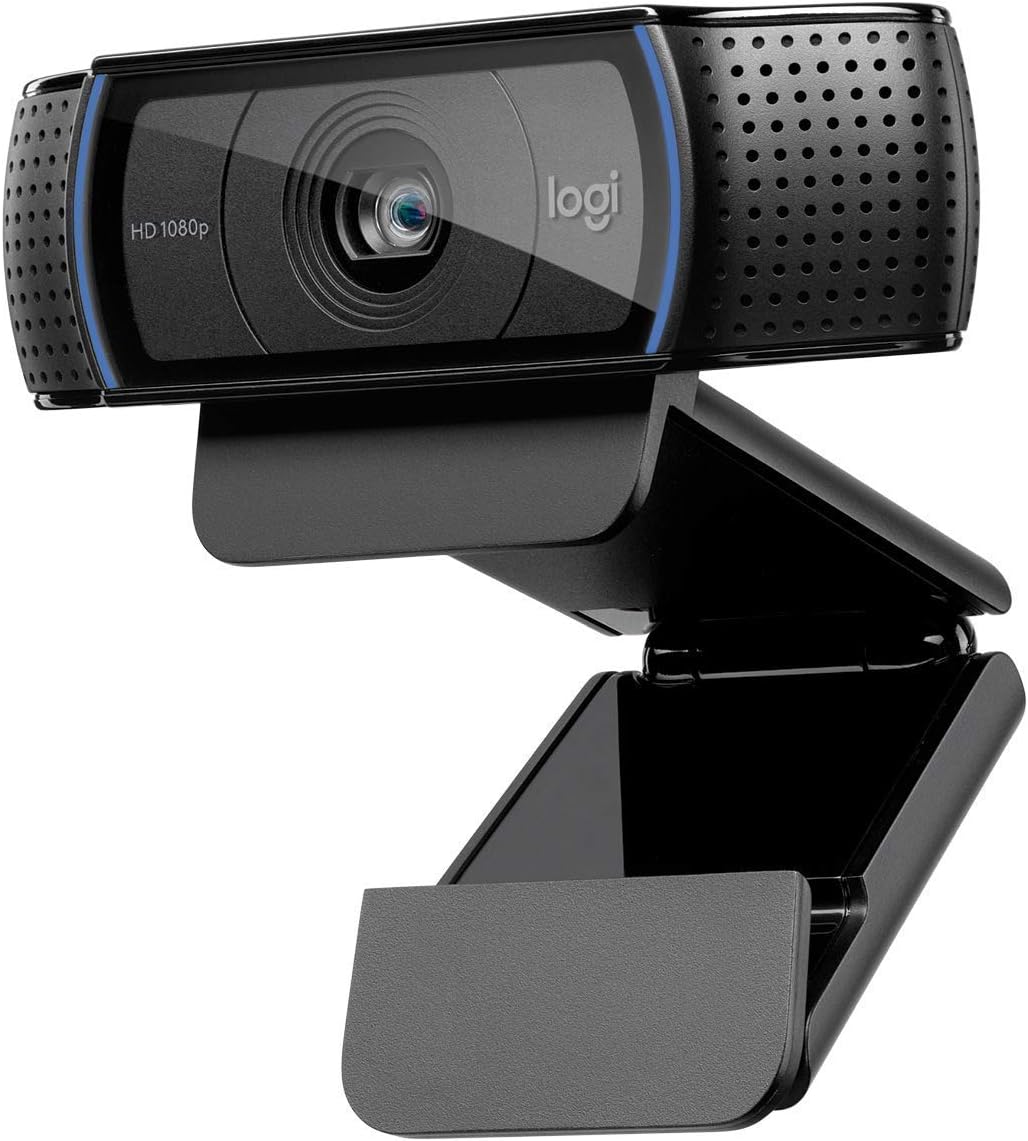
Logitech C920x
Pros
- Under $70 for a webcam that doesn't look terrible
- Reliable autofocus
- Built-in stereo mics
- Universal compatibility, just works
- Proven design, been around for years
Cons
- 1080p 30fps only
- Low-light performance is mediocre
- No manual controls without third-party software
- Shows its age against modern competitors
Price as of Oct 9, 2026 — see current price on Amazon.
The C920x has been around in some form since 2012, and there's a reason it's still selling. At $69.99, it produces a perfectly acceptable 1080p image. Colors are a bit flat compared to the premium options, and low-light performance shows its age, but in a well-lit room, it looks fine on Zoom or Discord.
There's no companion software worth using (Logi Tune technically supports it, but there aren't many settings to change). It's truly plug-and-play. Connect via USB, it works.
If you're just doing video calls and casual streaming, spending $200+ on a webcam is hard to justify. The C920x gets the job done.
What to look for in a streaming webcam
Resolution and frame rate matter together. 4K at 30fps can look worse than 1080p at 60fps during fast movement. Most Twitch streams are delivered at 1080p anyway, so frame rate usually matters more than resolution for streaming specifically.
Sensor size determines low-light performance. Bigger sensors capture more light. If your room isn't well-lit, prioritize sensor size over resolution. Of the four here, the Facecam 4K and its 1/1.8-inch STARVIS 2 sensor is the one built for this.
Software control is underrated. Being able to lock exposure, set white balance manually, and adjust your framing in software saves you from those awkward moments where the camera decides to readjust mid-stream.
Built-in mics are a bonus, not a feature. They're fine for casual calls. For streaming, you want a dedicated microphone. Don't let mic quality influence your webcam decision.
The bottom line
For most streamers, the Elgato Facecam 4K at $176.99 is the right call. You get true 4K/60fps, a large sensor and full manual control. If your webcam also handles work calls, the Logitech MX Brio at $199.99 adds mics, a privacy shutter and Show Mode. And if your budget is tight, the C920x at $69.99 still does the job, just make sure your lighting is good.
As an Amazon Associate, we earn from qualifying purchases. This doesn't affect our recommendations or editorial independence.
Related guides
Frequently asked questions
- What resolution webcam do I need for streaming?
- 1080p at 60fps is the standard for Twitch and YouTube streaming. Most streaming platforms cap at 1080p60 for the output, making 4K webcams useful primarily for local recording or future-proofing. If you stream at 720p to save bandwidth, even a 1080p camera provides more data for compression to work with. 60fps matters more than resolution for smooth live content.
- What is the difference between software and hardware autofocus?
- Hardware autofocus uses a dedicated sensor and motor to physically adjust the lens, delivering faster, more accurate focus tracking as you move. Software autofocus uses AI processing to simulate focus adjustment, which can stutter or hunt in unpredictable lighting. Premium webcams like the Logitech Brio 4K and Insta360 Link use hardware autofocus or AI-powered gimbal tracking for consistently sharp results. Budget cameras often use fixed focus or slower software AF.
- How important is low-light performance for a webcam?
- Very important for home streamers who are not in perfectly lit studios. Low-light performance depends on sensor size, aperture, and the camera's noise reduction processing. Cameras with f/2.0 or wider apertures and larger sensors perform significantly better in dim rooms. The Elgato Facecam 4K's 1/1.8-inch Sony STARVIS 2 sensor is a good example of a sensor sized for dim rooms. Good lighting is still more cost-effective than buying a premium camera for bad light.
- Should I use a webcam or a dedicated camera with capture card for streaming?
- Webcams are easier: plug in, done. DSLR or mirrorless cameras via capture cards deliver significantly better image quality, lens options, and depth of field blur. The trade-off is complexity and cost: you need the camera, capture card, and potentially a dummy battery for continuous power. For serious streamers who want professional-looking video, a Sony ZV-E10 with an Elgato HD60 X capture card outperforms any webcam. For casual streamers or those just starting, a quality 1080p webcam is the right starting point.
- What background blur technology should I look for?
- Hardware-based background blur (Brio 4K, Kiyo Pro) processes on the camera chip and is more stable and less CPU-intensive than software blur. Software-based solutions like NVIDIA RTX Broadcast and Apple's macOS built-in blur run on your GPU or CPU and work with any camera. If you have an RTX 2060 or newer, NVIDIA Broadcast delivers excellent background removal with any webcam. If you want the camera to handle it natively without software overhead, hardware-based blur on the camera itself is the alternative.
How We Pick
We pick products by combining spec-level research, price checks, trusted third-party benchmarks, and owner sentiment from high-signal sources.
- Performance and real-world value in the category this guide targets
- Price-to-performance and deal consistency over recent pricing windows
- Build quality, reliability patterns, and known long-term issues
- Recommendation refresh cadence to keep these picks current
Author
TheTechSearch Editorial Team
Independent product reviewers & PC builders
We compare real-world specs, reviews and owner reports, price trends, and user feedback to recommend gear that actually makes sense to buy.