Best Monitors for Nintendo Switch 2 2026
The best monitors for Nintendo Switch 2 in 2026: 4K, 1440p, and budget picks that let the dock's HDMI 2.1 port actually earn its keep. Expert picks, pros and...
As an Amazon Associate we earn from qualifying purchases made through our links — this doesn't affect our picks.
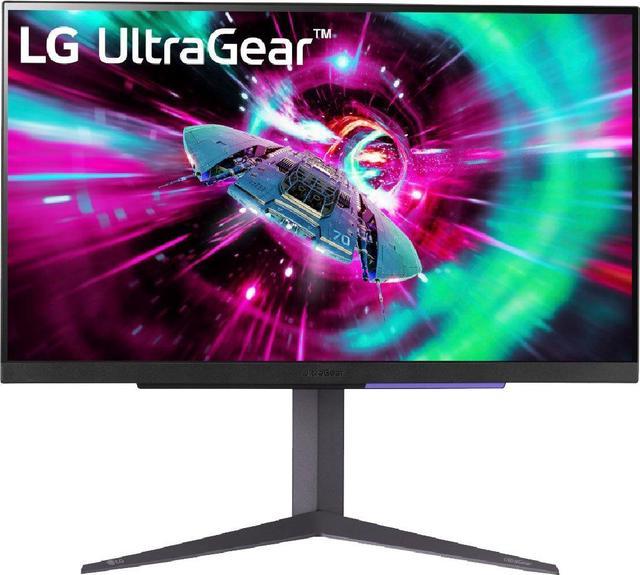
LG UltraGear 27GR93U-B 27-inch 4K 144Hz IPS Monitor
Our top recommendation for this category
Price as of Jul 20, 2026 — see current price on Amazon.
The Switch 2's dock ships with an HDMI 2.1 port and 4K DLSS upscaling support built in. Most people plug it into whatever TV is nearby. That's fine for the couch, but TVs have input lag that ranges from "acceptable" to "noticeably sluggish" depending on the title, and at ten feet away you're missing a lot of the detail that DLSS upscaling actually produces. A dedicated gaming monitor fixes both problems. Input lag under 5 milliseconds is the norm on any decent gaming panel, and at 27 inches you can sit close enough to see what 1440p or 4K output actually looks like.
These five monitors cover the Switch 2 dock well at every budget.
Quick Picks
| Monitor | Resolution | Refresh Rate | Panel | Price | |
|---|---|---|---|---|---|
| LG UltraGear 27GR93U-B | 4K UHD | 144Hz | IPS | $299 | Check Price |
| Samsung Odyssey OLED G5 G50SF | QHD 1440p | 180Hz | QD-OLED | $349 | Check Price |
| ASUS TUF Gaming VG27AQL3A | QHD 1440p | 180Hz | Fast IPS | $249.99 | Check Price |
| Acer Nitro XV272U F3 | QHD 1440p | 300Hz | IPS | $199 | Check Price |
| Samsung Odyssey G50D | QHD 1440p | 180Hz | Fast IPS | $249 | Check Price |
LG UltraGear 27GR93U-B: Best Overall
LG UltraGear 27GR93U-B 27-inch 4K 144Hz IPS Monitor
Pros
- Native 4K panel for Switch 2 DLSS upscaling output
- HDMI 2.1 port handles every Switch 2 output mode
- 1ms GtG response time, 144Hz for PC gaming
- DCI-P3 95% coverage for wide-gamut Switch 2 titles
Cons
- Native 4K rendering is rare in current Switch 2 games
- No built-in speakers
Price as of Jul 20, 2026 — see current price on Amazon.
The LG 27GR93U-B is the one to buy if you want to stop thinking about this category for several years. It has a native 4K IPS panel running at 144Hz, which sounds like overkill for a gaming console, and for most current Switch 2 titles it kind of is. Most games render internally at 1080p or 1440p and use DLSS to upscale the output. But DLSS upscaling lands noticeably better on a 4K panel than on a 1440p panel, because there are more physical pixels for the algorithm to fill in. As Nintendo releases more visually demanding first-party games, that headroom starts mattering more.
The HDMI 2.1 port is the practical win here. The Switch 2 dock outputs over HDMI 2.1, so you're getting a direct, uncompressed signal at whatever resolution and frame rate the game supports. No bandwidth bottleneck.
Input lag holds up. LG quotes 1ms GtG, and RTINGS.com measured it around 1.5ms in game mode. At a desk, where you're two to three feet from the panel instead of ten feet from a TV, that responsiveness is genuinely perceptible in fighting games, platformers, and anything where frame-perfect inputs matter.
The IPS panel covers 95% of DCI-P3, so games with HDR10 content deliver on the promise instead of looking washed out. At 27 inches with a native 4K panel, pixel density is sharp without being cramped. For anyone treating the Switch 2 seriously over the next three to four years, this is the right monitor.
Samsung Odyssey OLED G5 G50SF: Best Picture Quality
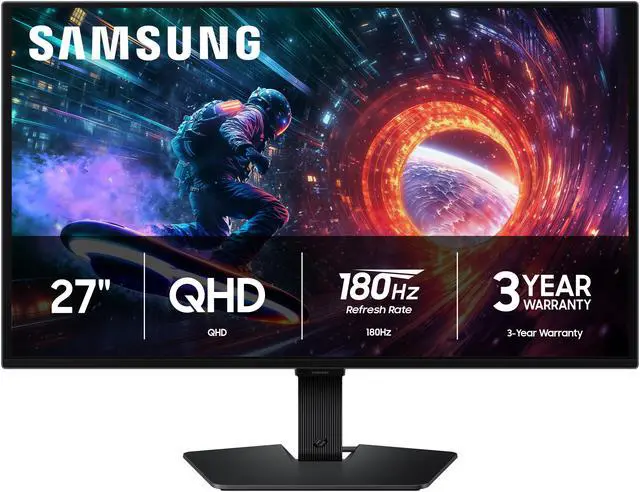
Samsung 27-inch Odyssey OLED G5 G50SF QHD 180Hz QD-OLED Monitor
Pros
- QD-OLED true blacks make HDR content in Switch 2 games actually pop
- 0.03ms response time eliminates motion blur in fast games
- Colors are vivid and accurate straight out of the box
- 180Hz via DisplayPort, 144Hz via HDMI
Cons
- OLED burn-in risk with static home screen elements if left idle
- 1440p is the ceiling, not 4K
- Most expensive pick on this list
Price as of Jul 20, 2026 — see current price on Amazon.
If the best-looking image the Switch 2 can produce is what you're after, the Samsung G50SF is not a close call. QD-OLED panels turn each pixel off individually to produce true blacks, which means HDR in Switch 2 titles pops the way it does on a premium TV, not the way it does on a backlit IPS panel with local dimming. There is a visible gap between IPS HDR and OLED HDR. No way around that.
The G50SF runs at 1440p and 180Hz via DisplayPort, or 144Hz via HDMI. Since you'll be using HDMI from the Switch 2 dock, you're at 144Hz on this panel, which is not a problem. No Switch 2 title currently targets above 120fps.
Response time is 0.03ms GtG, so motion clarity is sharp. Fast-paced titles like Mario Kart World or Metroid Prime 4 look sharper in motion on this panel than on any IPS monitor at a similar price. The QD-OLED color volume also just makes Nintendo's art direction look better. Games built around vivid color palettes look more saturated and alive.
The burn-in concern is real but manageable. Static menu elements, including the Switch 2 home screen, can imprint over months of heavy use. Samsung's screen-shift feature helps, and keeping brightness reasonable during non-gaming use extends panel life significantly. For actual gameplay sessions, burn-in is not a meaningful concern. Where it matters is if you habitually leave the home screen sitting for hours at a time.
At $349, this is the luxury pick. But if image quality is the priority and OLED care doesn't bother you, the G50SF makes the Switch 2's best-looking games look better than any IPS monitor can.
ASUS TUF Gaming VG27AQL3A: Best Color Coverage
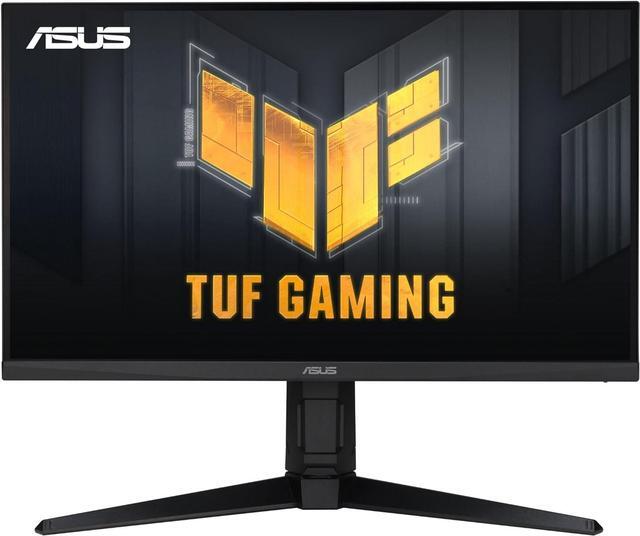
ASUS TUF Gaming VG27AQL3A 27-inch 1440p 180Hz Fast IPS Monitor
Pros
- 1440p 180Hz Fast IPS at $249.99
- 130% sRGB color coverage, well above average for this price
- DisplayHDR 400 certified
- Three-year warranty from ASUS
Cons
- HDMI 2.0, not 2.1 (fine for current Switch 2 output modes)
- No built-in speakers
- Basic stand (tilt only)
Price as of Jul 20, 2026 — see current price on Amazon.
The ASUS TUF VG27AQL3A is a strong panel for Switch 2 buyers. At $249.99, you get a 27-inch 1440p Fast IPS panel at 180Hz with 130% sRGB coverage. That last number matters. Most gaming monitors at this price use panels covering 72% NTSC (roughly 99% sRGB), which is adequate. The ASUS covers 130% sRGB, meaning games with wide color gamut support actually render those colors correctly rather than clipping to a narrower space.
For Switch 2 use, the panel does exactly what it needs to. Most games output at 1080p or 1440p from the dock. On a 1440p panel, 1080p scales cleanly and DLSS-upscaled 1440p looks genuinely good. Not 4K good, but sharp enough at a 27-inch desk distance that you won't be reaching for more pixels.
The Fast IPS panel has 1ms response time (MPRT), keeping motion blur under control through the 60 to 120fps range that Switch 2 games target. Ghosting is minimal.
One thing to know: the VG27AQL3A uses HDMI 2.0. For Switch 2, this is fine. HDMI 2.0 handles 1440p at 144Hz and 4K at 60Hz without issue. You'd only hit a bandwidth ceiling if the Switch 2 were outputting 4K at 120Hz with HDR simultaneously, which isn't a current scenario. If that changes in a future update or game mode, you'd need the LG above instead.
At $249.99 the ASUS is no longer the obvious value pick: the Acer below has the same core specs, a better stand, and two HDMI 2.1 ports for $50 less. Buy the ASUS if the wider color coverage matters to you.
Acer Nitro XV272U F3: Best Dual-Use Pick
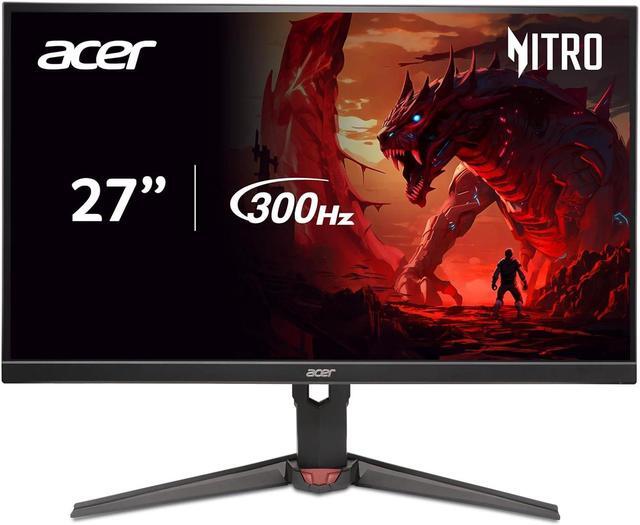
Acer Nitro XV272U F3 27-inch 1440p 300Hz IPS Monitor
Pros
- Two HDMI 2.1 ports for Switch 2 plus a second console simultaneously
- 300Hz for PC gaming when not using the Switch 2
- 99% sRGB, DisplayHDR 400
- ErgoStand with height and tilt adjustment
Cons
- 300Hz benefit is irrelevant for Switch 2 which caps at 120fps
- IPS (not Fast IPS) panel has slightly softer motion clarity than the ASUS
Price as of Jul 20, 2026 — see current price on Amazon.
The Acer XV272U F3 is the one to get if you have multiple devices. It ships with two HDMI 2.1 ports, which means you can have the Switch 2 and a PS5 (or a gaming PC) plugged in at the same time without touching a single cable. For a desk with more than one console, that matters more day-to-day than almost any spec on the box.
At $199, the headline 300Hz refresh rate reads as excessive for Switch 2 use, and it is: Switch 2 games cap at 120fps. But if you're also running a gaming PC with an RTX 4070 or faster, 300Hz gets used. This monitor justifies its price for dual-purpose setups in a way a single-HDMI monitor can't.
The IPS panel (not Fast IPS) covers 99% sRGB and carries DisplayHDR 400. Response time is 0.5ms GtG. That's slightly behind the ASUS VG27AQL3A on paper, though in actual Switch 2 gameplay at 60 to 120fps, the difference is subtle enough to ignore.
The ErgoStand deserves a mention because the ASUS, now $50 more, only tilts. The Acer gives you full height adjustment, tilt, and swivel, which makes cable management and eye-level alignment significantly easier on a shared desk.
One honest note: the ASUS VG27AQL3A used to edge this out at the same price, but at $249.99 versus $199 the Acer is now the better buy even for a single device.
Samsung Odyssey G50D: Runner-Up
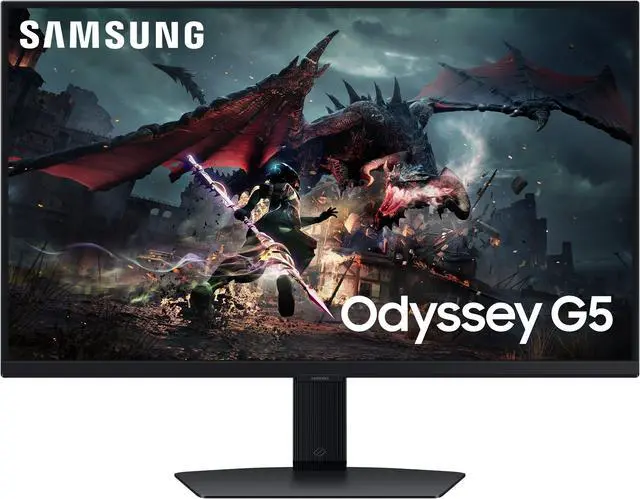
Samsung 27-inch Odyssey G50D QHD Fast IPS 180Hz Monitor
Pros
- Auto Source Switch detects Switch 2 dock automatically
- Fast IPS panel with 1ms response time
- G-Sync Compatible for PC gaming alongside Switch 2
- Samsung build quality and display calibration
Cons
- $249 is an awkward position between the $199 Acer and $299 LG
- No built-in speakers
- No HDMI 2.1
Price as of Jul 20, 2026 — see current price on Amazon.
The Samsung Odyssey G50D sits at $249 and doesn't quite have a clear lane. At $50 less, the Acer XV272U F3 covers the same specs with a better stand, and the ASUS now costs the same as the G50D. The LG 27GR93U-B at $50 more adds 4K and HDMI 2.1. What the G50D competes on is two things: Samsung's Auto Source Switch feature and overall build quality.
Auto Source Switch is legitimately useful. When you power up the Switch 2 dock, the G50D automatically detects the new signal and switches input without you touching anything. That sounds trivial until you've been manually cycling through HDMI inputs on a cheaper monitor for six months. It's the kind of small friction Samsung quietly removes that adds up.
The Fast IPS panel itself is solid. 1ms response time, G-Sync Compatible, FreeSync support, and 99% sRGB coverage with DisplayHDR 400. Out of the box color accuracy is good, typical of Samsung's display calibration. Build quality is a step above the Acer at the same price point, with a more rigid stand and cleaner cable routing.
If you find this on sale for $199 or below, buy it without hesitation. At the full $249, the LG is the smarter buy unless Auto Source Switch is specifically what you want.
How to Pick the Right Monitor for Nintendo Switch 2
What Resolution Actually Matters
The Switch 2 dock supports output up to 4K in titles that use DLSS upscaling, but the native rendering resolution of most games is 1080p or 1440p internally. On a 4K panel, that upscaling looks sharper because there are more physical pixels for the algorithm to target. On a 1440p panel, DLSS upscaling still looks good, just not as refined.
For most buyers, 1440p at 27 inches is the practical sweet spot. You get substantially more detail than 1080p output, and at a normal desk distance (2 to 3 feet), pixel density is dense enough that individual pixels aren't visible. 4K makes sense if you plan to use the monitor for PC gaming or want to future-proof for first-party Switch 2 titles that push 4K rendering more aggressively.
Do You Actually Need HDMI 2.1?
Probably not right now. The Switch 2 dock uses HDMI 2.1, but its actual bandwidth demands fall within HDMI 2.0 range for current game output modes. HDMI 2.0 handles 4K at 60Hz, 1440p at 144Hz, and 1080p at 240Hz comfortably. You'd only hit an HDMI 2.0 bandwidth ceiling if the Switch 2 were simultaneously pushing 4K at 120Hz with HDR, which no current game does.
HDMI 2.1 becomes worth prioritizing if you're sharing the monitor with a PS5 (which does use HDMI 2.1 bandwidth for 4K/120Hz VRR content) or if you want headroom for future Switch 2 software updates that increase output resolution.
Screen Size for Desk Gaming
At a desk, 24 to 27 inches is the comfortable range. At 24 inches with 1440p, pixel density is extremely high and images are very sharp. At 27 inches with 1440p, you get a bit more visual real estate without losing density. Beyond 27 inches at a typical arm's-length desk distance, you start moving your head to track fast action, which gets tiring in longer sessions.
All five monitors above are 27 inches because that's the majority pick for desktop gaming in 2026, and for good reason.
60Hz vs 120Hz: Is It Worth It for Switch 2?
Switch 2 games support either 60fps or 120fps depending on the title and performance mode settings. Games like Mario Kart World and Splatoon 4 hit 120fps in docked mode in their performance settings. On a 120Hz or faster monitor, the smoothness is visible and real. At 60fps, a 60Hz monitor and a 144Hz monitor look identical.
Every monitor on this list runs at 144Hz or above, so 120fps Switch 2 output is covered no matter which you pick. The excess headroom (180Hz, 300Hz on the Acer) is irrelevant for Switch 2 but useful if the monitor doubles as a PC gaming display.
IPS vs OLED for Console Gaming
IPS is the safe choice. No burn-in risk, solid brightness for rooms with ambient light, good color accuracy, and prices that make sense. OLED (specifically QD-OLED in the Samsung G50SF's case) produces better contrast, true blacks, and more vivid HDR, but costs more and requires some care around static content.
For Switch 2 specifically, burn-in risk during actual gameplay is low. The concern is around the home screen sitting idle with static menu elements for extended periods. If you leave the Switch 2 home screen on for hours regularly, stick with IPS. If you're going straight into games and back out, OLED is fine.
Frequently asked questions
- Does Nintendo Switch 2 support 4K resolution on a monitor?
- Yes, in supported titles using DLSS upscaling. Most Switch 2 games render internally at 1080p or 1440p and upscale via DLSS to 4K output. Native 4K rendering is not yet common, but DLSS-upscaled 4K looks sharp on a 4K monitor and meaningfully better than on a 1440p panel.
- What HDMI version does the Nintendo Switch 2 dock use?
- The Switch 2 dock uses HDMI 2.1. In practice, most current game output modes (1080p 120Hz, 1440p 60Hz, 4K 60Hz) fall within HDMI 2.0 bandwidth, so you don't need an HDMI 2.1 monitor for Switch 2 alone unless you're future-proofing or sharing with a PS5.
- Is 1440p worth it for Nintendo Switch 2?
- Yes, 1440p is the sweet spot for Switch 2 at a desk. DLSS upscaling targets 1440p well, and the image looks noticeably sharper than on a 1080p panel. You also give DLSS more pixels to land on when the game outputs at 4K, which improves upscaling quality.
- Does Nintendo Switch 2 support 120fps on a monitor?
- Yes, certain first-party and third-party titles support 120fps in docked mode with the performance mode enabled. Any monitor running at 120Hz or higher displays those games at their full frame rate. All five monitors on this list run at 144Hz or above, so you're covered.
- Do I need a gaming monitor or can I just use a TV for Switch 2?
- A TV works fine from a couch, but a gaming monitor is better for desk use. Gaming monitors typically have 1 to 5ms input lag versus 10 to 30ms for a TV in game mode, and at close range you can see the precision difference in anything with frame-sensitive inputs. The visual sharpness at desk distance is also notably better.
- What screen size is best for Nintendo Switch 2 at a desk?
- 27 inches is the sweet spot for most desk setups. It's large enough to appreciate the detail in docked Switch 2 output, small enough that you're not moving your head to track fast action. At 24 inches, pixel density is higher but the image feels cramped for living-room-style games. Beyond 27 inches gets unwieldy at arm's length.
Bottom Line
The LG UltraGear 27GR93U-B at $299 is the best overall monitor for Nintendo Switch 2 at a desk. Native 4K, HDMI 2.1, and the color accuracy to make Nintendo's first-party art direction look the way it was meant to. If $299 is more than you want to spend, the Acer XV272U F3 at $199, or the ASUS TUF VG27AQL3A at $249.99 if color coverage matters, gives up very little in practice: solid 1440p at 180Hz with color coverage that beats its price class. And if image quality is what you care about most and you don't mind managing an OLED panel, the Samsung Odyssey G5 G50SF makes the Switch 2's best-looking games look better than any IPS display can.
How We Pick
We pick products by combining spec-level research, price checks, trusted third-party benchmarks, and owner sentiment from high-signal sources.
- Performance and real-world value in the category this guide targets
- Price-to-performance and deal consistency over recent pricing windows
- Build quality, reliability patterns, and known long-term issues
- Recommendation refresh cadence to keep these picks current
Author
TheTechSearch Editorial Team
Independent product reviewers & PC builders
We compare real-world specs, reviews and owner reports, price trends, and user feedback to recommend gear that actually makes sense to buy.