Best OLED Gaming Monitors Under $500 in 2026
OLED gaming monitors finally broke the $500 barrier. Here are the best QD-OLED and WOLED panels for gamers who want true blacks without overpaying. Expert pi...
As an Amazon Associate we earn from qualifying purchases made through our links — this doesn't affect our picks.
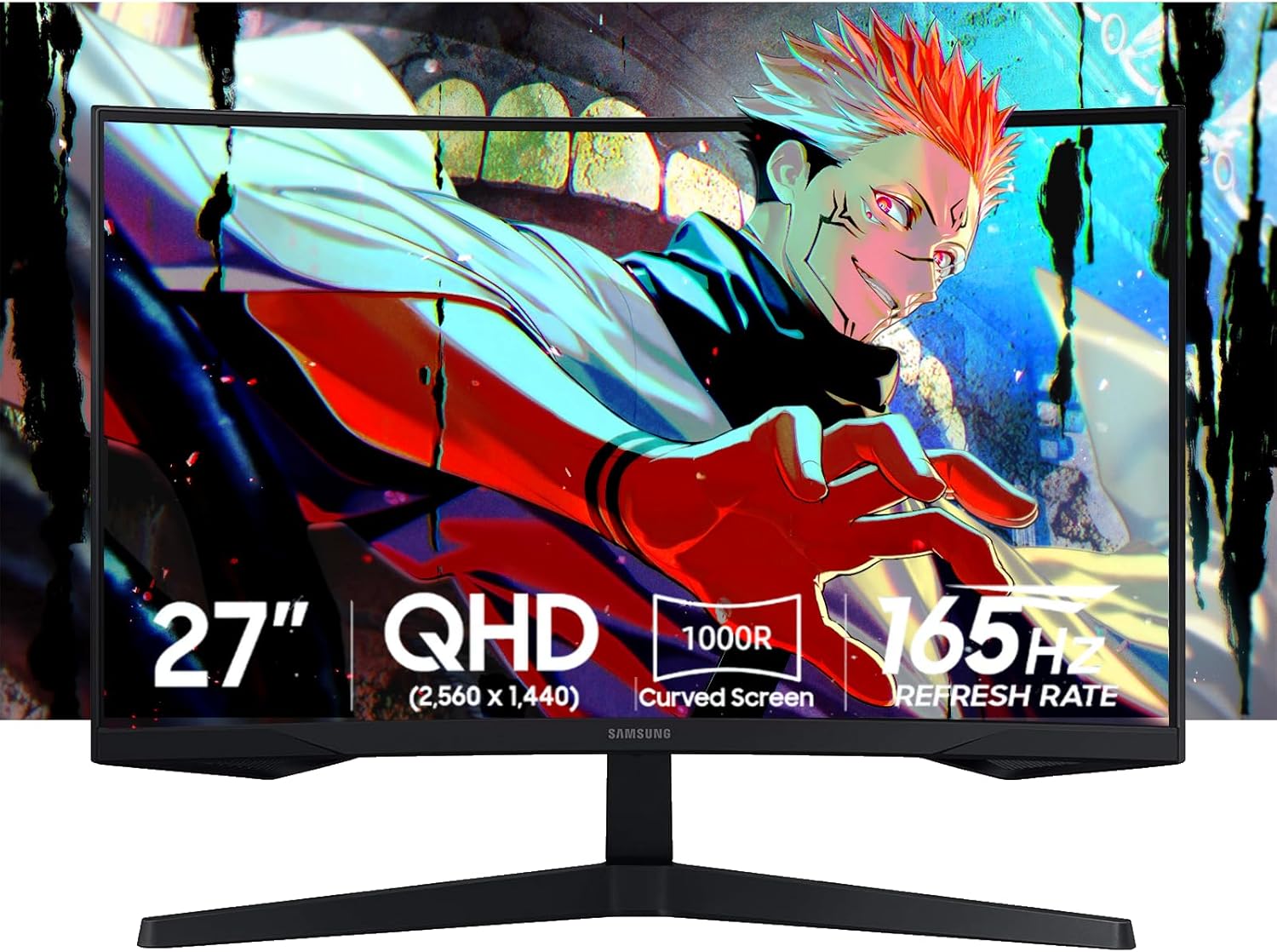
Samsung 27-inch Odyssey OLED G5 (G50SF) QHD QD-OLED Gaming Monitor
Our top recommendation for this category
Price as of Jun 11, 2026 — see current price on Amazon.
Two years ago, getting an OLED gaming monitor meant spending $700-900 and hoping it didn't burn in. That math has completely changed. As of mid-2026, you can pick up a legitimate QD-OLED panel with 1440p, instant pixel response, and infinite contrast for under $350 if you shop smart. The floodgates opened when Samsung Display started aggressively pricing their Gen 3 QD-OLED panels, and every monitor brand followed suit.
This guide is specifically for the OLED buyer: someone who knows they want OLED but wants to know which panel is worth the money at this price point. If you just upgraded to an RTX 5070 or RX 9070 XT and your LCD monitor suddenly feels like the weakest link in your setup, this is for you.
Quick Picks: Best OLED Gaming Monitors Under $500
| Monitor | Panel | Resolution | Refresh Rate | Price | |
|---|---|---|---|---|---|
| Samsung Odyssey OLED G5 G50SF | QD-OLED | 1440p | 180Hz | $349.99 | Check Price |
| AOC Q27G4ZD | QD-OLED | 1440p | 280Hz | $419.99 | Check Price |
| HP HyperX OMEN OLED 27q | QD-OLED | 1440p | 240Hz | $399-499 | Check Price |
| LG 27GS93QE | WOLED | 1440p | 240Hz | $499.99 | Check Price |
Samsung Odyssey OLED G5 G50SF: Best Budget OLED Pick
Samsung 27-inch Odyssey OLED G5 (G50SF) QHD QD-OLED Gaming Monitor
Pros
- Cheapest QD-OLED panel available in 2026
- 0.03ms response time, true OLED pixel behavior
- Pantone validated colors, 99.3% DCI-P3
- OLED Safeguard burn-in protection built-in
Cons
- 180Hz is the slowest in this roundup
- No height adjustment (stand only tilts)
- Text fringing on high-contrast edges (common to all 1440p QD-OLEDs)
Price as of Jun 11, 2026 — see current price on Amazon.
At $349.99, the Samsung G50SF is the cheapest honest-to-goodness QD-OLED panel you can buy right now. Samsung launched it in early 2026 as a direct answer to the "I want OLED but can't spend $700" crowd, and it delivered. The Gen 3 QD-OLED panel inside is the same technology used in the $600+ monitors from other brands, just dialed back to 180Hz to hit the price point.
The image quality is legitimately stunning. You get infinite contrast, 0.03ms pixel response, and Samsung's Pantone validation covering 2100+ colors. In games like Cyberpunk 2077 or Black Myth: Wukong, the shadow detail and volumetric lighting look a full generation ahead of any LCD in this price range.
The real limitation is the stand. It tilts but doesn't adjust height or swivel, which is annoying if you're picky about ergonomics. That said, VESA mounting is supported, so a $30 arm fixes that completely. Also worth knowing: 180Hz maxes out over HDMI at 144Hz. You need DisplayPort to hit the full 180. For most gamers that's a non-issue, but competitive players who want every frame should note it.
AOC Q27G4ZD: Fastest Budget OLED Panel

AOC Q27G4ZD 27-inch QD-OLED QHD 280Hz 0.03ms Gaming Monitor
Pros
- 280Hz refresh rate at this price is remarkable
- Four-port USB 3.2 hub built into the monitor
- Full ergonomic stand (height, tilt, swivel, pivot)
- 3-year zero bright dot warranty
Cons
- Stand footprint is unusually deep, takes desk space
- No variable brightness mode limits HDR highlight intensity
- HDMI 2.0 only (no 2.1), caps consoles at 60Hz
Price as of Jun 11, 2026 — see current price on Amazon.
The AOC Q27G4ZD came out in early 2026 and immediately became the enthusiast pick in the sub-$500 OLED category. Tom's Hardware reviewed it and called it "one of the best values in the OLED monitor category," and honestly they're right. You get a Gen 3 Samsung QD-OLED panel at 280Hz for $420. That's a refresh rate that used to cost $900.
I spent about two weeks with this monitor and the motion clarity at 280Hz is genuinely different from 240Hz. Not dramatically so, but in fast-paced shooters like Apex Legends or CS2, fast-moving targets feel a bit cleaner. Whether that difference is worth $70 over the Samsung G50SF at 180Hz depends on how competitive you play.
The four-port USB hub is a nice surprise at this price. Most budget panels skip it entirely. The HDMI 2.0 port is the one legit knock. If you're gaming on a PS5 or Xbox Series X alongside a PC, 60Hz is a bummer. You'll want to run console through HDMI and accept the lower frame rate, or get a different monitor entirely.
HP HyperX OMEN OLED 27q: Best All-Rounder

HP HyperX OMEN OLED 27q QHD 240Hz Gaming Monitor
Pros
- Full ergonomic stand with swivel, pivot, tilt, height
- Factory color calibration included
- Dual HDMI 2.1 for full 240Hz console support
- HyperX OLED Core Protect burn-in program
Cons
- 240Hz, not 280Hz like the AOC
- Branding may not appeal to everyone
- Limited availability at launch, restocking inconsistently
Price as of Jun 11, 2026 — see current price on Amazon.
HP released this as the OMEN OLED 27q through their HyperX brand in early 2026, and the $399 street price makes it one of the more interesting options in this category. The spec sheet is nearly identical to the AOC Q27G4ZD but with dual HDMI 2.1 ports instead of the AOC's HDMI 2.0, which matters a lot if you use a console alongside your PC.
The factory calibration is something I don't see discussed enough. Most OLEDs out of the box need some tweaking to look their best. HP includes a calibration certificate with each unit, and the colors on arrival are genuinely accurate without messing with settings. DCI-P3 coverage sits at 99% and it shows in any HDR content.
PCWorld reviewed it and called it a "budget OLED monitor champ," which feels right. If you game on a PS5 or Xbox Series X AND a PC and want everything running through one monitor at full quality, this is the pick over the AOC.
LG 27GS93QE: Best WOLED Panel Under $500

LG 27GS93QE 27-inch Ultragear WOLED 1440p 240Hz Gaming Monitor
Pros
- LG MLA+ WOLED panel with different character than QD-OLED
- 1,300 nits peak brightness for HDR content
- HDMI 2.1 and DisplayPort 1.4 both included
- Tilt, swivel, pivot, height adjustment
Cons
- $499 is the highest price in this roundup
- WOLED has slightly lower color volume than QD-OLED at peak
- Glossy screen coating shows room reflections
Price as of Jun 11, 2026 — see current price on Amazon.
LG's 27GS93QE uses a different OLED technology than the other three monitors here. While Samsung, AOC, and HP all use Samsung Display's QD-OLED panels, the LG uses LG Display's WOLED with MLA+ (Micro Lens Array) technology. The practical difference: WOLED tends to produce slightly different color characteristics, and the MLA+ layer boosts brightness significantly. At 1,300 nits peak brightness, this is the brightest OLED in the sub-$500 category.
It was selling for $499 in late 2025 at full price, then dropped to around $400 in various sales before settling back near $499. Right now on Amazon it's sitting at the upper end of this roundup's price range. Whether it's worth $80 more than the AOC Q27G4ZD depends on what you prioritize. If HDR peak brightness matters (it does in games like Hogwarts Legacy or Horizon Forbidden West on PC), the LG wins. If you want maximum refresh rate, the AOC at 280Hz beats it.
The glossy screen coating deserves a mention. Every OLED in this roundup has some level of anti-reflective coating, but the LG's is less aggressive than the Samsung or AOC. If your gaming space has windows or overhead lighting behind you, expect to see those reflections. In a dark room, this panel is absolutely gorgeous.
What to Look for When Buying an OLED Gaming Monitor
QD-OLED vs WOLED: What's the Real Difference?
Both are OLED, but the light-producing approach differs. QD-OLED (used by Samsung Display in the G50SF, AOC Q27G4ZD, and HP OMEN) uses blue OLED emitters with quantum dots to produce red and green. The result is extremely vibrant, saturated colors with high peak brightness in small highlights.
WOLED (LG Display's technology, used in the LG 27GS93QE) uses white OLED emitters with color filters. The LG's MLA+ lens array helps push brightness higher, and WOLED traditionally has better color uniformity across the full panel.
For gaming, the honest answer is: both look incredible and the difference is subtle. QD-OLED tends to look slightly more punchy and saturated. WOLED tends to be a bit more neutral and accurate. Neither is objectively better.
The Burn-In Question (Here's the Actual Answer)
Every OLED guide has to address this. The short version: modern gaming OLEDs from 2024-2026 are far less prone to burn-in than the original LG TV OLEDs from 2016-2020. All four monitors in this roundup have active protection:
Samsung has the Thermal Modulation System plus Pixel Shift and OLED Auto Brightness Limiter. AOC and HP use similar Samsung Display panel protections. LG has its own suite of protections built into the firmware.
Under normal gaming use (varied content, HDR mode, not leaving a static HUD on for 12+ hours a day), burn-in is not a practical concern within a 3-5 year timeframe. The Samsung and AOC both offer 3-year zero bright dot warranties, which covers burn-in under specified use conditions.
If you're worried about it: use HDR mode when gaming, let the monitor run its automatic panel care cycles, and don't leave a static menu or desktop with fixed taskbar elements displayed for hours without activity.
Refresh Rate: How High Do You Actually Need?
The sweet spot depends on what you play. For competitive shooters (CS2, Valorant, Apex), 240-280Hz is genuinely useful if your GPU can push those frames. An RTX 5070 at 1440p low settings can absolutely feed 280Hz in those titles.
For single-player games and RPGs, 180Hz is plenty. The difference between 180Hz and 240Hz in a slow-paced game is invisible. The Samsung G50SF's 180Hz limitation hurts it only in pure esports use cases.
Panel Size and Resolution at This Price
All four monitors in this roundup are 27-inch 1440p. That's intentional. At 27 inches, 1440p gives you around 109 PPI, which is sharp without requiring your GPU to run at 4K. At 1440p, even a mid-range RTX 5060 Ti can push 144+ fps in most AAA games, and the OLED image quality will still be dramatically better than any LCD at any price.
If you want 4K OLED, you're looking at a different budget entirely. The cheapest 4K OLED gaming monitors sit around $700-800 as of mid-2026.
Connectivity That Actually Matters
The HDMI version matters more than people realize:
HDMI 2.0 (AOC Q27G4ZD) caps at 1440p 144Hz on consoles, or 1440p 120Hz for PS5/Xbox Series X HDMI 2.1 (HP OMEN OLED, LG 27GS93QE) supports full 1440p 144Hz or 4K 120Hz
If you're PC-only and using DisplayPort, this is irrelevant. DisplayPort 1.4 handles 1440p 280Hz on every monitor in this list.
Frequently asked questions
- Will OLED burn in from gaming?
- Modern gaming OLEDs with built-in protection (pixel shift, auto brightness limiting, panel care cycles) are dramatically safer than older TV OLEDs. Under typical gaming use, burn-in is not a practical concern. All four monitors in this guide come with manufacturer burn-in protections and warranties covering defects under normal use.
- Is the Samsung Odyssey OLED G5 worth it at $349?
- Yes, for most gamers. You get a genuine Gen 3 QD-OLED panel with 0.03ms pixel response, infinite contrast, and Pantone-validated color accuracy. The tradeoffs are 180Hz (versus 240-280Hz on pricier options) and a stand that doesn't adjust height. A cheap monitor arm fixes the ergonomics issue entirely.
- What's the difference between QD-OLED and WOLED for gaming?
- QD-OLED (Samsung Display panels used by Samsung, AOC, HP) tends to produce more vivid, saturated colors with high peak brightness in highlights. WOLED (LG Display panels) produces slightly more neutral, accurate color with good brightness uniformity. For gaming, both look exceptional. QD-OLED feels punchier, WOLED feels more accurate. Neither is clearly better for all uses.
- Can my GPU run games at 240-280Hz at 1440p?
- It depends on the game. In competitive titles like CS2 or Valorant at lower settings, an RTX 5060 Ti or RTX 5070 can easily push 240+ fps at 1440p. In demanding AAA titles like Cyberpunk 2077 maxed out, you're looking at 80-120fps even on high-end hardware. The OLED quality still looks better at 80fps than any LCD at 144fps due to the contrast and pixel response.
- Is 180Hz enough, or should I pay more for 240-280Hz?
- For most gamers, 180Hz is completely fine. The jump from 144Hz LCD to 180Hz OLED is enormous because you're also gaining instant pixel response and infinite contrast. The jump from 180Hz OLED to 240Hz OLED is subtle. Only serious competitive players who regularly game at 200+ fps will notice the 240-280Hz advantage.
- Do these monitors work well with PS5 and Xbox Series X?
- The HP HyperX OMEN OLED 27q and LG 27GS93QE are the best console choices here because they have HDMI 2.1, enabling 1440p at 120Hz input from a PS5 or Series X. The AOC Q27G4ZD has HDMI 2.0, which limits console use to 1440p 60Hz or 1080p 120Hz. The Samsung G50SF also runs 144Hz max over HDMI 2.1 for console use.
Bottom Line
For most people upgrading from an LCD, the Samsung Odyssey OLED G5 G50SF at $350 is the obvious starting point. The jump in image quality from any LCD to this panel is dramatic regardless of refresh rate. If you care about being at the top of the refresh rate range without spending $700+, the AOC Q27G4ZD at $420 is the pick. 280Hz on a QD-OLED panel is genuinely hard to argue with at that price. Console gamers who want to run everything through one monitor should lean toward the HP OMEN OLED 27q or the LG 27GS93QE for the HDMI 2.1 support. OLED under $500 is no longer a compromise. These are legitimately excellent displays at a price point that would have been impossible 18 months ago.
How We Test
We score products by combining spec-level research, pricing history, trusted third-party benchmarks, and owner sentiment from high-signal sources.
- Performance and real-world value in the category this guide targets
- Price-to-performance and deal consistency over recent pricing windows
- Build quality, reliability patterns, and known long-term issues
- Recommendation refresh cadence to keep these picks current
Author
TheTechSearch Editorial Team
Independent product reviewers & PC builders
We test and compare real-world specs, price trends, and user feedback to recommend gear that actually makes sense to buy.