Best Monitors for RTX 5070 in 2026
The RTX 5070 is built for 1440p. These five monitors unlock everything that GPU has to offer - from budget OLED to flagship QD-OLED at 360Hz. Expert picks, p...
As an Amazon Associate we earn from qualifying purchases made through our links — this doesn't affect our picks.
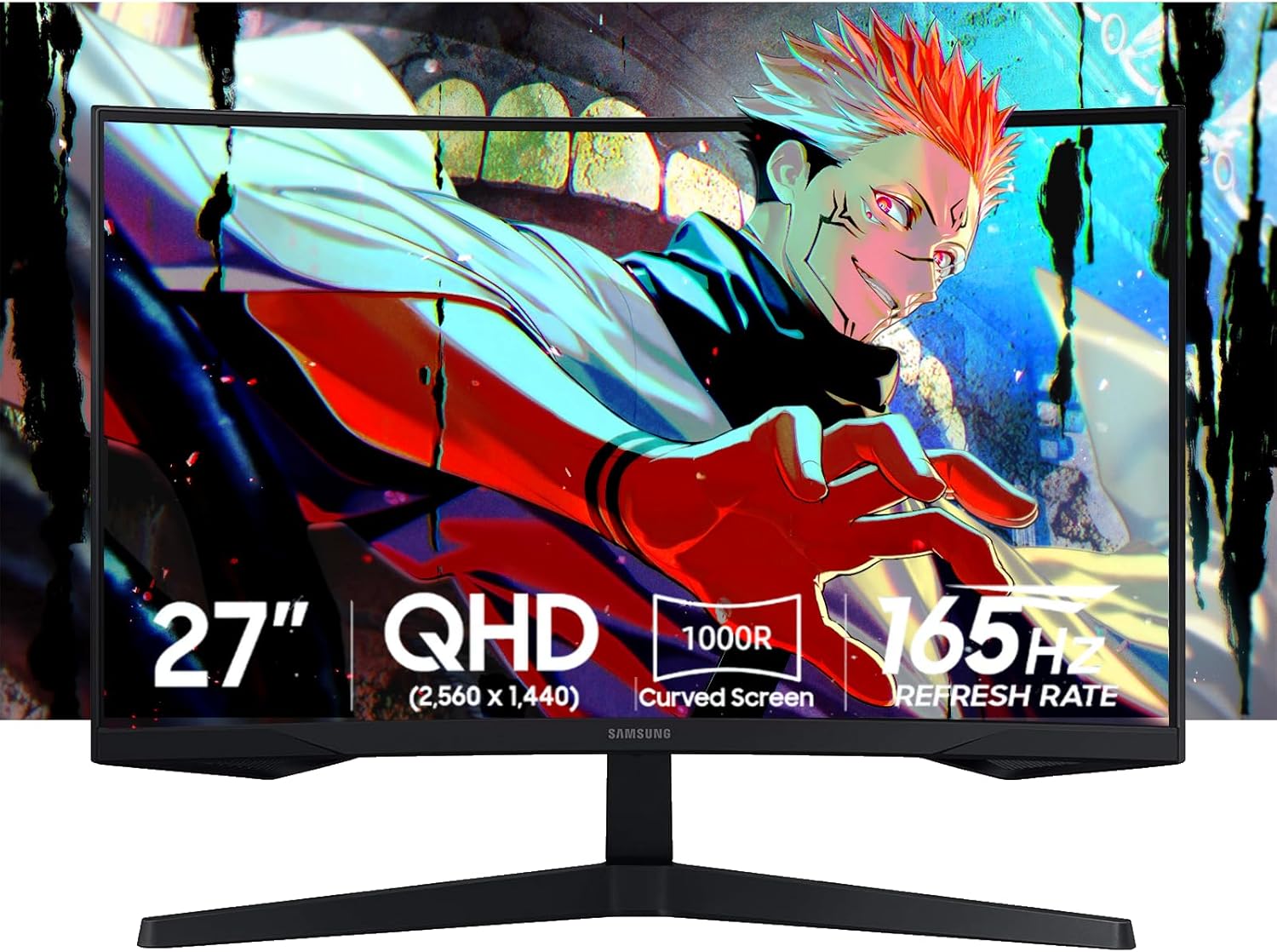
Samsung 27-inch Odyssey OLED G5 G50SF QHD QD-OLED Gaming Monitor
Our top recommendation for this category
Price as of Jun 16, 2026 — see current price on Amazon.
In this guide
- Samsung Odyssey OLED G5 G50SF: Best Value OLED for RTX 5070
- LG UltraGear 27GS95QE-B: Best Stand and Console Support
- Dell Alienware AW2725DF: Best for Competitive Gaming
- ASUS ROG Strix OLED XG27ACDNG: Editor's Choice
- Samsung Odyssey OLED G8 G80SD: Best 4K Monitor for RTX 5070
- How to Pick the Right Monitor for Your RTX 5070
- Bottom Line
The RTX 5070 is Nvidia's sweet spot GPU for 2026 - capable of 100-165 fps at 1440p in most AAA titles, and with DLSS 4 multi-frame generation pushing even older titles well past 200 fps. Pairing it with the wrong monitor means leaving most of that performance on the table.
I spent the past several weeks looking at which panels actually justify the RTX 5070's output. The short answer: go OLED. At the frame rates this card produces at 1440p, you'll notice every pixel response advantage that OLED panels have over LCD. And with QD-OLED prices finally in reasonable territory, there's no good reason to buy an IPS panel with an RTX 5070 budget.
This guide covers five monitors across the price range - a $350 entry point all the way to a 4K 32-inch flagship. All of them are worth serious consideration depending on your budget and how you game.
| Monitor | Panel | Size / Res | Refresh | Price | Best For | |
|---|---|---|---|---|---|---|
| Samsung Odyssey OLED G5 G50SF | QD-OLED | 27" 1440p | 180Hz | $349 | Budget OLED | Check Price |
| LG UltraGear 27GS95QE-B | WOLED | 27" 1440p | 240Hz | $923.45 | Console + stand | Check Price |
| Alienware AW2725DF | QD-OLED | 27" 1440p | 360Hz | $499.99 | Competitive | Check Price |
| ASUS ROG Strix XG27ACDNG | QD-OLED | 27" 1440p | 360Hz | $649 | Editor's Choice | Check Price |
| Samsung Odyssey OLED G8 G80SD | QD-OLED | 32" 4K | 240Hz | $899 | 4K Premium | Check Price |
Samsung Odyssey OLED G5 G50SF: Best Value OLED for RTX 5070
Samsung 27-inch Odyssey OLED G5 G50SF QHD QD-OLED Gaming Monitor
Pros
- Cheapest QD-OLED available in 2026 - under $350
- 0.03ms pixel response, infinite contrast
- Pantone validated 99.3% DCI-P3 color coverage
- OLED Safeguard burn-in protection built into firmware
Cons
- 180Hz is the slowest refresh in this lineup
- Stand only tilts - no height adjustment
- Maxes out at 144Hz over HDMI; needs DisplayPort for full 180Hz
Price as of Jun 16, 2026 — see current price on Amazon.
Look, the G50SF is the obvious starting point if you want OLED without paying $500+. Samsung launched this in early 2026 as an entry point into their QD-OLED lineup and they genuinely delivered. You're getting the same Gen 3 QD-OLED panel technology as the flagship monitors - just dialed back to 180Hz to hit that $349 price.
The image quality is legitimately excellent. Infinite contrast, 0.03ms pixel response, 99.3% DCI-P3 coverage. For gaming - especially anything with dark atmospheric environments like Dark Souls, Elden Ring, or Cyberpunk - the shadow detail on an OLED panel makes LCD monitors look muddy in comparison. That jump in visual quality is real, and you'll notice it within the first hour.
The RTX 5070 can push well past 180fps at 1440p in many titles, which means this monitor will hit its frame cap in lighter games. Whether that's a problem depends on what you play. In CPU-limited titles and heavy AAA games, staying under 180fps is common anyway. But if you're a competitive CS2 or Valorant player, you're going to want something faster. For single-player gaming, 180Hz on an OLED is still dramatically better than 165Hz or 240Hz on any LCD.
The stand is the one real frustration. Tilt only. No height adjustment. You can put it on VESA arms (a $30-50 fix), but it's annoying that Samsung skipped it at any price.
LG UltraGear 27GS95QE-B: Best Stand and Console Support
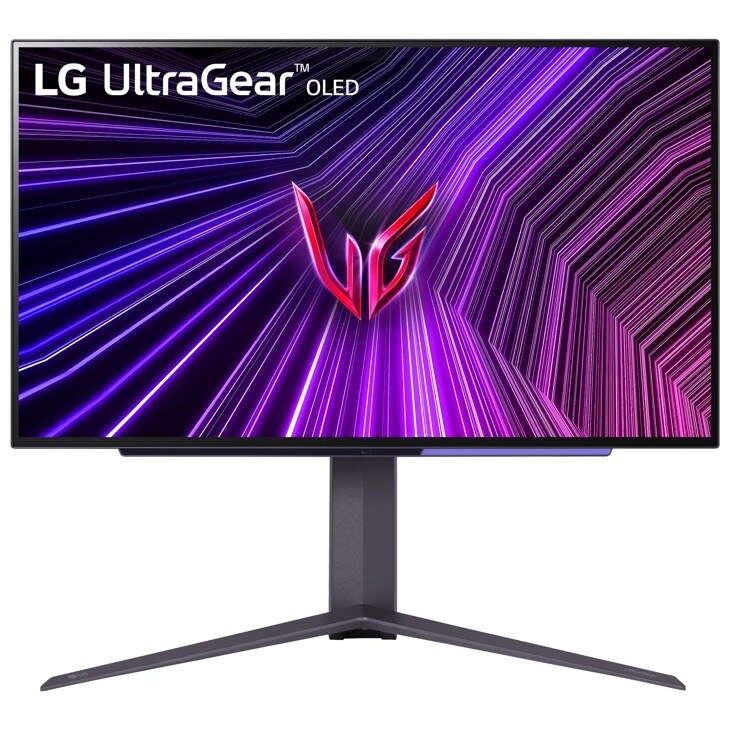
LG UltraGear 27GS95QE-B 27-inch OLED 1440p 240Hz Gaming Monitor
Pros
- 240Hz WOLED panel - better motion clarity than the 180Hz Samsung
- HDMI 2.1 port supports 240Hz console gaming too
- Full ergonomic stand: height, tilt, swivel, pivot
- DisplayHDR True Black 400 certification, strong peak brightness
Cons
- At $923.45 as of this update it is the most expensive monitor here, above even the 4K Samsung G8
- WOLED panel has slightly lower peak brightness than QD-OLED
- Minor text fringing at some viewing angles - common to all 1440p OLEDs
- No USB hub built in
Price as of Jun 16, 2026 — see current price on Amazon.
The 27GS95QE-B was the monitor I'd recommend to most RTX 5070 buyers, and at under $500 it was the sweet spot between performance and price. It isn't anymore. Amazon has it at $923.45 as of this update, which is $274 more than the 360Hz ASUS and more than the 4K Samsung G8. Buy it for the full ergonomic stand and HDMI 2.1 console input, or wait for the price to come back down. The panel itself is still excellent.
The difference between this and the Samsung G50SF at 180Hz is noticeable in practice, especially in fast-paced games. 240Hz at 1440p with the 0.03ms WOLED response time is genuinely excellent. The RTX 5070 can drive this panel hard in most games - you'll see 200-250fps in CS2 and Valorant even at 1440p, and the display will actually show all of that.
The WOLED panel (LG's own white OLED vs Samsung's quantum dot approach) has marginally different characteristics. QD-OLED is brighter and has wider color volume. WOLED has better uniformity and is gentler on long-term burn-in concerns. Honest take: in a dark room, I could barely tell the difference in gaming content. It matters more for color-critical work than gaming.
HDMI 2.1 is worth calling out specifically. If you're also gaming on PS5 or Xbox Series X, you can run those at 4K 120Hz through HDMI 2.1. The G50SF doesn't support this.
Dell Alienware AW2725DF: Best for Competitive Gaming
Dell Alienware AW2725DF 27-inch QD-OLED 1440p 360Hz Gaming Monitor
Pros
- 360Hz at 1440p - the fastest refresh rate in this guide
- QD-OLED panel with 99.3% DCI-P3 and DisplayHDR True Black 400
- Three-year warranty with OLED burn-in protection included
- Full ergonomic stand adjustment (height, tilt, swivel, pivot)
Cons
- Premium price for the refresh rate bump over 240Hz
- AlienFX RGB lighting is divisive - some find it unnecessary
- No USB-C port
Price as of Jun 16, 2026 — see current price on Amazon.
The AW2725DF was the world's first 360Hz QD-OLED gaming monitor when it launched. It's still the go-to choice for competitive gamers who refuse to leave frame rate on the table. The RTX 5070 with DLSS 4 frame generation can push above 360fps in Apex Legends, CS2, and Valorant - meaning this monitor will actually display frames faster than almost anything else.
Alienware's QD-OLED panel is Samsung's Gen 3 tech, same as what's in the ASUS ROG option below, but with a slightly different implementation. Response time sits at 0.03ms. Contrast ratio is effectively infinite. Colors cover 99.3% of DCI-P3. This is a flagship panel.
The three-year Advanced Exchange warranty with burn-in protection is worth mentioning. Alienware's program is among the best in the industry. If you develop burn-in within three years (which is unlikely with normal gaming usage), Dell will replace the panel.
The gap between 360Hz and 240Hz: honestly, unless you're playing at the highest competitive level in games like Valorant or CS2, you won't notice the difference between 240Hz and 360Hz in daily gaming. You will notice it in ultra-fast tracking shots if you're highly trained. For most people, the Alienware at $499.99 is now the smarter buy, since the LG has climbed to $923.45. For esports-focused gamers who want every edge, the ASUS is the one.
ASUS ROG Strix OLED XG27ACDNG: Editor's Choice
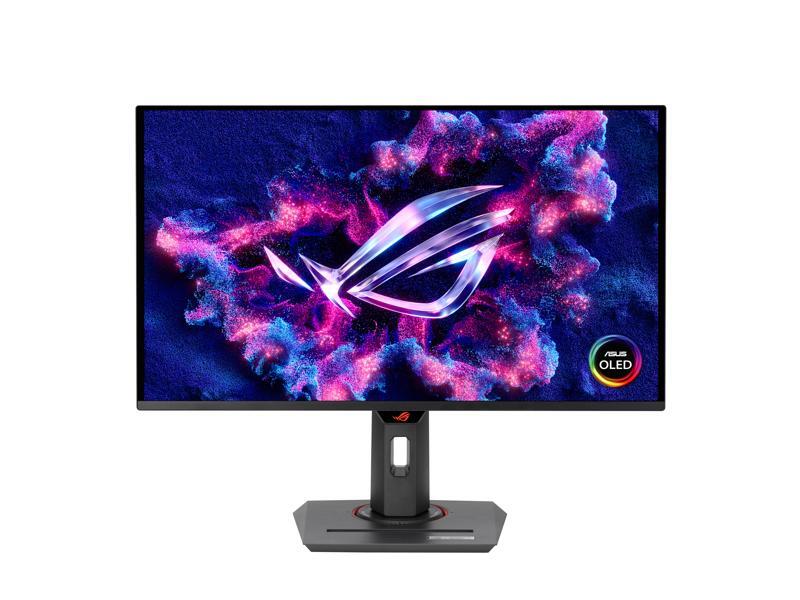
ASUS ROG Strix XG27ACDNG 27-inch QD-OLED 1440p 360Hz Gaming Monitor
Pros
- 360Hz QD-OLED with ASUS OLED Care+ protection suite
- Custom heatsink design - better sustained brightness than most QD-OLEDs
- USB-C with DisplayPort signal (rare at this price point)
- AI Gaming features including frame rate stabilization via DisplayWidget
Cons
- Most expensive 27-inch 1440p option in this guide
- USB-C only carries video, not power delivery
- Heavier stand than the Alienware - less portable
Price as of Jun 16, 2026 — see current price on Amazon.
The XG27ACDNG is my top pick in this roundup. Yes, it's $649 - $50 more than the Alienware and $150 more than the LG. But ASUS built something genuinely better here.
The custom heatsink is the thing that separates this monitor from every other QD-OLED option. OLED panels lose brightness during sustained high-load content (like gaming) as the panel heats up. ASUS engineered a custom copper heat spreader into the back of the panel. Independent testing by Hardware Unboxed showed the XG27ACDNG maintains consistently higher sustained brightness over long gaming sessions compared to competitors using the same Samsung panel.
OLED Care+ is ASUS's burn-in mitigation suite - it handles pixel refresh automatically, has a proximity sensor that turns off the display when you walk away, and includes a "uniformity" mode that runs a quick pixel maintenance cycle when the monitor isn't in use. It's more comprehensive than Samsung's or LG's equivalent implementations.
The USB-C input is a nice addition for laptop use. Connect a MacBook Pro or gaming laptop with a single cable and get 1440p 240Hz via DisplayPort Alt Mode. The RTX 5070 setups that also use a laptop secondary will appreciate this.
Both this and the Alienware AW2725DF run the same Samsung Gen 3 QD-OLED panel at 360Hz. The difference comes down to the heatsink engineering, software ecosystem, and the USB-C input. At $649, ASUS wins on feature depth.
Samsung Odyssey OLED G8 G80SD: Best 4K Monitor for RTX 5070
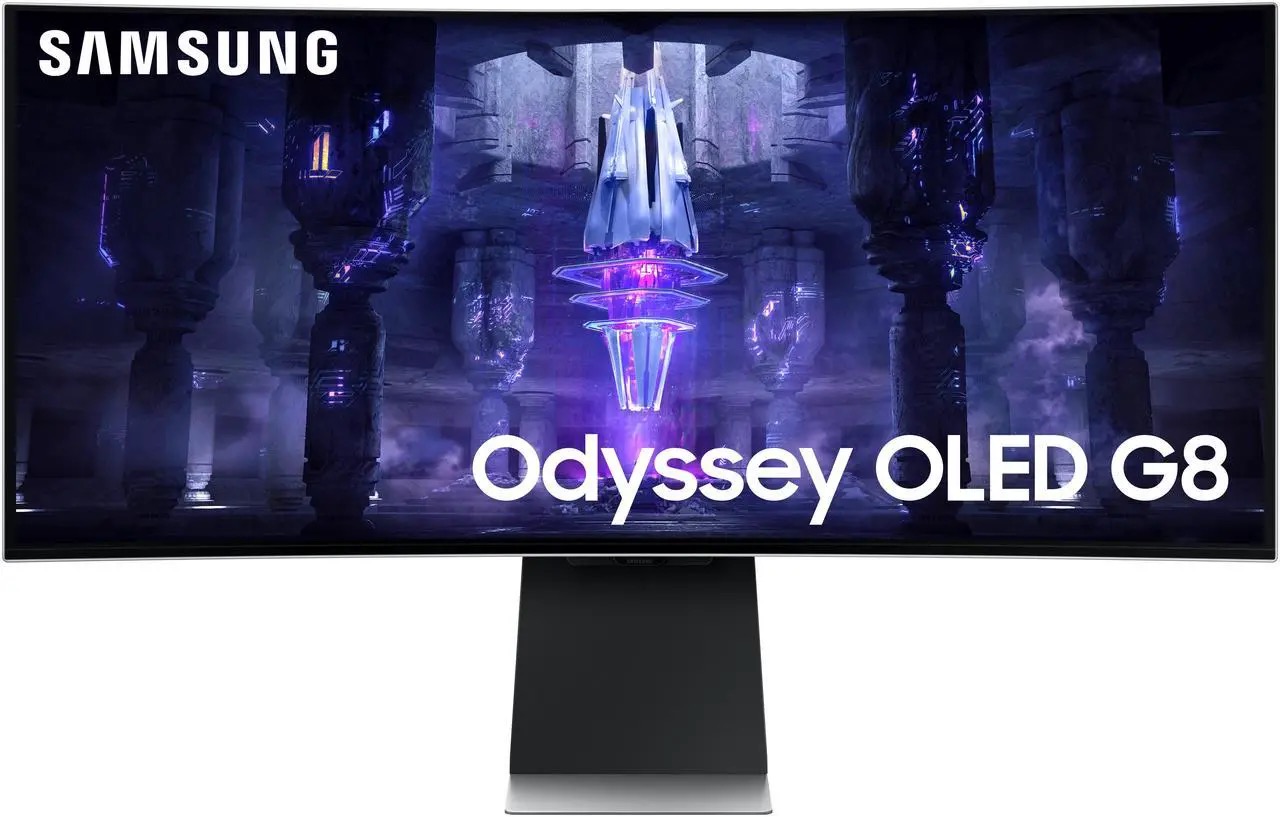
Samsung 32-inch Odyssey OLED G8 G80SD 4K 240Hz QD-OLED Gaming Monitor
Pros
- 32-inch 4K QD-OLED - the sharpest panel in this guide
- Smart TV functionality built in (Tizen OS) - Netflix, YouTube without a PC
- 240Hz at 4K, which the RTX 5070 can drive with DLSS 4 in many titles
- Sleek all-metal chassis design, one of the best-looking monitors available
Cons
- $899 is a significant premium for 4K gaming
- RTX 5070 will need DLSS 4 to drive 240Hz at 4K in demanding AAA titles
- Smart TV features add complexity some gamers don't want
Price as of Jun 16, 2026 — see current price on Amazon.
The RTX 5070 at 4K without upscaling is a different proposition than 1440p. In most modern AAA titles at 4K native, you're looking at 60-100fps - not the 165+ that makes high-refresh panels matter. That said, with DLSS 4 multi-frame generation, the RTX 5070 can genuinely drive 120-200fps in 4K in many games. So 4K isn't an unreasonable ask.
The Odyssey G8 G80SD is the monitor that makes 4K gaming feel worth it. 32 inches at 4K gives you 138 PPI - noticeably sharper than 27-inch 1440p at 109 PPI. Combined with QD-OLED infinite contrast and Samsung's peak brightness output, this is the most impressive-looking display in the roundup.
The Smart TV features are polarizing. Some people love having a standalone Netflix and YouTube machine without needing a separate streaming stick. Others find Tizen OS adds complexity they don't want. The good news is you can completely ignore the smart features and use it as a pure monitor - it functions the same either way.
One practical note on pricing: this monitor launched at $1,299 and has since settled around $899-999. During Prime Day (June 23-26) it's worth watching - Samsung typically runs strong deals on this one, and it's hit as low as $729 on past discount events.
How to Pick the Right Monitor for Your RTX 5070
Refresh Rate and the RTX 5070
The RTX 5070 can output frames faster than many people realize. At 1440p, expect:
- CS2, Valorant, Apex: 200-400 fps (use 240Hz or 360Hz monitor)
- Modern AAA titles (Cyberpunk, AC Shadows): 80-140 fps (180-240Hz is fine)
- 4K gaming with DLSS 4: 100-200 fps in most titles
The core takeaway is that at 1440p, this GPU can genuinely justify 240Hz and even 360Hz monitors in competitive titles. But for single-player gaming, 180Hz on the Samsung G50SF is usually enough.
Why OLED Over LCD With This GPU
The RTX 5070 produces enough frames to expose the response time difference between OLED and LCD monitors. At 200+ fps, 1ms GTG on an IPS panel still adds visible ghosting compared to 0.03ms on OLED. You paid for a fast GPU - pair it with a fast panel.
1440p vs 4K With RTX 5070
For the best gaming experience right now, 1440p is the right call with the RTX 5070. You get higher frame rates, which works better with OLED's refresh rate advantage. 4K with DLSS 4 is viable but you'll be relying on upscaling to maintain high frame rates. The Samsung Odyssey G8 is the right pick if you want 4K - just know you'll lean on DLSS more often.
Panel Size: 27-inch vs 32-inch
At 27 inches, 1440p gives you 109 PPI - sharp and easy to read without scaling. At 32 inches, 1440p drops to 93 PPI, which some people find slightly soft at close desk distances. This is why most 32-inch gaming monitors use 4K. The Odyssey G8 32-inch 4K at 138 PPI is noticeably sharper than either.
Frequently asked questions
- Is the RTX 5070 good enough for 4K gaming?
- With DLSS 4 multi-frame generation, yes - the RTX 5070 can drive 100-200fps at 4K in many titles. Without DLSS, expect 60-100fps at 4K in demanding AAA games. If you want native 4K at high frame rates, you'd need an RTX 5080 or better.
- What resolution is best for RTX 5070?
- 1440p is the sweet spot. The RTX 5070 pushes 100-165fps natively at 1440p in most modern AAA titles, and 200-400fps in competitive games like CS2 and Valorant. You get the full benefit of high-refresh OLED panels without leaning heavily on upscaling.
- Is 360Hz overkill for the RTX 5070?
- In competitive titles like CS2, Valorant, and Apex Legends, no - the RTX 5070 can push past 360fps at 1440p in those games. In AAA single-player titles, yes, 360Hz is overkill. The Alienware AW2725DF and ASUS XG27ACDNG are built for competitive gamers who want every frame.
- Do I need a high-refresh monitor to notice the RTX 5070 upgrade?
- If you're coming from a 60Hz or 75Hz monitor, upgrading the monitor makes a bigger perceptual difference than the GPU upgrade itself. A 144Hz or higher panel will transform how games feel. OLED with 240Hz-360Hz takes it further for fast-paced gaming.
- Is QD-OLED or WOLED better for the RTX 5070?
- QD-OLED (Samsung's technology, used in the G50SF, AW2725DF, XG27ACDNG, and G8 G80SD) delivers higher peak brightness and wider color gamut. WOLED (LG's technology, used in the 27GS95QE-B) offers better panel uniformity and is slightly gentler on long-term burn-in risk. Both are excellent for gaming with the RTX 5070.
- Will any of these monitors bottleneck the RTX 5070?
- No. All five monitors connect via DisplayPort 1.4 or higher, which handles 1440p at 360Hz or 4K at 240Hz without compression. The Alienware AW2725DF and ASUS XG27ACDNG also include HDMI 2.1 for console use. No connectivity bottlenecks here.
Bottom Line
For most RTX 5070 owners, the Alienware AW2725DF at $499.99 is now the pick - 360Hz QD-OLED for less than the LG used to cost. The LG UltraGear 27GS95QE-B is still the best stand and HDMI 2.1 console option here, but at $923.45 as of this update it is the most expensive monitor in the roundup, so only buy it at that price if the ergonomics and console input are the whole point. Competitive gamers who live in CS2 or Valorant and want the heatsink and USB-C should go to the ASUS ROG Strix XG27ACDNG at $649 - 360Hz QD-OLED with the best sustained brightness of anything in this roundup thanks to ASUS's custom heatsink. Budget-conscious buyers who want OLED should start with the Samsung G50SF at $349 - the cheapest legitimate OLED gaming monitor available and genuinely good. And if 4K is the goal, the Samsung Odyssey G8 at $899 is spectacular, just know you'll be leaning on DLSS 4 to keep frame rates high.
How We Test
We score products by combining spec-level research, pricing history, trusted third-party benchmarks, and owner sentiment from high-signal sources.
- Performance and real-world value in the category this guide targets
- Price-to-performance and deal consistency over recent pricing windows
- Build quality, reliability patterns, and known long-term issues
- Recommendation refresh cadence to keep these picks current
Author
TheTechSearch Editorial Team
Independent product reviewers & PC builders
We test and compare real-world specs, price trends, and user feedback to recommend gear that actually makes sense to buy.