Best Tablets for Students 2026
Find the right student tablet in 2026. We compared iPads, Galaxy Tabs, and budget picks for note-taking, studying, and school life. Expert picks, pros and co...
As an Amazon Associate we earn from qualifying purchases made through our links — this doesn't affect our picks.
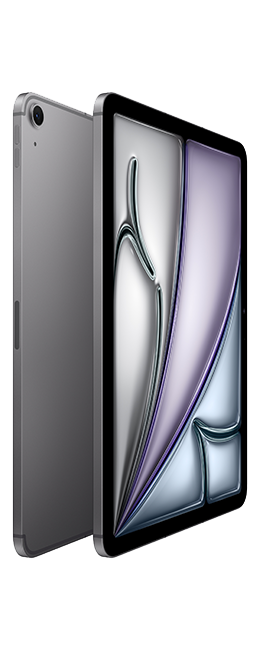
Apple iPad Air M3 (11-inch)
Our top recommendation for this category
Price as of Oct 8, 2026 — see current price on Amazon.
Picking a tablet for school comes down to what you actually need it for. If you're taking handwritten notes all day, stylus quality matters more than raw performance. If you're mostly reading textbooks and watching lectures, a cheaper tablet works fine. This guide weighs every pick against real student workflows: note-taking apps, PDF annotation, split-screen multitasking, and yes, Netflix between classes.
Quick comparison
| Tablet | Display | Storage | Stylus | Price | |
|---|---|---|---|---|---|
| iPad Air M3 | 11" Liquid Retina | 128GB-1TB | Apple Pencil Pro | $599 | Check Price |
| Samsung Galaxy Tab S10 FE | 12.4" AMOLED | 128GB-256GB | S Pen (included) | $450 | Check Price |
| iPad 11th Gen | 10.9" Liquid Retina | 64GB-256GB | Apple Pencil USB-C | $349 | Check Price |
| Samsung Galaxy Tab A11+ | 11" LCD 90Hz | 128GB-256GB | Not supported | $229.99 | Check Price |
iPad Air M3
Apple iPad Air M3 (11-inch)
Pros
- M3 chip handles anything you throw at it
- Apple Pencil Pro with haptic feedback is great for notes
- Best app ecosystem for students
- Stage Manager for desktop-like multitasking
- All-day battery life, 10+ hours easily
Cons
- $599 before adding Pencil and keyboard
- 128GB base storage fills up fast
- iPadOS still has limitations vs a laptop
Price as of Oct 8, 2026 — see current price on Amazon.
The iPad Air M3 is overkill for taking notes, and that's exactly why it's good. The M3 chip means it won't slow down in three years when you're running five apps in split screen while exporting a video project. It's future-proof in a way that matters for a device you'll use through four years of college.
Apple Pencil Pro support is the real upgrade here. The haptic feedback when you switch tools in GoodNotes or Notability gives you a tactile click that makes writing feel more natural. Hover detection lets you preview brush strokes before they touch the screen.
The app situation on iPad is genuinely better for students. GoodNotes, Notability, and Notion all have their best versions on iPadOS. LumaFusion for video editing, Procreate for art classes, and even full Microsoft Office, it's all there.
The downside is price. $599 for the tablet, $129 for the Pencil Pro, and $299 for the Magic Keyboard puts you at over $1,000. At that point, a MacBook Air starts looking reasonable.
Samsung Galaxy Tab S10 FE
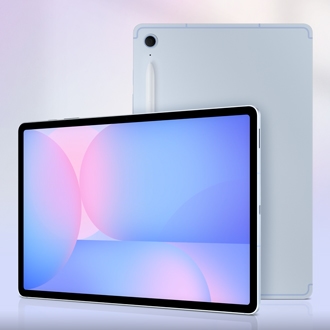
Samsung Galaxy Tab S10 FE
Pros
- 12.4-inch AMOLED display is gorgeous for reading
- S Pen included in the box, no extra purchase
- Samsung Notes is surprisingly capable
- DeX mode gives you a desktop interface
- MicroSD expansion up to 1TB
Cons
- Android tablet app quality is inconsistent
- S Pen latency slightly behind Apple Pencil
- Build feels plasticky compared to iPad
Price as of Oct 8, 2026 — see current price on Amazon.
Samsung includes the S Pen in the box. That alone saves you $130 compared to buying an Apple Pencil separately. The Tab S10 FE's 12.4-inch AMOLED screen is larger than the base iPad Air, and the colors pop in a way that makes reading PDFs and textbooks more pleasant than it should be.
Samsung Notes has gotten surprisingly good. Handwriting recognition, automatic shape correction, audio recording synced to your notes, it covers 90% of what GoodNotes does. And DeX mode transforms the tablet into a desktop-like environment when you connect a keyboard, which is handy for writing papers.
The MicroSD slot is a genuine advantage. You can expand storage up to 1TB for the price of a $20 card, while Apple charges $100 to go from 128GB to 256GB.
Where Samsung falls behind is app quality. Some Android apps are still phone-scale apps stretched to fit a tablet screen. It's getting better, but iPadOS is ahead here.
iPad 11th Gen
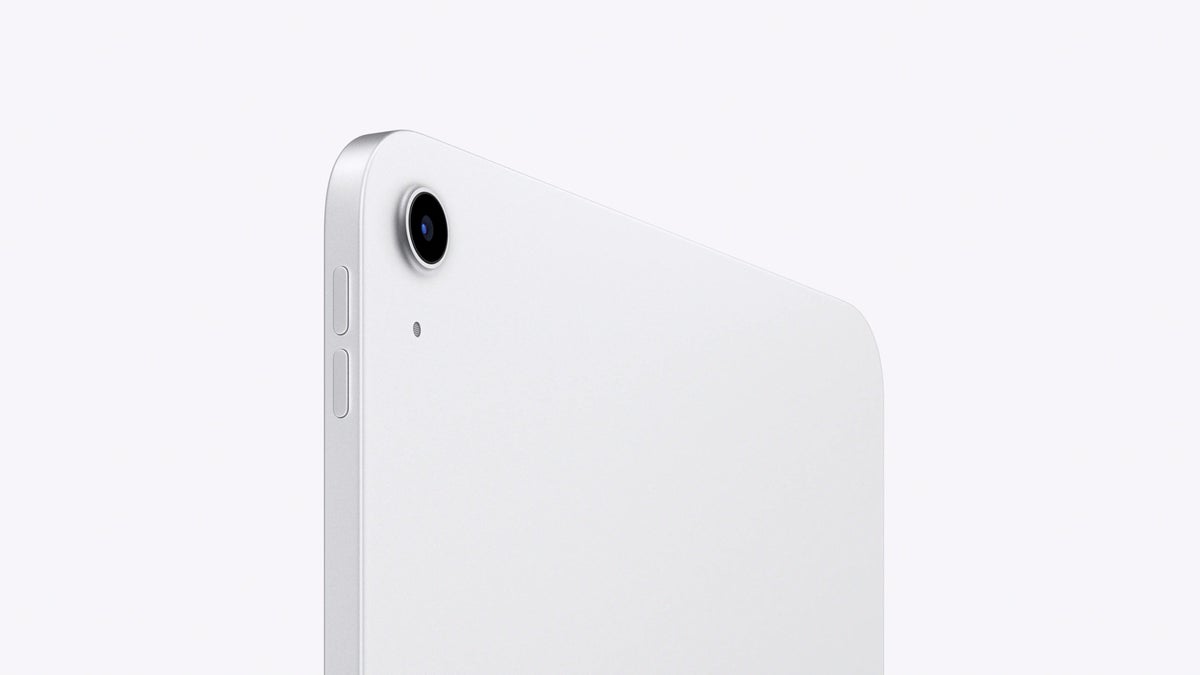
Apple iPad 11th Gen
Pros
- $349 gets you into the iPad ecosystem
- A16 chip is plenty for student tasks
- Apple Pencil USB-C support
- Best budget tablet app ecosystem
- 10-hour battery
Cons
- 64GB base storage is laughably small
- No laminated display, pencil feels less precise
- Single speaker setup
Price as of Oct 8, 2026 — see current price on Amazon.
The cheapest way into iPad-quality apps. The A16 chip handles note-taking, web browsing, video streaming, and light photo editing without hesitation. For a student who wants GoodNotes and a decent Apple Pencil experience without spending $600+, this is the move.
The 64GB base storage is the biggest compromise. With the OS taking up about 15GB, you're left with ~49GB for apps, notes, textbooks, and downloads. It fills up faster than you'd think. Spend the extra $100 for 256GB if you can.
The display isn't laminated, which means there's a visible gap between the glass and the actual screen. When writing with the Pencil, it feels like you're writing slightly above the surface rather than on it. You get used to it, but the difference is noticeable if you've used an Air or Pro.
Samsung Galaxy Tab A11+
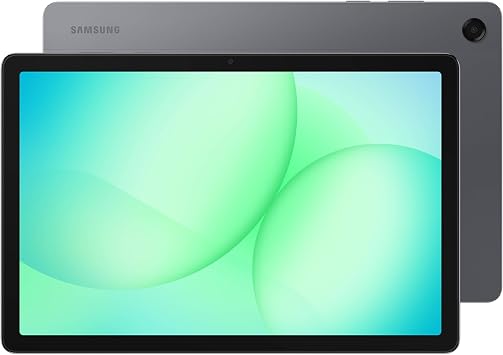
Samsung Galaxy Tab A11+ 11-inch 6GB/128GB Wi-Fi (Gray)
Pros
- Cheapest tablet here by more than $100
- 6GB of RAM keeps a few study apps loaded at once
- MicroSD slot for cheap extra storage
- Quad speakers with Dolby Atmos for lecture videos
- Long Android update promise for the price
Cons
- No S Pen support, so handwritten notes are out
- 90Hz LCD is softer than the AMOLED on the Tab S10 FE
- Not built for heavy multitasking
Price as of Oct 8, 2026 — see current price on Amazon.
The Tab A11+ is the pick for students who mostly read, watch and type. At $229.99 it costs about half what the Tab S10 FE does, and it runs the same Samsung Notes, Google Docs and Microsoft Office apps.
Six gigabytes of RAM is what makes it work for school. It gives apps more room to stay loaded when you hop between a PDF, a browser tab and a video call. Add a microSD card and storage stops being a worry for textbooks and downloaded lectures.
The big catch is the pen. The A11+ doesn't work with the S Pen, so if handwritten notes are central to how you study, the Tab S10 FE with its pen in the box is the better spend. For typed notes, e-books and video, it is the cheapest tablet on the list and still pleasant to use every day.
What matters for students
Stylus quality, If you take handwritten notes, this is the number one priority. Apple Pencil Pro is the best, S Pen is close behind.
Storage, 64GB isn't enough for most students. Aim for 128GB minimum, or get a tablet with MicroSD expansion.
App ecosystem, iPadOS has better tablet-optimized apps. Android is catching up but isn't there yet.
Battery life, You need a full school day. Everything on this list manages 8+ hours, but the iPads consistently last the longest.
My recommendation
Most students should get the Samsung Galaxy Tab S10 FE. The included S Pen, large AMOLED screen, and $450 price point hit the sweet spot. If you're in the Apple ecosystem already, the iPad Air M3 is the premium choice. If you want iPad apps on a budget, the iPad 11th Gen at $349 is the cheapest way in. And if you mostly type, read and stream, the Samsung Galaxy Tab A11+ at $229.99 costs the least of anything here.
As an Amazon Associate, we earn from qualifying purchases. This doesn't affect our recommendations or editorial independence.
Related guides
- iPad Pro M4 vs Samsung Galaxy Tab S10 Ultra
- Best 4K Monitors in 2026
- Best 4K TVs Under $1000 in 2026
- Best Kids Tablets 2026
Frequently asked questions
- Should students buy an iPad or Android tablet?
- iPad is the stronger recommendation for most students because of the Apple Pencil ecosystem, better quality app selection for productivity, and longer software support. The iPad Air and base iPad are also better for note-taking apps like Notability and GoodNotes. Android tablets from Samsung Galaxy Tab S series are strong alternatives with more flexible file management and can be better for budget-conscious students, but the productivity app ecosystem is thinner.
- Do students need a tablet or a laptop?
- It depends on the coursework. For note-taking, reading, and light research, a tablet with a keyboard cover often suffices and is more portable. For programming, spreadsheet-heavy work, video editing, or writing papers in a full-featured word processor, a laptop is more practical. Many students find a tablet supplements rather than replaces a laptop. The iPad Pro with Magic Keyboard can function as a near-laptop for many tasks, but with software limitations.
- Is an Apple Pencil worth buying for a student?
- If you take handwritten notes or study subjects that benefit from diagrams (engineering, medicine, architecture, math), the Apple Pencil significantly increases the iPad's utility. Digital handwritten notes in GoodNotes or Notability can be searched by handwriting recognition and organized across subjects. For students who type all notes, the Pencil adds less value but still helps for marking up PDFs and annotating readings.
- How much storage should a student tablet have?
- 128GB is the practical minimum for a student device. Between downloaded lectures, textbooks, notes, apps, and media, 64GB fills up in a semester. 256GB covers most students comfortably for 2 to 3 years. If you store a lot of video content or download high-resolution course materials, 256GB or cloud storage with a good plan prevents constant space management. iPad storage cannot be expanded, so buying more upfront matters.
- Does a student need 5G or Wi-Fi in a tablet?
- Most students do fine with Wi-Fi only tablets since campus, home, and library Wi-Fi covers the bulk of use. 5G/LTE tablets cost $100 to $200 more and require a separate cellular data plan. If you commute on public transit and rely on your tablet for productivity during the commute without Wi-Fi, a cellular option has value. Otherwise, a personal hotspot from your smartphone handles the rare need for mobile connectivity.
How We Pick
We pick products by combining spec-level research, price checks, trusted third-party benchmarks, and owner sentiment from high-signal sources.
- Performance and real-world value in the category this guide targets
- Price-to-performance and deal consistency over recent pricing windows
- Build quality, reliability patterns, and known long-term issues
- Recommendation refresh cadence to keep these picks current
Author
TheTechSearch Editorial Team
Independent product reviewers & PC builders
We compare real-world specs, reviews and owner reports, price trends, and user feedback to recommend gear that actually makes sense to buy.