Webflow vs Framer in 2026: Which Site Builder Fits Your Site?
Webflow or Framer? The split by site type, CMS size and real yearly cost, from a site that isn't a Webflow or Framer agency. Expert picks, pros and cons, and...
As an Amazon Associate we earn from qualifying purchases made through our links — this doesn't affect our picks.
Pick Framer if you're a designer building a portfolio, a landing page or a startup marketing site of a few dozen pages, and you want it live this week. Pick Webflow if the site is going to carry a real blog, a resource library, a store, or a team of people editing content every day.
That's the honest split. Both tools build fast, good-looking sites with hosting included. Where they differ is what happens after launch, once content piles up and more people need to touch it.
Worth knowing before you read anything else on this question: most of the pages ranking for it are written by agencies that build on one platform or the other. That doesn't make them wrong. It does mean their "verdict" usually matches what they sell. Prices below come from Webflow's and Framer's own pricing pages, US dollars, yearly billing unless noted.
| Factor | Webflow | Framer |
|---|---|---|
| Free plan | webflow.io address, 2 pages, 50 CMS items | Framer subdomain, 1 GB bandwidth, Framer banner |
| Cheapest custom-domain plan | Basic, $15/mo (no CMS) | Basic, $10/mo (CMS included) |
| First plan with a CMS | Premium, $25/mo | Basic, $10/mo |
| Pages | 300 static on Basic and Premium | 30 on Basic, 150 on Pro |
| CMS items | 20,000 on Premium | 1,000 on Basic, 2,500 on Pro |
| Design model | Classes and CSS box model | Freeform canvas, Figma-like |
| Native ecommerce | Yes, separate plans | No |
| Best at | Content-heavy sites, teams | Fast, animated marketing sites |
The Three Questions That Decide It
1. How much content will the site hold in two years?
This is the big one. Framer's Basic plan allows 30 pages and 1,000 CMS items. Pro raises that to 150 pages and 2,500 items, and Framer sells more as usage add-ons: $20 per extra 10,000 items, according to Framer's pricing as summarized by Goodspeed in October 2026.
Webflow's Premium plan includes 40 CMS collections and 20,000 items out of the box. So a company blog publishing three posts a week, with authors, categories and case studies as separate collections, fits comfortably in Webflow for years. In Framer it can start pushing on limits inside the first one.
A portfolio with 12 projects? Doesn't matter. Either works.
2. Who builds it, and who edits it after?
Framer feels like Figma. You drag frames onto a canvas, stack them, and add effects and scroll animations with very little setup. A designer who lives in Figma is productive in an afternoon, and Framer's Figma import shortens it further.
Webflow's Designer is a visual interface over real CSS. You think in classes, flexbox, grid and breakpoints. That takes longer to learn, honestly a weekend at least, but it produces a design system: change one class and every button on 200 pages updates. For a site several people will extend over years, that structure is the point.
After launch, the people editing content matter as much as the designer. Framer charges $20 a month per editor seat on paid plans, with a $10 content-editor seat for people who only touch the CMS. Price those seats in before you compare headline plans.
3. Do you need to sell things?
Webflow has native ecommerce on its own plans: product collections, cart, checkout. Framer doesn't. A Framer site that sells usually embeds checkout from another service, which works for a few digital products and gets awkward fast for a real catalog.
If a store is in the plan, even later, that settles it.
What Each One Costs Over a Year
Headline prices hide the real comparison, because the two vendors put the CMS on different tiers.
A five-page site, no blog, custom domain. Framer Basic is $10 a month, $120 a year. Webflow Basic is $15 a month, $180 a year. Framer is cheaper and does the job.
A small site with a blog of up to a few hundred posts. Framer Basic still covers it at $120 a year, since its CMS starts on Basic (2 collections, 1,000 items). Webflow puts every CMS feature on Premium, $25 a month, so $300 a year. Framer is $180 a year cheaper here, and that's the scenario where it most clearly wins.
A content site with thousands of items and several collections. Framer Pro is $30 a month, $360 a year, for 2,500 items and 10 collections, and you pay add-ons past that. Webflow Premium at $300 a year already includes 20,000 items and 40 collections. Now Webflow is cheaper and has room to grow.
Monthly billing costs more on both. Webflow lists Basic at $25 and Premium at $39 when billed monthly. Framer's monthly rates also sit above its yearly ones, so compare like with like.
Where Framer Genuinely Wins
Speed to a beautiful first version. Framer's canvas, built-in effects and templates get a polished, animated landing page live faster than anything else in this category. For a launch page with a deadline, that matters more than CMS limits you'll never reach.
Motion and interaction are its home turf too. Scroll-triggered effects, hover states, page transitions: Framer exposes them directly on the canvas. Webflow's Interactions panel can do a lot of this, but it's more steps.
And for small sites, it's simply cheaper, because the CMS comes with the $10 plan.
Where Framer Genuinely Hurts
The limits are tight for growing content. Thirty pages on Basic is easy to hit once you add legal pages, a few landing pages and some case studies. And moving a grown site off Framer later means rebuilding it, since there's no clean code export to take with you.
The freeform canvas also cuts both ways. Without classes, keeping 40 pages consistent depends on discipline and components rather than on the tool enforcing it.
Where Webflow Genuinely Hurts
The learning curve is real. Someone who has never heard of the CSS box model will find Webflow slower to start than Framer, not faster. Plenty of teams pay a freelancer or agency to build the first version for exactly this reason.
And the price structure punishes small blogs: you can't get any CMS feature without jumping to Premium. If your plan is "a simple site with a handful of posts", that's $180 a year more than Framer for no visible benefit.
Who Should Pick Which
Pick Framer if:
- You're a designer, or the person building it lives in Figma.
- The site is a portfolio, a launch page or a marketing site under about 30 pages.
- Motion and polish matter more than structure.
- You'll publish a few posts, not a few hundred.
Pick Webflow if:
- The blog, help center or resource library is a core part of the site.
- Several people will edit content every week.
- You need ecommerce now or later.
- The site will grow for years and needs a design system that holds together.
If you're stuck between them and the site is mostly content, Webflow is the safer bet. If you're stuck and the site is mostly design, Framer is.
And if you're comparing Webflow against the open-source option instead, our Webflow vs WordPress guide covers plugins, maintenance and three-year cost.
Our Pick
No-code site builder
Webflow
The better long-term home for content-heavy sites and teams: 20,000 CMS items on Premium, class-based design, and native ecommerce. Free to build on a webflow.io address.
Free to build; Basic $15/mo billed yearly. Basic $25/mo billed monthly; Premium $25/mo yearly or $39/mo monthly.
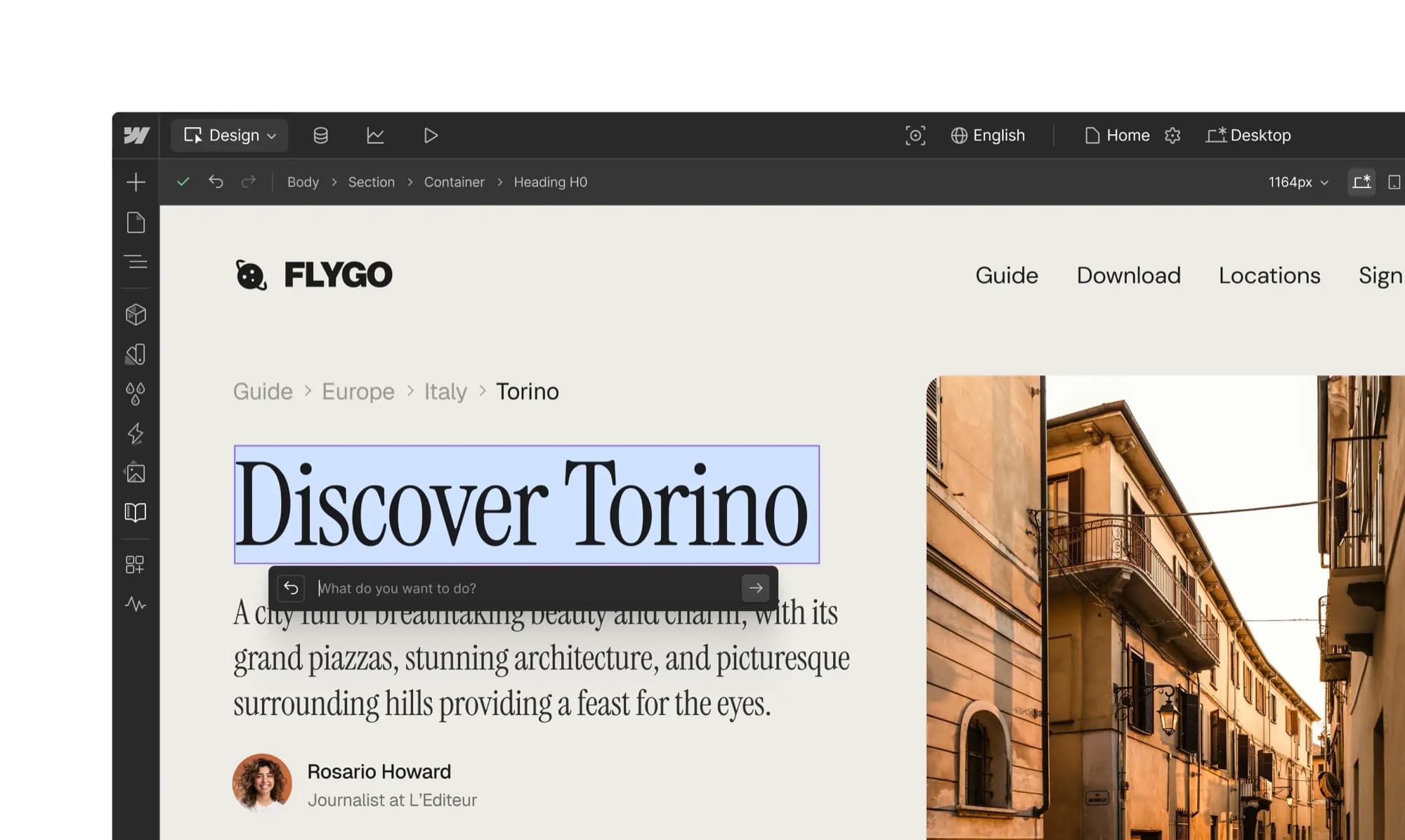
Read our Webflow pageOur Webflow page shows the Designer, the CMS and Edit mode with real screens, plus the full plan table, so you can see the learning curve before you commit.
Frequently asked questions
- Is Framer cheaper than Webflow?
- For small sites, yes. Framer's Basic plan is $10 a month on yearly billing and includes a CMS with 1,000 items. Webflow's cheapest custom-domain plan is $15 a month and has no CMS, so a small blog costs $25 a month on Webflow Premium. For large content sites the order flips, because Webflow Premium includes 20,000 CMS items.
- Is Framer good for SEO?
- Framer covers the basics: custom meta titles and descriptions, clean URLs, sitemaps and fast hosting. Webflow gives finer control over structured content and scales better for sites with thousands of indexed pages. For a small marketing site, either ranks fine.
- Can Framer handle a blog?
- A small one, comfortably. Framer Basic includes 2 CMS collections and 1,000 items, and Pro raises that to 10 collections and 2,500 items. A blog that publishes several times a week with separate author and category collections will reach those limits sooner than on Webflow Premium.
- Does Framer have ecommerce?
- Not natively. Framer sites typically embed checkout from another service. Webflow has built-in ecommerce plans with product collections, cart and checkout.
- Which is easier to learn, Webflow or Framer?
- Framer, especially for anyone who uses Figma. Webflow's Designer is a visual layer over CSS, so it rewards people who understand classes, flexbox and grid, and it takes longer to learn.
- Can I move a site from Framer to Webflow later?
- Only by rebuilding the design. CMS content can usually be exported and re-imported as CSV, but layouts and interactions have to be recreated in Webflow.
Bottom Line
Framer is the faster, cheaper way to put a polished small site online, and it's the right call for designers, portfolios and launch pages. Webflow costs more at the small end and takes longer to learn, but it's the one that holds up as content, editors and products pile on. Decide by asking how big the site will be in two years: if the honest answer is "a few dozen pages", go Framer; if it's "hundreds of posts and a team", go Webflow.
How We Test
We score products by combining spec-level research, pricing history, trusted third-party benchmarks, and owner sentiment from high-signal sources.
- Performance and real-world value in the category this guide targets
- Price-to-performance and deal consistency over recent pricing windows
- Build quality, reliability patterns, and known long-term issues
- Recommendation refresh cadence to keep these picks current
Author
TheTechSearch Editorial Team
Independent product reviewers & PC builders
We test and compare real-world specs, price trends, and user feedback to recommend gear that actually makes sense to buy.