Best Computer Speakers Under $200
The best desktop speakers under $200 for music, gaming, and work. This guide weighs bookshelf speakers, soundbars, and powered monitors to find the best value.
As an Amazon Associate we earn from qualifying purchases made through our links — this doesn't affect our picks.
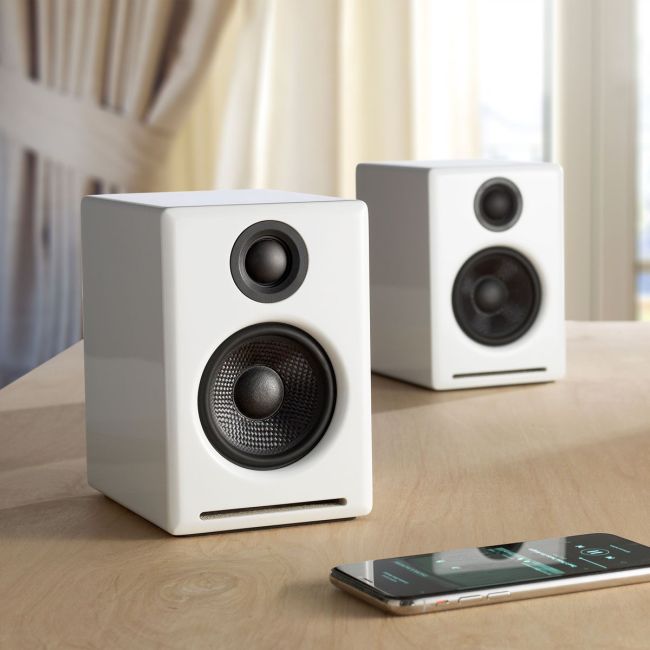
Audioengine A2+ Wireless
Our top recommendation for this category
Price as of Feb 9, 2026 — see current price on Amazon.
Laptop speakers are bad. Even the best ones. If you sit at a desk for any meaningful amount of time, a pair of decent speakers transforms the experience, music sounds like music, game audio has actual depth, and video calls stop sounding like you're talking through a tin can.
The under-$200 bracket has some legitimately impressive options. The five speaker systems below are rated on sound quality, build, and desk footprint.
Quick comparison
| Speakers | Type | Driver Size | Connectivity | Price | |
|---|---|---|---|---|---|
| Audioengine A2+ | Powered bookshelf | 2.75" | USB, Bluetooth, 3.5mm | $199 | Check Price |
| Edifier MR4 | Studio monitor | 4" | TRS, RCA, 3.5mm | $169.99 | Check Price |
| Creative Pebble X Plus | Desktop 2.1 | 2.5" + 4" sub | USB-C, Bluetooth | $119.99 | Check Price |
| Mackie CR3-X | Studio monitor | 3" | TRS, RCA, 3.5mm | $99.99 | Check Price |
| Razer Nommo V2 X | Gaming 2.0 | 3" | USB, Bluetooth 5.3 | Not stated | Check Price |
Audioengine A2+
Audioengine A2+ Wireless
Pros
- Built-in USB DAC
- Bluetooth aptX for wireless
- Beautiful build quality, available in multiple finishes
Cons
- At $199 it uses every dollar of the 'under $200' budget
- Small drivers can't fill a large room
- No subwoofer output
- Power button is on the back
Price as of Feb 9, 2026 — see current price on Amazon.
For a long time the A2+ cost well over this guide's budget. The white pair we link now was $199 on Amazon in September 2026, which finally puts it inside the bracket. It's the premium pair here: a compact 2.0 set with its own USB DAC and aptX Bluetooth, built for listening rather than gaming.
The built-in USB DAC means you bypass your laptop's mediocre audio hardware entirely. Plug in via USB and you're getting cleaner sound than any 3.5mm connection.
Edifier MR4
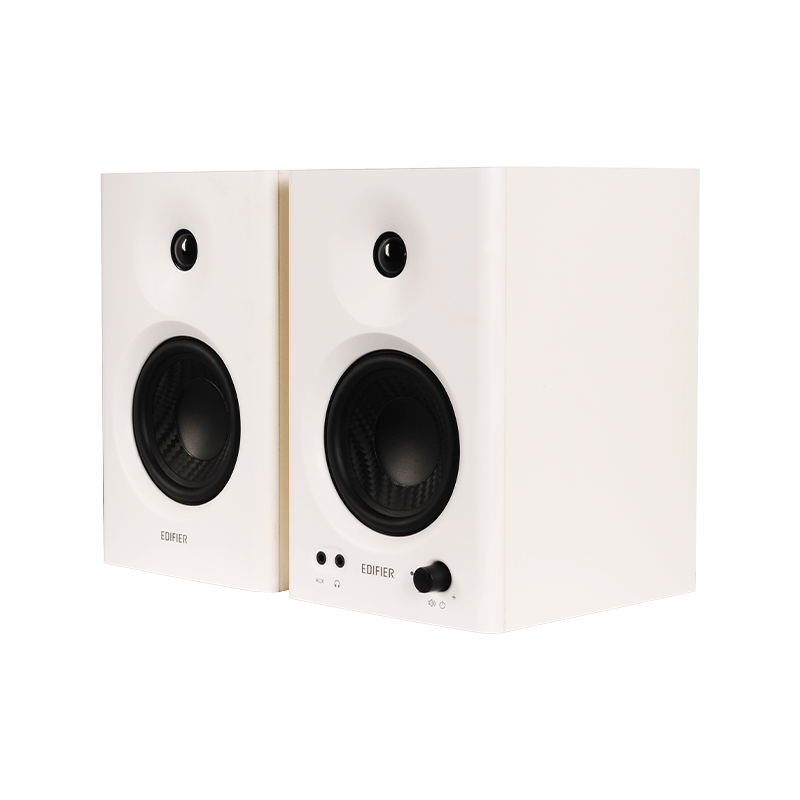
Edifier MR4 Studio Monitor Speakers
Pros
- Sold as a studio monitor, tuned for a flat response
- 4-inch drivers, the largest of the 2.0 pairs here
- TRS and RCA inputs for flexibility
- Front-facing bass port doesn't require rear clearance
- Great for music production at this level
Cons
- No Bluetooth
- 4-inch woofers still need a sub for deep bass
- Generic design
Price as of Feb 9, 2026 — see current price on Amazon.
The Edifier MR4 at $169.99 is the speaker I recommend most often. The link goes to Edifier's own black-pair listing. Edifier sells it as a studio monitor, so the tuning aims for a flat response rather than boosted bass or treble. If you're doing any audio work (podcasting, music production, mixing) at a budget level, these are the entry point.
The 4-inch drivers are the largest of the 2.0 pairs here. Don't expect floor-shaking low end without a sub.
Creative Pebble X Plus
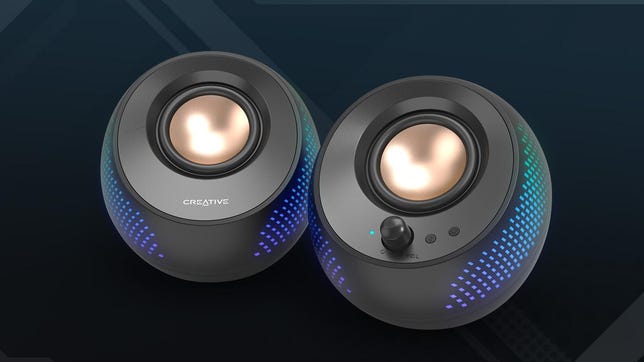
Creative Pebble X Plus
Pros
- $119.99 for a 2.1 system with subwoofer
- USB-C powered, no wall adapter needed
- Bluetooth 5.3
- Small satellite speakers save desk space
- Downward-firing subwoofer handles the bass
Cons
- Sub cable is short
- USB power limits maximum volume
- Not great for critical listening
Price as of Feb 9, 2026 — see current price on Amazon.
A $119.99 system with a dedicated subwoofer (that's Amazon's price in September 2026 on the current listing; the one we originally linked was pulled). The satellite speakers are small pebble-shaped units that barely take up desk space, while the downward-firing sub sits under your desk and handles the bass.
USB-C power means one cable to your laptop handles both audio and power, no separate wall adapter. Bluetooth 5.3 gives you wireless connectivity if you want to stream from your phone. At $119.99, the value is still hard to beat for a 2.1 setup.
Mackie CR3-X
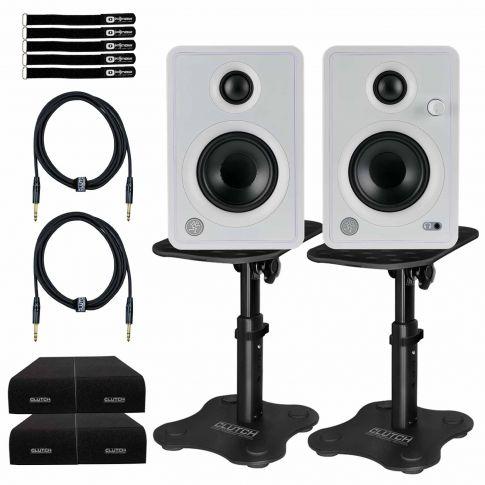
Mackie CR3-X Creative Reference Monitors
Pros
- Mackie's pro audio heritage at a consumer price
- Front-panel headphone jack and volume knob
- Compact, 3-inch drivers fit small desks
- All-wood enclosures reduce resonance
Cons
- 3-inch drivers limit bass response
- No Bluetooth
- Power cable and speaker cable are short
Price as of Feb 9, 2026 — see current price on Amazon.
Mackie makes professional studio monitors that cost thousands. The CR3-X applies that expertise to a hundred-dollar consumer product ($99.99 on Amazon's current pair listing in September 2026). Mackie sells it as a desktop reference monitor, so the tuning aims for neutral: no boosted bass, no sparkly treble.
The front-panel headphone jack and volume knob are practical touches. Quick volume adjustment without reaching behind the speaker, and easy headphone switching when you need privacy.
Razer Nommo V2 X

Razer Nommo V2 X
Pros
- THX Spatial Audio for gaming
- Razer Chroma RGB lighting
- USB and Bluetooth connectivity
- Mobile app with EQ presets
- Designed specifically for gaming desks
Cons
- Tuned for games more than music
- Bass is boosted, not flat or neutral
- Chroma integration requires Razer Synapse
- Overpriced for pure audio quality
Price as of Feb 9, 2026 — see current price on Amazon.
One note on the link: the listing we originally used was pulled, and Razer's current one was live but not showing a price in September 2026, so check the page before you plan around a number.
The Nommo V2 X is the gaming option. THX Spatial Audio processes game audio to widen the soundstage and place footsteps and environmental cues more precisely than plain stereo. Whether this actually helps in competitive games is debatable.
Razer boosts the bass deliberately for a cinematic game audio feel. That tuning suits games and films more than music, and the Razer Synapse EQ is where you pull it back.
What I'd pick
Music and general use: Edifier MR4 ($169.99), best sound per dollar. Budget with bass: Creative Pebble X Plus ($119.99), hard to beat the value of a 2.1 system at this price. Gaming: Razer Nommo V2 X (check the listing for price), spatial audio and tuning designed for games.
As an Amazon Associate, we earn from qualifying purchases. This doesn't affect our recommendations or editorial independence.
Related guides
- Best Gaming Headsets Under $50 in 2026
- Best Microphones for Podcasting 2026
- Best Noise-Cancelling Headphones 2026
Frequently asked questions
- Are computer speakers worth buying or should I use headphones?
- Both serve different needs. Computer speakers fill a room with sound and are more comfortable for long work sessions or casual listening. Headphones provide better audio isolation and imaging for critical listening, gaming, or calls. Many users use both: speakers at the desk for casual work, headphones when focus or privacy matters.
- What should I look for in computer speakers under $200?
- Prioritize driver size (2.5 to 4-inch woofers move more air for better bass), connectivity options (USB, 3.5mm, optical, Bluetooth), and whether a subwoofer is included. Brands with strong reputations in this price range include Audioengine, Edifier, and Klipsch. Avoid hollow-sounding claims about peak wattage; RMS power is the meaningful number.
- What is the difference between 2.0 and 2.1 speaker systems?
- 2.0 systems are two speakers with no dedicated subwoofer. They are more compact and easier to place but may lack deep bass. 2.1 systems add a separate subwoofer that handles low frequencies, resulting in noticeably more bass impact for music and movies. For gaming and music with heavy bass, 2.1 is generally more satisfying. For voice calls and podcasts, 2.0 is cleaner.
- Can I use computer speakers for a TV or living room setup?
- Yes, if the speakers have the right inputs. Active computer speakers with optical input, RCA, or Bluetooth can connect to a TV as a soundbar alternative. The Audioengine A2+ and Edifier R1280T are popular for this dual-purpose use. Just check that your TV outputs match the speaker inputs before buying.
- How important is a speaker's frequency response?
- Frequency response tells you the range of sounds a speaker can reproduce. Wider is generally better, but the shape of the curve matters more than the endpoints. A flat response produces accurate sound without artificial bass boost or treble peaks. Most speakers in this price range have some coloration, which is not inherently bad but means different speakers suit different music genres and personal tastes.
How We Pick
We pick products by combining spec-level research, price checks, trusted third-party benchmarks, and owner sentiment from high-signal sources.
- Performance and real-world value in the category this guide targets
- Price-to-performance and deal consistency over recent pricing windows
- Build quality, reliability patterns, and known long-term issues
- Recommendation refresh cadence to keep these picks current
Author
TheTechSearch Editorial Team
Independent product reviewers & PC builders
We compare real-world specs, reviews and owner reports, price trends, and user feedback to recommend gear that actually makes sense to buy.