Best Full-Size Mechanical Keyboards in 2026
The best 100% mechanical keyboards in 2026, compared on the specs that matter: switch force, keycap material, SOCD legality and whether the numpad is worth t...
As an Amazon Associate we earn from qualifying purchases made through our links — this doesn't affect our picks.
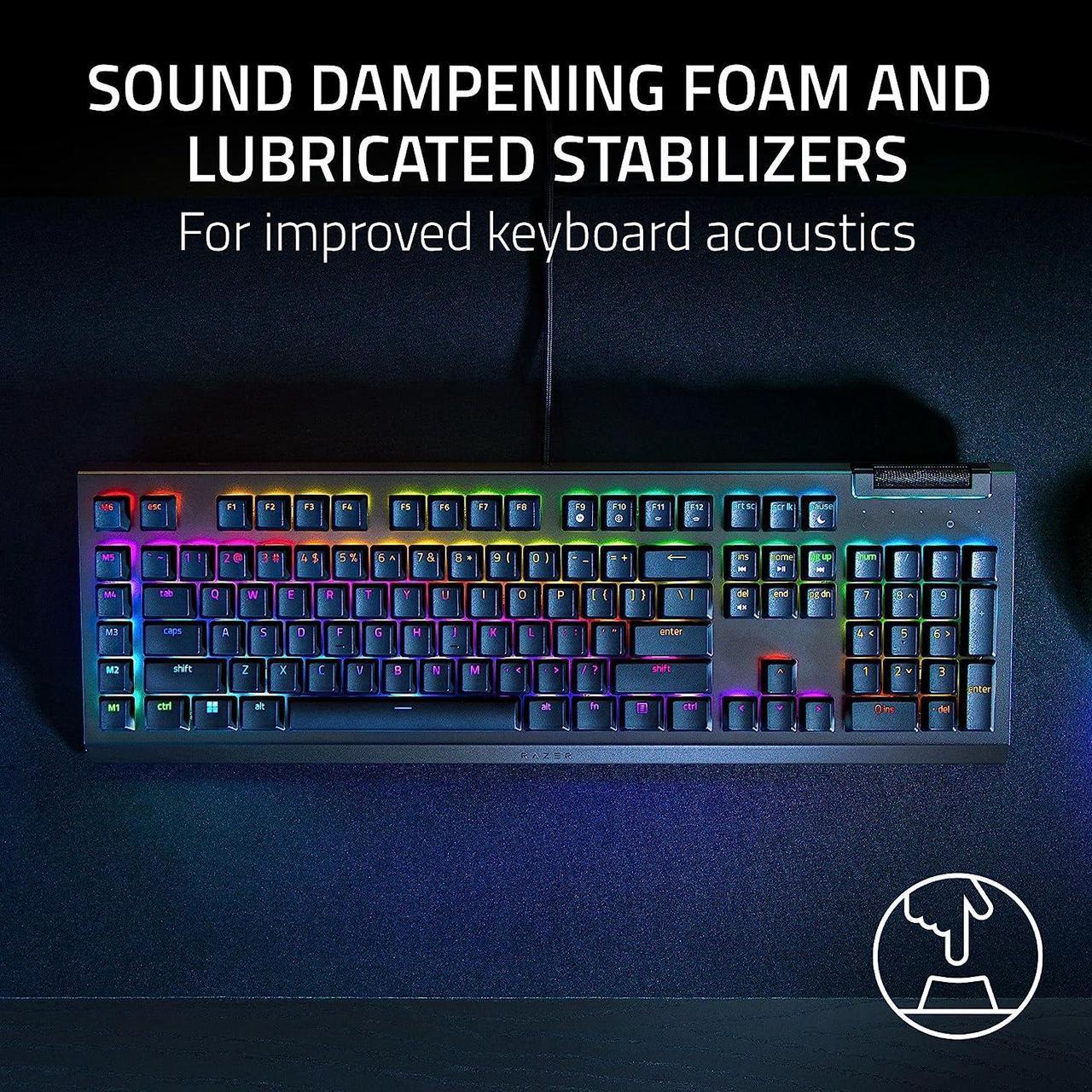
Razer BlackWidow V4 X
Our top recommendation for this category
Price as of Sep 20, 2026 — see current price on Amazon.
Full-size keyboards spent about five years being unfashionable. Then everyone who does spreadsheets, CAD, accounting or any job involving a ten-key remembered why the numpad exists, and the category quietly came back.
What's changed in 2026 isn't the layout. It's what's underneath: hot-swap sockets at under $110, magnetic switches with adjustable actuation, and a genuinely confusing legal situation around SOCD features that can get you kicked from a match in one game and are expressly permitted in another.
Quick Picks
| Keyboard | Switch | Actuation | Keycaps | Price | |
|---|---|---|---|---|---|
| Razer BlackWidow V4 X | Razer Yellow linear | 1.2 mm / 45 g | Doubleshot ABS | $99.99 | Check Price |
| ASUS ROG Strix Scope II X | ROG NX Snow V2 linear | 1.8 mm / 53 gf | Doubleshot PBT | $104.99 | Check Price |
| Corsair K70 CORE RGB | MLX Red linear | 1.9 mm / 45 g | Doubleshot ABS | $109.99 | Check Price |
| SteelSeries Apex Pro Gen 3 | OmniPoint 3.0 magnetic | 0.1 to 4.0 mm | Doubleshot PBT | $224.99 | Check Price |
Razer BlackWidow V4 X
Razer BlackWidow V4 X
Pros
- Fast 1.2 mm actuation at 45 g, the shortest here
- 5052 aluminium alloy top case at a $99 price
- Six dedicated macro keys plus a multi-function roller
- Rated 100 million keystrokes per switch
Cons
- Doubleshot ABS keycaps go shiny with heavy use
- Macros need Synapse 4 running
- Wired USB only, no wireless option
Price as of Sep 20, 2026 — see current price on Amazon.
At $99.99 against a $129.99 list price, this is the one that makes the rest of the list justify itself.
The Razer Yellow Gen-3 switch is linear and silenced, actuating at 1.2 mm with 45 g of force. That's the shortest travel-to-actuation in this roundup by a comfortable margin, and it's the reason the V4 X keeps turning up in esports-adjacent recommendations despite being the cheapest board here.
There's a spec dispute worth clearing up. Some reviews describe the V4 X as a plastic board. Razer's own product page and Newegg's listing both specify a 5052 aluminium alloy top case, and the resolution is that the aluminium is a top plate over a plastic body. It's not a full metal chassis, but it's not bare plastic either.
The honest weakness is the keycaps. They're doubleshot ABS, and ABS develops a glossy patina on heavily used keys. Tom's Hardware lists "ABS keycaps" as a reason to avoid on its own full-size Razer pick, which tells you this isn't a niche complaint. Budget for a PBT set eventually and the board outlives the caps.
ASUS ROG Strix Scope II X
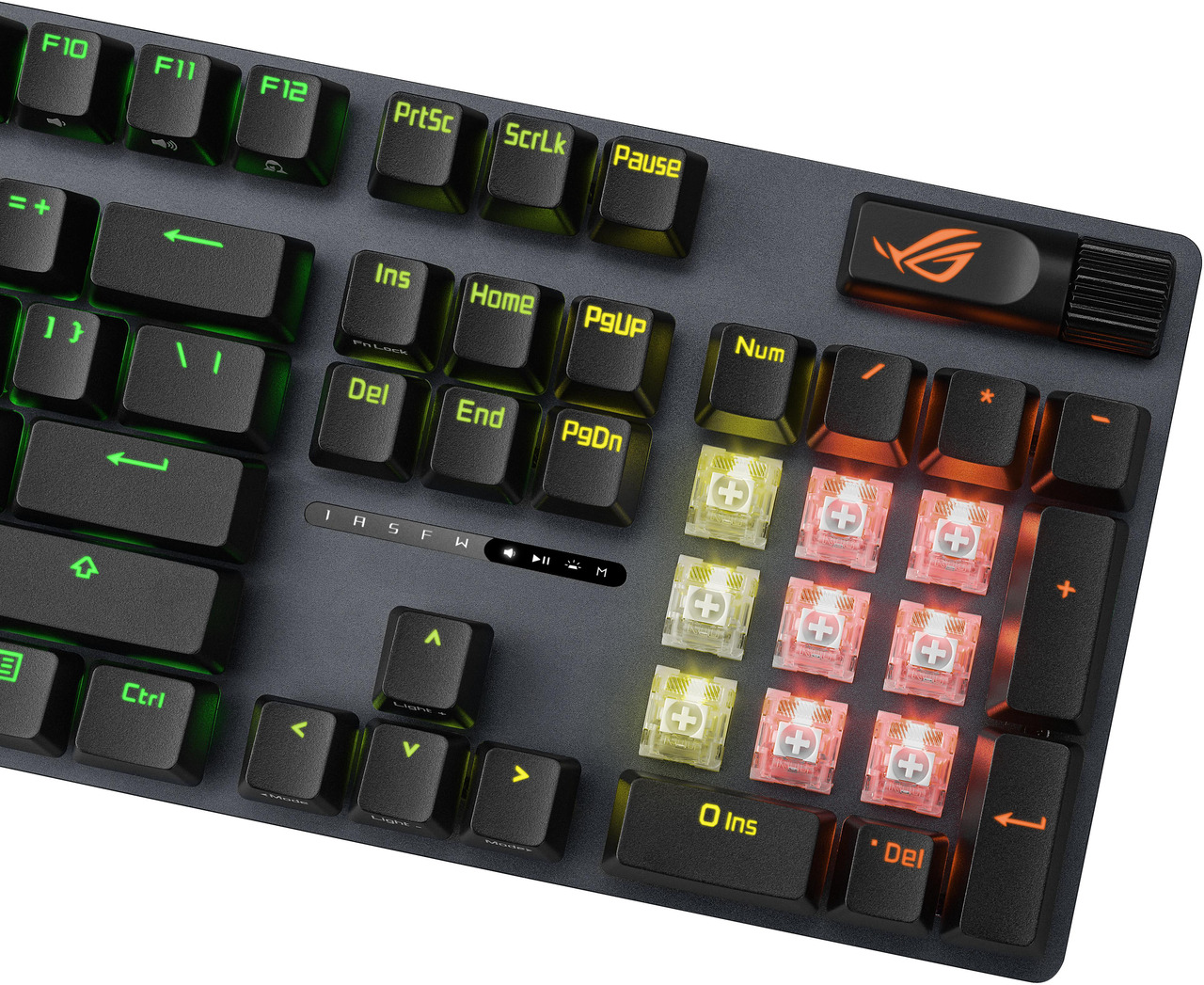
ASUS ROG Strix Scope II X
Pros
- Hot-swappable sockets, rare at this price
- Pre-lubed ROG NX Snow V2 linear switches
- Doubleshot PBT keycaps resist shine
- Ships with keycap puller, switch puller and a spare spacebar
Cons
- 1.8 mm actuation is longer than the Razer's 1.2 mm
- Wired USB 2.0 only
- Wrist rest is bulky on a shallow desk
Price as of Sep 20, 2026 — see current price on Amazon.
This is the best-balanced board on the list, and it's five dollars more than the Razer.
Hot-swap sockets at $104.99 are the headline. You can pull the pre-lubed NX Snow V2 linears and drop in whatever you like later, which turns a fixed purchase into a platform. The switches themselves run 1.8 mm actuation with 40 gf initial force and 53 gf total, so they're a little heavier and longer than the Razer Yellows.
PBT keycaps are the other reason to pick it. PBT is semi-crystalline, more heat-resistant and more resistant to oils than ABS, which is why it takes far longer to go shiny.
There's a tradeoff nobody mentions: PBT transmits light worse than ABS. That's precisely why south-facing LED layouts became common, and it's a real consideration if you want bright, evenly lit legends.
One warning. A second ASUS full-size ASIN circulates online with essentially no web footprint anywhere, no catalog mirrors and no deal coverage. The listing verified here is the one that checks out.
Corsair K70 CORE RGB
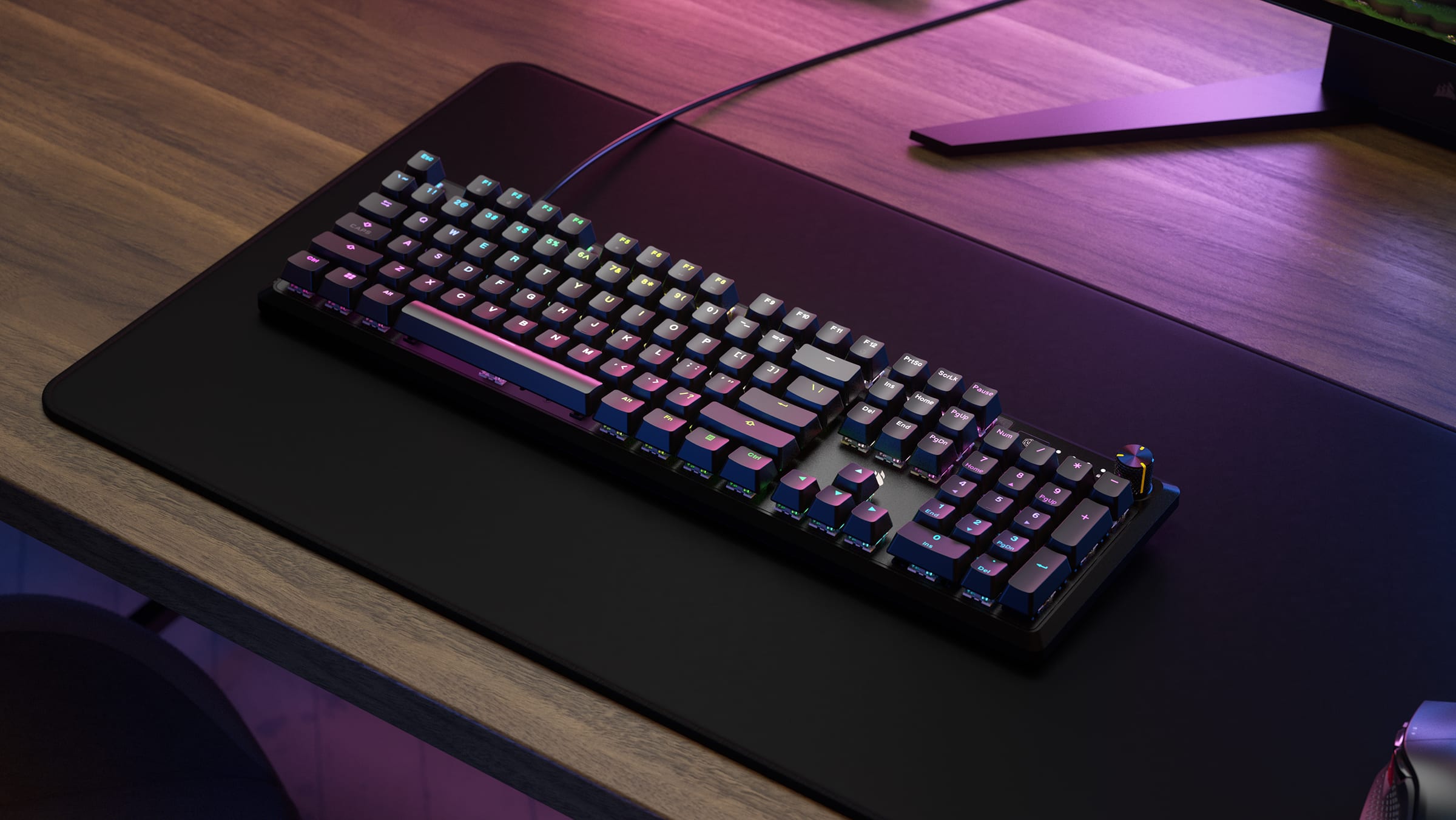
Corsair K70 CORE RGB
Pros
- Two layers of sound-dampening foam, quiet for the money
- Media control dial that's genuinely useful
- Five onboard profiles, so SOCD toggles travel with the board
- Full 104-key NA layout with NKRO
Cons
- ABS doubleshot keycaps again
- Switches are not hot-swappable
- 70 million keystroke rating is the lowest here
- iCUE is a heavy piece of software
Price as of Sep 20, 2026 — see current price on Amazon.
Corsair lists the bare K70 CORE RGB at $99.99. The listing verified here is the palmrest bundle at $109.99, so you're paying about ten dollars for the wrist rest.
What you're really buying is the acoustics. Two layers of sound-dampening foam plus pre-lubed MLX Red linears make this the quietest-sounding board here without going to silenced switches. MLX Reds actuate at 45 g over 1.9 mm, with 4 mm total travel and a 70 million keystroke rating.
The onboard storage matters more than it sounds. Five profiles live on the board itself, which means you can flip SOCD off before a CS2 match without opening software mid-session. Given the rules situation below, that's a practical feature rather than a spec-sheet line.
Skip it if you want hot-swap. The switches are soldered.
SteelSeries Apex Pro Gen 3
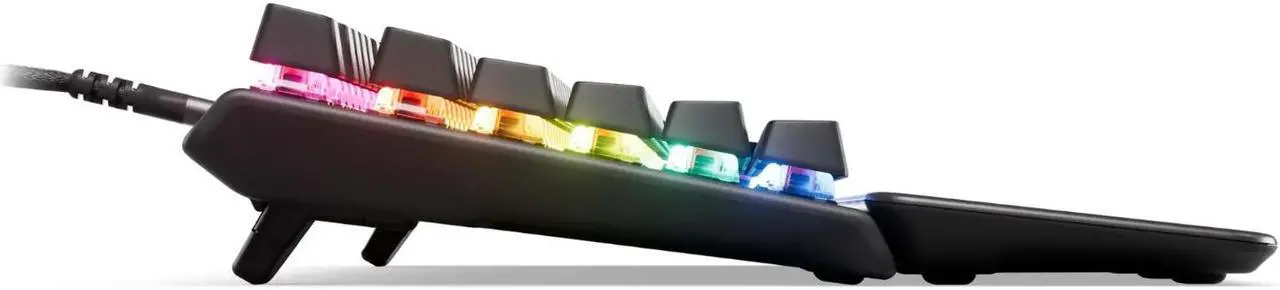
SteelSeries Apex Pro Gen 3
Pros
- Magnetic switches adjustable from 0.1 mm to 4.0 mm
- Rapid Trigger with five customisable Rapid Tap pairings
- Doubleshot PBT and triple-layer sound dampening
- Detachable braided USB-C cable
Cons
- Twice the price of the Razer and the ASUS
- Rapid Tap and SOCD are kickable in CS2
- OLED screen is more novelty than tool
- Hall-effect switches can't be swapped for mechanical ones
Price as of Sep 20, 2026 — see current price on Amazon.
The Apex Pro Gen 3 is the only magnetic board here, and it's priced accordingly at $224.99, which is exactly SteelSeries' own list price.
OmniPoint 3.0 uses Hall-effect sensing instead of a metal contact, so actuation is continuously adjustable anywhere from 0.1 mm to 4.0 mm. Set it shallow for gaming, deep for typing, or per key. You'll see "40 levels of actuation" quoted in retail copy, incidentally. SteelSeries' own documentation describes it as continuously adjustable, so treat the number as marketing.
Rapid Trigger is the feature people actually buy this for. Wooting, which introduced it in 2019, describes it as eliminating the latency caused by physical switch movement by activating and deactivating based on travel distance instead of a fixed point. In practice, counter-strafing gets easier.
Build quality backs the price: doubleshot PBT caps, triple-layer dampening foam and per-key lubrication.
How to Choose a Full-Size Keyboard
First, be honest about the numpad and your shoulder
This is the one genuine ergonomic argument against full-size, and it's usually stated wrongly.
Cook and Kothiyal, in Applied Ergonomics 1998, 29(6), 439-443, measured significantly less anterior deltoid activity (p = 0.01) and middle deltoid activity (p = 0.03) when the mouse sat next to a keyboard without a numeric pad. Note where the effect showed up. Trapezius activity did not differ between mouse positions, so the common claim that a numpad causes neck and trap pain isn't supported by that data.
The follow-up matters more for choosing. Karlqvist and colleagues, in the Scandinavian Journal of Work, Environment and Health 1998, 24(1), 62-73, found that narrow-shouldered and shorter operators worked with noticeably more outward rotation and abduction when the mouse sat lateral to the keyboard. Broad-shouldered and taller operators didn't. They also found arm support markedly reduced neck and shoulder muscle load.
So the practical advice is specific. If you're short or narrow-shouldered, a full-size board costs you more reach than it costs someone tall, and an armrest or a wider desk offsets much of it.
Check whether a 96% would do the same job smaller
Here's a fact that kills the usual full-size-versus-TKL argument. Tom's Hardware measured the ASUS ROG Strix Scope II 96 at 377 x 131 x 40 mm, which makes it narrower than the Lemokey L3, a TKL, at 401 x 137 x 43 mm.
A 96% layout keeps the numpad and deletes the dead space. If desk width is your constraint rather than the numpad itself, that's the layout to look at.
Understand the SOCD rules before you buy into them
This is the most important thing on this page in 2026, and almost nobody covers it.
Valve's position on CS2, stated in August 2024, is that players suspected of automating multiple actions from a single game input may be kicked from their match. Valve's own wording asks players with a keyboard that includes an input-automation feature such as Snap Tap Mode to disable it before joining. It's a kick on official servers, not a VAC ban, but it's real.
Riot goes the other way. The VALORANT Official Competition Ruleset, last updated 20 January 2026, says at section 2.3.5 that unless instructed otherwise by League Officials, players may use Snap Tap, SOCD or other equivalent keyboard technologies.
And there's a twist. Section 2.3.4, immediately above it, bans hardware macros stored in onboard memory. Riot permits the feature Valve kicks for, and bans a feature Valve doesn't care about.
Every vendor calls it something different. Razer says Snap Tap, ASUS says Speed Tap, SteelSeries says Rapid Tap, Corsair says FlashTap, Wooting says Snappy Tappy. The buying criterion is whether you can switch it off per profile, and whether those profiles live on the board so you can change them without opening software.
Treat polling rate as the least important number
Manufacturers sell 8,000 Hz hard. Tom's Hardware tested it and reported no felt difference against 1,000 Hz in either gaming or typing, and not even a large difference against 125 Hz. Their verdict was that you'd need to be a hyper-alert esports-level player to have a chance of noticing.
The number that reframes this: Cherry's own MX2A Red datasheet specifies a bounce time of 5 ms. An 8,000 Hz polling rate reports every 0.125 ms. The switch's own debounce window is forty times larger than the polling interval being advertised to you.
Polling costs nothing, so there's no reason to avoid it. Just don't pay extra for it.
Keycaps decide how the board looks in two years
Doubleshot PBT over ABS, as a default. Keychron's own materials guide puts it plainly: ABS has a low melting point and its finish becomes shiny and sticky to the touch, while PBT is stronger and more heat-resistant with better resistance to oils.
Two caveats keep this honest. PBT gets shiny too, just slower, and on some sets the spacebar alone is secretly ABS because long keys are harder to mould in PBT. Cheap PBT with low actual PBT content can also be worse than good ABS.
Frequently asked questions
- Is Snap Tap or SOCD going to get me banned?
- It depends entirely on the game, and the two biggest shooters take opposite positions. Valve's August 2024 statement on CS2 says players automating multiple actions from a single input may be kicked from the match, and asks you to disable features like Snap Tap Mode before joining. Riot's VALORANT Official Competition Ruleset, updated 20 January 2026, expressly permits Snap Tap and SOCD at section 2.3.5, while banning onboard hardware macros at 2.3.4. Buy a board that lets you toggle it per profile.
- Why does my NKRO keyboard only register six keys in BIOS?
- That's expected behaviour, not a fault. The USB boot protocol reserves room for one modifier byte and six scancode bytes, which is where the six-key limit comes from. BIOSes, bootloaders and KVM switches use boot protocol for compatibility. Nothing in the USB HID specification itself limits a keyboard to six keys, so your board will return to full NKRO once the OS driver loads.
- Is 8,000 Hz polling worth paying for on a keyboard?
- Not really. Tom's Hardware tested an 8,000 Hz board and found no perceptible difference against 1,000 Hz in gaming or typing. For scale, Cherry's MX2A Red datasheet lists a 5 ms bounce time, while 8,000 Hz polling reports every 0.125 ms, so the switch's own debounce window is roughly forty times longer than the polling interval. It costs no measurable CPU overhead, so it does no harm. It just shouldn't drive your decision.
- Do full-size keyboards cause shoulder pain?
- They increase shoulder reach, and the effect is real but narrower than usually claimed. Cook and Kothiyal (Applied Ergonomics 1998, 29(6), 439-443) found significantly lower anterior and middle deltoid activity with the mouse beside a keyboard with no numpad, but found no difference in trapezius activity. Karlqvist and colleagues (1998, 24(1), 62-73) found the penalty falls hardest on shorter and narrow-shouldered users, and that arm support markedly reduced neck and shoulder load.
- Are PBT keycaps actually worth it over ABS?
- Usually yes, for longevity rather than feel. PBT resists the oils and heat that make ABS go glossy, so legends and surfaces stay matte much longer. Two honest caveats: PBT still develops shine eventually, and on some sets only the spacebar is ABS because long keys are difficult to mould in PBT. PBT also transmits backlight less well, which is why south-facing LED layouts are common on PBT boards.
- Should I buy hot-swappable if I've never changed a switch?
- It's cheap insurance at this price point. The ASUS ROG Strix Scope II X includes hot-swap sockets at $104.99, which costs roughly nothing over the soldered Corsair. One practical rule if you do swap later: five-pin sockets accept both three-pin and five-pin switches, while three-pin sockets take only three-pin switches unless you clip the two plastic legs off.
Bottom Line
For most people the ASUS ROG Strix Scope II X at $104.99 is the right buy. Hot-swap sockets and doubleshot PBT keycaps at that price mean the board won't look tired in two years and won't lock you into one switch, which is not something the rest of this list can claim.
Buy the Razer BlackWidow V4 X at $99.99 if actuation speed is what you care about. A 1.2 mm trigger point at 45 g is the fastest here, and an aluminium top plate at that price is good value. Just accept that the ABS caps will gloss up.
The Corsair K70 CORE RGB at $109.99 is the one to get if you want the quietest typing experience, thanks to two layers of dampening foam and a palmrest in the box.
And the SteelSeries Apex Pro Gen 3 at $224.99 earns its premium only if you play competitively enough to use Rapid Trigger and adjustable actuation. If those two phrases don't already mean something to you, spend half as much.
Related guides
- Best TKL Gaming Keyboards in 2026
- Full-Size vs TKL: Which Layout Should You Buy?
- Best Hot-Swap Mechanical Keyboards in 2026
As an Amazon Associate, we earn from qualifying purchases. This doesn't affect our recommendations or editorial independence.
How We Pick
We pick products by combining spec-level research, price checks, trusted third-party benchmarks, and owner sentiment from high-signal sources.
- Performance and real-world value in the category this guide targets
- Price-to-performance and deal consistency over recent pricing windows
- Build quality, reliability patterns, and known long-term issues
- Recommendation refresh cadence to keep these picks current
Author
TheTechSearch Editorial Team
Independent product reviewers & PC builders
We compare real-world specs, reviews and owner reports, price trends, and user feedback to recommend gear that actually makes sense to buy.