Best Monitors for RTX 5070 Ti 2026
Four monitor picks for the RTX 5070 Ti: a 360Hz QD-OLED first, then a 240Hz OLED, a QD-OLED ultrawide and a 4K 240Hz Mini LED. Expert picks, pros and cons, a...
As an Amazon Associate we earn from qualifying purchases made through our links — this doesn't affect our picks.
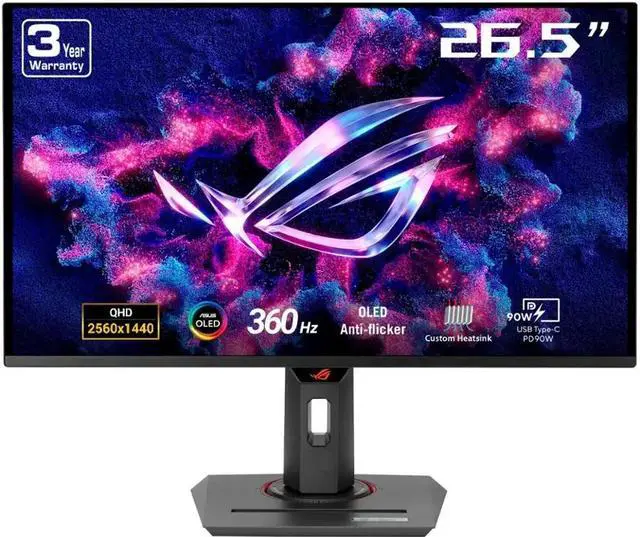
ASUS ROG Strix OLED XG27ACDNG 26.5-inch 1440p 360Hz QD-OLED
Fast 1440p play
Price as of Nov 2, 2026 — see current price on Amazon.
The ASUS ROG Strix OLED XG27ACDNG is the monitor to pair with an RTX 5070 Ti. It is a 1440p 360Hz QD-OLED at $549.00, the cheapest of the four picks here, and it has the fastest refresh of the group. If you mostly play big single-player games, get the Alienware AW3423DWF ultrawide instead.
- Best overall: ASUS ROG Strix OLED XG27ACDNG: 360Hz QD-OLED at 1440p, with a 90W USB-C port and a burn-in warranty (ASUS spec sheet).
- Best LG alternative: LG UltraGear 27GS95QE-B: a 240Hz 1440p OLED with HDMI 2.1 and a height and swivel stand.
- Best ultrawide: Alienware AW3423DWF: 34-inch 3440x1440 QD-OLED at 165Hz with Dell's burn-in coverage.
- Best 4K: Samsung Odyssey Neo G8 (G85NB): 32-inch 4K 240Hz Mini LED with Quantum HDR2000.
Prices as of November 2, 2026.
| Monitor | Panel | Resolution | Refresh | Price | Best For | |
|---|---|---|---|---|---|---|
| ASUS ROG Strix OLED XG27ACDNG | QD-OLED | 2560x1440 | 360Hz | $549.00 | Fast 1440p play | Check Price |
| LG UltraGear 27GS95QE-B | OLED | 2560x1440 | 240Hz | $679.00 | LG OLED fans | Check Price |
| Alienware AW3423DWF | QD-OLED | 3440x1440 | 165Hz | $777.13 | Single-player immersion | Check Price |
| Samsung Odyssey Neo G8 32-inch | Mini LED | 3840x2160 | 240Hz | $1,230.15 | 4K and bright HDR | Check Price |
ASUS ROG Strix OLED XG27ACDNG: Editor's Choice
ASUS ROG Strix OLED XG27ACDNG 26.5-inch 1440p 360Hz QD-OLED
Best for: Fast 1440p playPros
- 360Hz QD-OLED at 2560x1440
- USB-C with 90W power delivery and two HDMI 2.1 ports
- Height, tilt, swivel and pivot stand
- 3-year warranty that covers burn-in
Cons
- 26.5-inch viewable panel, not a full 27 inches
- Glossy finish shows reflections in bright rooms
Price as of Nov 2, 2026 — see current price on Amazon.
This is the one to buy. ASUS lists the XG27ACDNG as a 26.5-inch QD-OLED at 2560x1440 and up to 360Hz, with 99% DCI-P3 coverage. It costs less than the LG below and refreshes faster. That combination settles the first pick.
The ports are the quiet win. ASUS's spec sheet lists one DisplayPort 1.4 with DSC, two HDMI 2.1 inputs and a USB-C port with 90W power delivery. So a work laptop can share the desk, charge over one cable and switch with the gaming PC.
The stand is better than most gaming monitors ship with. ASUS lists height, tilt, swivel and full pivot. The warranty is three years and ASUS writes "including panel burn-in" into it, which is what you want on an OLED you plan to keep.
Who should skip it? Anyone gaming next to a bright window. The panel is glossy, and glare on a glossy OLED is real. In a dim room it is a non-issue.
LG UltraGear 27GS95QE-B: Best LG Alternative
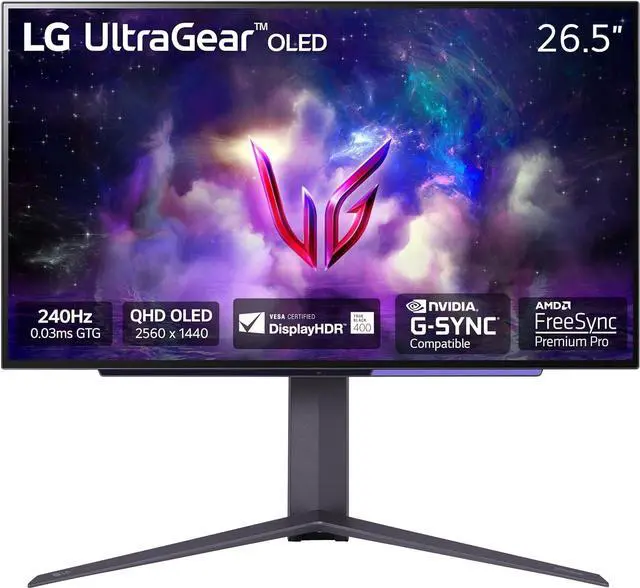
LG UltraGear 27GS95QE-B 27-inch 1440p 240Hz OLED
Best for: LG OLED fansPros
- 240Hz OLED at 2560x1440 with 0.03ms response
- DisplayHDR True Black 400
- HDMI 2.1 for a console on the second input
- Tilt, height and swivel stand
Cons
- Costs more than the ASUS while topping out at 240Hz
- No USB-C power delivery
Price as of Nov 2, 2026 — see current price on Amazon.
The 27GS95QE-B is a good monitor in the wrong spot. The listing describes a 27-inch OLED at 1440p and 240Hz with DisplayHDR True Black 400, FreeSync Premium Pro and G-Sync Compatible support. That is a strong spec sheet. It just loses to the ASUS on price, refresh rate and ports.
So who is it for? Buyers who already run an LG setup and want matching on-screen menus, or anyone who finds the ASUS out of stock. The HDMI 2.1 input handles a PS5 or Xbox Series X alongside the PC on DisplayPort.
The gap between 240Hz and 360Hz only matters if your frame rate sits above 240 in the games you play. For most players at 1440p that is esports titles only. If you never touch those, the refresh gap is close to irrelevant, and the choice comes down to price.
Alienware AW3423DWF: Best Ultrawide

Alienware AW3423DWF 34-inch QD-OLED Ultrawide 165Hz
Best for: Single-player immersionPros
- 34-inch 21:9 QD-OLED at 3440x1440
- 99.3% DCI-P3 and DisplayHDR True Black 400
- Dell's 3-year service plan includes OLED burn-in
- Curve fills your side vision in games that support 21:9
Cons
- 165Hz over DisplayPort, 100Hz over HDMI
- Many competitive shooters handle 21:9 poorly
Price as of Nov 2, 2026 — see current price on Amazon.
The AW3423DWF is for people who play story games and want the screen to wrap around them. It is a 34-inch 21:9 QD-OLED at 3440x1440. Dell's spec page lists 165Hz over DisplayPort and 100Hz over HDMI, plus DisplayHDR True Black 400.
The warranty is the reason it stays on this list. Dell bundles a 3-year Advanced Exchange service and "Premium Panel Exchange (Including coverage for OLED burn in)". For a panel that will show a taskbar for hours, that coverage matters.
Ultrawide also asks more of the GPU. 3440x1440 is about a third more pixels than 2560x1440, so expect lower frame rates than you would get on the ASUS in the same game. At 165Hz, that headroom is easier to fill than at 360Hz.
Skip it if you play ranked shooters. Plenty of competitive games letterbox or stretch 21:9, and a 16:9 panel is the fair setup there.
Samsung Odyssey Neo G8 32-inch: Best 4K
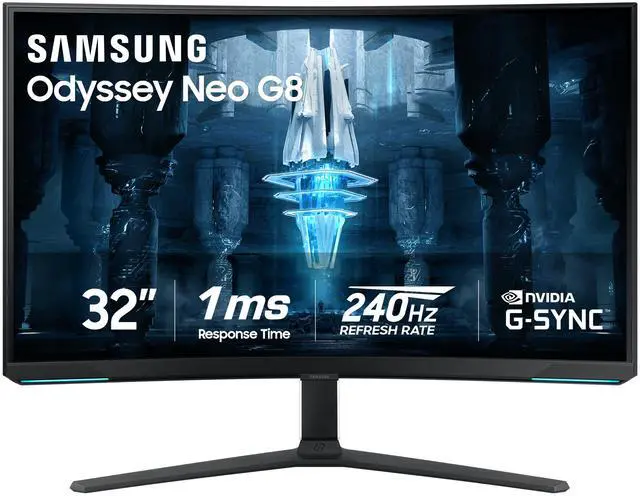
Samsung Odyssey Neo G8 (G85NB) 32-inch 4K 240Hz Mini LED
Best for: 4K and bright HDRPros
- 4K at 240Hz in one 32-inch panel
- Quantum HDR2000 Mini LED backlight
- Matte finish handles bright rooms
- FreeSync Premium Pro and G-Sync Compatible
Cons
- The most expensive pick here by a wide margin
- 1000R curve is awkward for documents
- VA panel can smear in fast dark scenes
Price as of Nov 2, 2026 — see current price on Amazon.
The Neo G8 is the pick if you want 4K and real HDR brightness more than you want OLED blacks. The listing describes a 32-inch G85NB at 3840x2160 and 240Hz, with a 1000R curve, a matte finish and Quantum HDR2000.
It is also the hardest one to recommend at its price. It costs the most of the four. Samsung's own US page lists it at $1,299.99 and shows it as not available to buy there, so Amazon is the practical place to get it.
Should a 5070 Ti owner go 4K at all? Yes, if you play slower single-player games and lean on DLSS upscaling. Native 4K at the panel's full refresh rate is out of reach in heavy games for this class of GPU, so the 240Hz ceiling mostly pays off in lighter titles. The curve is the other thing to think through. For a gaming-only screen it is fine, but for long days of reading and spreadsheets a flat panel is easier on you.
Buying Guide: Matching a Monitor to the RTX 5070 Ti
1440p or 4K
The 5070 Ti sits between the two. At 1440p it has the headroom for high refresh rates in competitive games. At 4K it handles demanding single-player games best with DLSS upscaling switched on.
Play shooters at least half the time? Go 1440p and buy the faster panel. Play mostly open-world and story games? 4K or ultrawide gives you more detail and more screen.
How much refresh rate is useful
A 360Hz panel only earns its keep when your frame rate stays above 240. That happens in light esports titles at 1440p, not in heavy single-player games. If your library is mostly the second kind, a 240Hz or 165Hz panel loses you nothing you would see.
OLED or Mini LED
OLED turns each pixel off for true black, so dark scenes look deep and clean. QD-OLED adds a quantum dot layer for richer color. Burn-in is the known risk, which is why the warranty terms on the ASUS and the Alienware matter.
Mini LED uses many backlight zones behind an LCD. It gets brighter than OLED in HDR highlights, which is the Neo G8's strength. The trade is some halo around bright objects on dark backgrounds.
Size and shape
A 27-inch 1440p screen is sharp at normal desk distance without scaling. A 32-inch 4K screen gives you more room for work as well as games. A 34-inch ultrawide has the same height as a 27-inch 1440p panel but much more width.
G-Sync Compatible is enough
Every monitor here supports G-Sync Compatible variable refresh, which gives tear-free play on an NVIDIA card. You do not need a monitor with a dedicated G-Sync module for this GPU.
Frequently asked questions
- What is the best monitor for an RTX 5070 Ti?
- The ASUS ROG Strix OLED XG27ACDNG. It is a 1440p 360Hz QD-OLED, it costs less than the other OLED picks here, and ASUS covers burn-in under its 3-year warranty.
- Is the RTX 5070 Ti good enough for a 4K monitor?
- Yes, for single-player games with DLSS upscaling on. The Samsung Odyssey Neo G8 is the 4K pick here, but expect its 240Hz ceiling to pay off mainly in lighter games.
- Should I buy an ultrawide for the RTX 5070 Ti?
- Only if you mostly play single-player games. The Alienware AW3423DWF runs 3440x1440 at 165Hz, but many competitive shooters handle 21:9 poorly.
- Do OLED gaming monitors burn in?
- They can, so buy one with burn-in coverage. ASUS writes burn-in into the XG27ACDNG's 3-year warranty, and Dell's 3-year plan on the AW3423DWF includes OLED burn-in.
- Do I need a G-Sync module monitor for an NVIDIA card?
- No. Every monitor on this page is G-Sync Compatible, which gives tear-free variable refresh on the RTX 5070 Ti without a dedicated module.
Bottom Line
Buy the ASUS ROG Strix OLED XG27ACDNG. It is the cheapest monitor on this page, the fastest one, and the one with the best ports and warranty terms. Pick the Alienware AW3423DWF only if single-player games are most of what you play and you want the ultrawide view. The Samsung Odyssey Neo G8 is the 4K choice, but its price makes it a want, not a need. The LG 27GS95QE-B is a fine monitor that the ASUS beats on paper, so treat it as the backup.
How We Pick
We pick products by combining spec-level research, price checks, trusted third-party benchmarks, and owner sentiment from high-signal sources.
- Performance and real-world value in the category this guide targets
- Price-to-performance and deal consistency over recent pricing windows
- Build quality, reliability patterns, and known long-term issues
- Recommendation refresh cadence to keep these picks current
Author
TheTechSearch Editorial Team
Independent product reviewers & PC builders
We compare real-world specs, reviews and owner reports, price trends, and user feedback to recommend gear that actually makes sense to buy.