Best Monitors for RTX 5080 2026
The RTX 5080 is built for 4K at 240Hz. These five OLED monitors actually keep up, from a $650 value pick to a DisplayPort 2.1 flagship. Expert picks, pros an...
As an Amazon Associate we earn from qualifying purchases made through our links — this doesn't affect our picks.
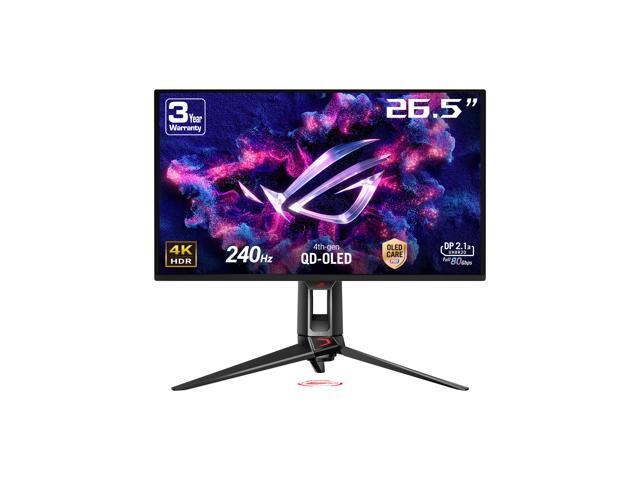
ASUS ROG Swift PG27UCDM 27-inch 4K 240Hz QD-OLED Gaming Monitor
Our top recommendation for this category
Price as of Jul 18, 2026 — see current price on Amazon.
If you just dropped $1,000-plus on an RTX 5080, pairing it with a 1440p 144Hz panel is leaving performance on the table. This card was built for 4K, and with DLSS 4 and multi-frame generation it pushes frame rates high enough that a 240Hz display finally makes sense at that resolution.
So the question isn't really "which monitor works with an RTX 5080." Almost anything works. The question is which display actually matches what this GPU can output: 4K, 240Hz, and on the right models, uncompressed video over DisplayPort 2.1. That last part is the RTX 5080's party trick, and most guides skip right past it.
I've pulled together five OLEDs that I'd genuinely put behind this card, ranging from a $650 value option up to a DisplayPort 2.1 flagship. Panel size, panel type, and connection standard are the three things that separate them.
Quick Picks
| Monitor | Size / Panel | Refresh | DisplayPort | Price | |
|---|---|---|---|---|---|
| ASUS ROG Swift PG27UCDM | 27" QD-OLED | 4K 240Hz | 2.1 UHBR20 | ~$999 | Check Price |
| MSI MPG 321URX | 32" QD-OLED | 4K 240Hz | 1.4a (DSC) | ~$899 | Check Price |
| Gigabyte MO27U2 | 27" QD-OLED | 4K 240Hz | 1.4 (DSC) | ~$649 | Check Price |
| LG UltraGear 32GS95UE | 32" WOLED | 4K 240 / FHD 480 | 1.4 (DSC) | ~$899 | Check Price |
| Gigabyte AORUS FO32U2P | 32" QD-OLED | 4K 240Hz | 2.1 UHBR20 | ~$1,099 | Check Price |
ASUS ROG Swift PG27UCDM
ASUS ROG Swift PG27UCDM 27-inch 4K 240Hz QD-OLED Gaming Monitor
Pros
- 166 PPI on a 27-inch 4K panel, so text and games look razor sharp
- DisplayPort 2.1a UHBR20 runs 4K 240Hz with zero compression
- Custom heatsink and airflow design for real burn-in protection
- 3-year warranty that covers the OLED panel
Cons
- 27 inches feels small to anyone coming from a 32-inch display
- Regularly sits near $999, so it isn't cheap
Price as of Jul 18, 2026 — see current price on Amazon.
This is the one I'd buy first. The PG27UCDM packs a 4K QD-OLED panel into a 27-inch frame, which works out to roughly 166 pixels per inch. That density matters more than people expect. Fine text is clean, aliasing basically disappears, and you stop noticing pixels entirely.
But the reason it earns Editor's Choice for an RTX 5080 specifically is the port. This is one of the few monitors here with DisplayPort 2.1a UHBR20, the same 80 Gbps standard the RTX 50-series outputs. That means 4K at 240Hz runs without Display Stream Compression. DSC is visually lossless in practice, sure, but if you can skip it entirely, why wouldn't you.
ASUS also went after burn-in with an actual engineering answer instead of just software. There's a custom bonded heatsink and a graphene film pulling heat off the panel. Tom's Hardware measured lower panel temps than most competing 27-inch QD-OLEDs in their review, and cooler OLEDs age slower. Simple as that.
The only real knock is size. If you've been running a 32-inch monitor, 27 inches will feel like a step back the first week. Give it a few days. That pixel density wins most people over.
Best for: Anyone who values sharpness and a proper DP 2.1 connection over raw screen real estate.
MSI MPG 321URX QD-OLED
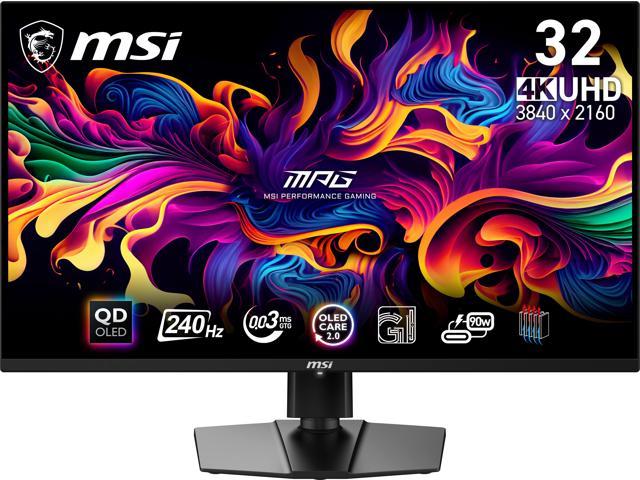
MSI MPG 321URX QD-OLED 32-inch 4K 240Hz Gaming Monitor
Pros
- 32-inch 4K QD-OLED, the sweet spot size for most desks
- 90W USB-C, so a single cable handles a laptop too
- Frequently under $1,000, strong value for a 32-inch OLED
- MSI's OLED Care suite is genuinely thorough on burn-in
Cons
- DisplayPort 1.4a means 4K 240Hz runs with DSC, not uncompressed
- Glossy coating loves fingerprints and reflections
Price as of Jul 18, 2026 — see current price on Amazon.
If 27 inches sounds too small, this is your card-matched pick. The 321URX is a 32-inch 4K QD-OLED that's been one of the most popular OLED gaming monitors of the last two years, and prices have settled nicely below $900 most weeks.
At 32 inches and 4K you land around 140 PPI. Slightly less dense than the 27-inch ASUS, but honestly for gaming from normal viewing distance you won't clock the difference. What you will notice is the extra size. Sim racing, open-world games, anything where scale sells the experience. A 32-inch panel just hits harder.
The catch worth knowing: this uses DisplayPort 1.4a, not 2.1. So 4K 240Hz runs through DSC. Your RTX 5080 handles that without breaking a sweat, and I'd challenge anyone to spot compression artifacts in a blind test. It's just worth being honest that this isn't the uncompressed path the ASUS and AORUS give you.
The 90W USB-C is a quietly great feature. Plug in a MacBook or a gaming laptop with a single cable and it charges while it displays. That flexibility is rarer than it should be at this price.
Best for: The 32-inch buyer who wants OLED quality without crossing $1,000, and doesn't care about DP 2.1.
Gigabyte MO27U2
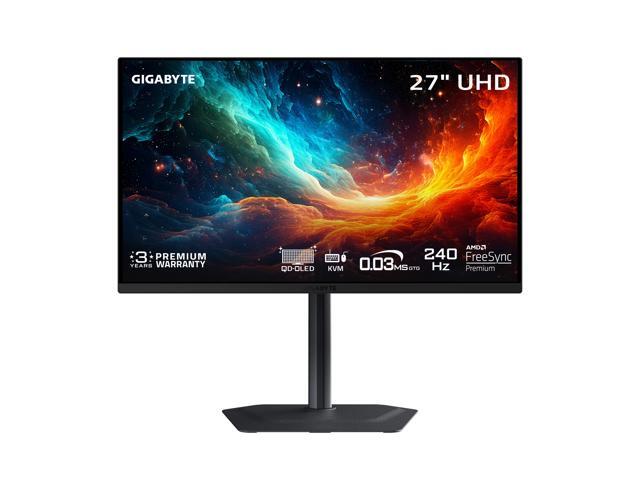
Gigabyte MO27U2 27-inch 4K 240Hz QD-OLED Gaming Monitor
Pros
- Cheapest 4K 240Hz QD-OLED here by a wide margin
- Same 166 PPI sharpness as pricier 27-inch panels
- USB-C KVM for switching between two machines
- 3-year warranty including panel burn-in coverage
Cons
- USB-C tops out at 18W, so no meaningful laptop charging
- Stand is functional but feels a step below ASUS and MSI
Price as of Jul 18, 2026 — see current price on Amazon.
Here's the value play. The MO27U2 gives you the same core spec as the ASUS PG27UCDM, a 27-inch 4K QD-OLED at 240Hz, for roughly $350 less. That's not a typo. Gigabyte has been aggressive on OLED pricing, and this is the result.
So what are you giving up for the savings? Mostly the port and the polish. It's DisplayPort 1.4 rather than 2.1, so again, 4K 240Hz over DSC. The USB-C is only 18 watts, meaning it'll charge a phone but not power a laptop. And the stand, while fine, doesn't feel as premium as the pricier options.
None of that touches image quality though. Same Samsung QD-OLED panel generation, same 166 PPI, same 0.03ms response, same inky OLED blacks. Gigabyte even backs it with a 3-year warranty that covers burn-in, which matches the ASUS. Hardware Unboxed has been consistently positive on Gigabyte's recent OLEDs for exactly this reason: the picture punches way above the price.
If your RTX 5080 build blew the budget and you want maximum OLED for the least money, this is the answer.
Best for: Budget-conscious 5080 owners who want real 4K OLED without paying flagship money.
LG UltraGear 32GS95UE
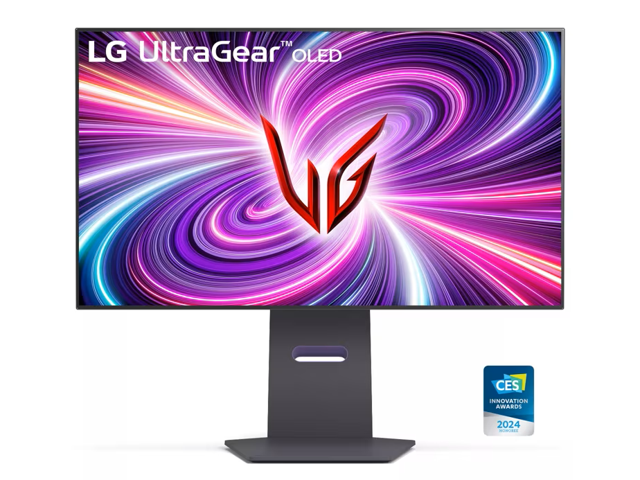
LG UltraGear 32GS95UE 32-inch 4K 240Hz Dual-Mode OLED Gaming Monitor
Pros
- Dual-mode: 4K at 240Hz, or flip to 1080p at a blazing 480Hz
- WOLED panel handles bright rooms better than QD-OLED
- HDMI 2.1 and DisplayPort, plus a proper anti-glare finish
- Great for people who split time between AAA and competitive shooters
Cons
- WOLED color volume trails QD-OLED slightly at peak saturation
- 480Hz mode drops you to 1080p, which softens on a 32-inch screen
Price as of Jul 18, 2026 — see current price on Amazon.
This one's for the split personality. The 32GS95UE runs native 4K at 240Hz for your single-player and visually rich games, then switches to 1080p at 480Hz with one button press when you fire up a competitive shooter. Two monitors in one, basically.
That flexibility pairs really well with an RTX 5080. The card has the muscle to feed 4K 240Hz in most titles with DLSS on, and it'll absolutely bury 1080p 480Hz in something like Counter-Strike or Valorant where every frame counts.
The panel is WOLED rather than QD-OLED, and that's a real trade rather than a downgrade. WOLED tends to hold up better in a bright room because it doesn't get the slight purple-gray raised-black look QD-OLED can show under direct light. Peak color saturation isn't quite as vivid as the Samsung panels, but LG's anti-glare coating is excellent, and honestly I'd take that trade in a room with windows.
One caveat: 1080p on a 32-inch screen looks soft up close. The 480Hz mode is a competitive tool, not your everyday resolution. Treat it that way and this monitor is fantastic.
Best for: Players who bounce between cinematic 4K games and high-refresh competitive shooters.
Gigabyte AORUS FO32U2P
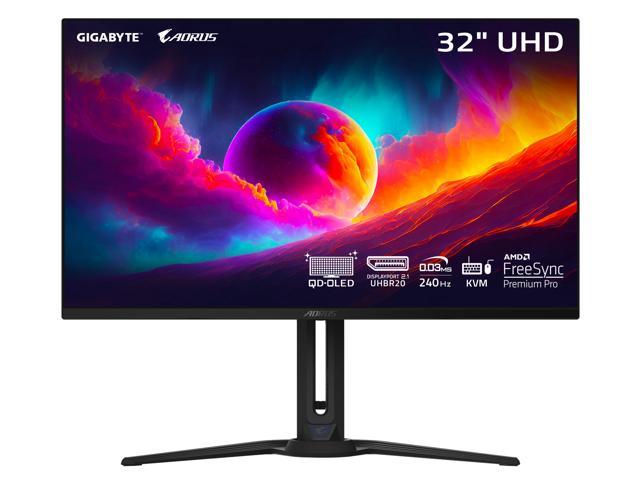
Gigabyte AORUS FO32U2P 32-inch 4K 240Hz QD-OLED Gaming Monitor with DisplayPort 2.1
Pros
- DisplayPort 2.1 UHBR20 for uncompressed 4K 240Hz, no DSC
- 32-inch QD-OLED with a genuinely premium build
- USB-C KVM plus a thoughtful port layout
- Ready for 8K 60Hz down the road if you ever want it
Cons
- Priciest option here, hovering around $1,099
- DP 2.1 benefit is marginal today for most single-monitor users
Price as of Jul 18, 2026 — see current price on Amazon.
If the ASUS is the 27-inch DP 2.1 pick, the FO32U2P is its 32-inch counterpart. It was the world's first OLED gaming monitor to ship with DisplayPort 2.1 UHBR20, and it pairs perfectly with the RTX 5080's matching output. That means true uncompressed 4K at 240Hz, and the headroom to drive 8K at 60Hz if you ever plug into something that demands it.
Is uncompressed 4K 240Hz meaningfully better than the DSC version on the MSI or LG? For most people, in most games, no. DSC really is that good. But there's a small group who want the technically cleanest signal path with no compression in the chain at all, and this is the 32-inch monitor that delivers it. Tom's Hardware called it high style and high performance in their review, and that tracks.
Build quality is a step up too. The stand is rock solid, the port selection is smart, and the whole thing feels like the $1,100 it costs. Same QD-OLED image quality you'd expect, plus that future-proof connection.
Would I tell everyone to buy it? No. But if you want the best 32-inch match for a 5080 and DP 2.1 matters to you, this is it.
Best for: Buyers who want the cleanest, most future-proof 32-inch pairing and will pay for it.
What to Look For in an RTX 5080 Monitor
Resolution and Refresh: Aim for 4K 240Hz
The RTX 5080 is a 4K card. With DLSS 4 and multi-frame generation, it pushes frame rates at 4K that older cards could only manage at 1440p. That's why 4K 240Hz is the target here rather than 1440p. You've got the horsepower, so give it a display that can show every frame.
Not every game will hit 240 fps at 4K, and that's fine. A higher-refresh panel simply means you're never the bottleneck. When a game does run fast, the monitor keeps up.
DisplayPort 2.1 vs DisplayPort 1.4
This is the RTX 5080-specific detail most buyers miss. The 50-series outputs DisplayPort 2.1 UHBR20, which carries enough bandwidth for uncompressed 4K 240Hz. Two monitors here match it: the ASUS PG27UCDM and the AORUS FO32U2P.
The other three use DisplayPort 1.4, which runs 4K 240Hz through Display Stream Compression. DSC is visually lossless and the RTX 5080 handles it flawlessly. So this is a nice-to-have, not a dealbreaker. If two monitors are otherwise tied for you, the DP 2.1 one wins. But don't pay a big premium chasing it alone.
QD-OLED vs WOLED
QD-OLED (the Samsung panels in the ASUS, MSI, Gigabyte, and AORUS) delivers slightly richer, more saturated color and better performance in dark rooms. WOLED (the LG) holds up better under bright ambient light and pairs with a stronger anti-glare coating.
Neither is flat-out better. Dark gaming den, blackout curtains, movie nights? Lean QD-OLED. Bright office with a window behind you? WOLED will treat you better.
Panel Size: 27 vs 32
27-inch 4K gives you about 166 PPI, which is stunningly sharp. 32-inch 4K lands near 140 PPI, still excellent but a touch softer, in exchange for more immersion. There's no wrong answer. It comes down to desk depth and whether you sit close or lean back. Sit close, go 27. Sit back, go 32.
Burn-In Is a Solved-Enough Problem
OLED burn-in worries scare people off, but 2026-era panels have layered defenses: pixel shifting, logo dimming, and automated panel-refresh cycles. Every monitor here also carries a warranty that covers burn-in for three years (two on the LG). Vary your content, let the panel run its maintenance cycles, and you'll be fine for years.
Frequently asked questions
- Can the RTX 5080 actually run 4K at 240Hz?
- In many games, yes, especially with DLSS 4 and multi-frame generation enabled. Fast esports titles will exceed 240 fps at 4K easily. Demanding path-traced games won't hit 240 fps natively, but DLSS and frame generation close much of that gap. Even when a game runs at 120-160 fps, a 240Hz panel means the display is never your limiting factor.
- Do I need a DisplayPort 2.1 monitor for the RTX 5080?
- No, but it's a nice bonus. The RTX 5080 outputs DisplayPort 2.1 UHBR20, which runs 4K 240Hz with no compression. DisplayPort 1.4 monitors run the same resolution and refresh through DSC, which is visually lossless and works perfectly. DP 2.1 matters if you want the cleanest possible signal path or plan to drive 8K later. For most gamers, DP 1.4 with DSC is indistinguishable.
- Is 27-inch or 32-inch better for a 4K RTX 5080 setup?
- 27-inch 4K gives you sharper pixel density (around 166 PPI) and works best if you sit close to your desk. 32-inch 4K (around 140 PPI) trades a little sharpness for more immersion and is better if you sit farther back or want a bigger picture for sim games and open-world titles. Both look excellent at 4K. It's a personal preference on size versus density.
- Should I worry about OLED burn-in with these monitors?
- Much less than you'd think in 2026. Every monitor here uses pixel shifting, logo dimming, and automatic panel-refresh cycles to prevent burn-in, and all include warranties that cover it (three years on most, two on the LG). If you vary your on-screen content and let the panel run its maintenance cycles, burn-in is unlikely to be an issue for the life of the display.
- What's the best value monitor for an RTX 5080?
- The Gigabyte MO27U2 at around $649. It uses the same 27-inch 4K QD-OLED panel and 240Hz refresh as monitors costing $350 more, with the same 166 PPI sharpness and a 3-year burn-in warranty. You give up DisplayPort 2.1 and high-wattage USB-C, but the core image quality is identical to the flagship 27-inch options.
- QD-OLED or WOLED for gaming with the RTX 5080?
- QD-OLED (ASUS, MSI, Gigabyte, AORUS) offers slightly richer color and better dark-room performance. WOLED (the LG 32GS95UE) handles bright rooms better thanks to a stronger anti-glare coating and doesn't show the raised-black look QD-OLED can get under direct light. Choose based on your room lighting more than raw specs.
The Bottom Line
The RTX 5080 deserves a 4K 240Hz OLED, and any of these five will do it justice. Pick based on how you actually play and where the monitor sits.
For most people, the ASUS ROG Swift PG27UCDM at around $999 is the pick I'd make. It's the sharpest of the bunch, it has real DisplayPort 2.1 to match the card, and ASUS's cooling gives the panel a long life. If you want a bigger screen without crossing $1,000, the MSI MPG 321URX is the obvious 32-inch call. On a tighter budget, the Gigabyte MO27U2 at roughly $649 delivers the same OLED magic for hundreds less. And if you split your time between cinematic 4K and twitchy competitive shooters, the dual-mode LG UltraGear 32GS95UE is the smartest buy on this list.
How We Pick
We pick products by combining spec-level research, price checks, trusted third-party benchmarks, and owner sentiment from high-signal sources.
- Performance and real-world value in the category this guide targets
- Price-to-performance and deal consistency over recent pricing windows
- Build quality, reliability patterns, and known long-term issues
- Recommendation refresh cadence to keep these picks current
Author
TheTechSearch Editorial Team
Independent product reviewers & PC builders
We compare real-world specs, reviews and owner reports, price trends, and user feedback to recommend gear that actually makes sense to buy.