Best Monitors for RX 9060 XT in 2026
The RX 9060 XT's 16GB VRAM changes the monitor math. These four picks from $199 to $399 cover 1440p, Mini LED HDR, OLED, and competitive AMD setups. Expert p...
As an Amazon Associate we earn from qualifying purchases made through our links — this doesn't affect our picks.
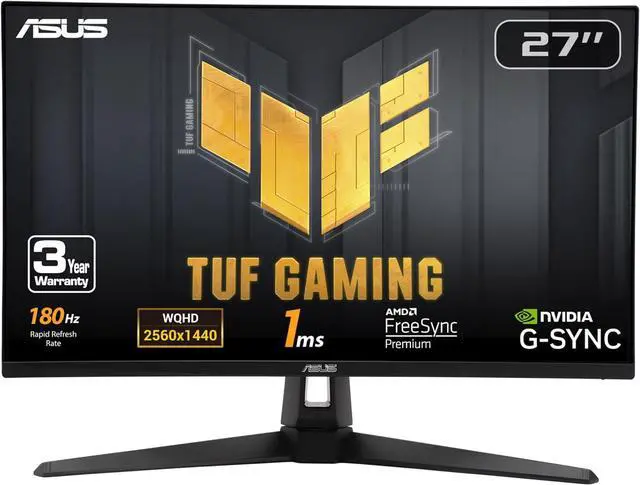
ASUS TUF Gaming 27-inch 1440P HDR Monitor VG27AQ3A
Our top recommendation for this category
Price as of Jul 25, 2026 — see current price on Amazon.
AMD's RX 9060 XT landed in July 2026 with something the RTX 5060 doesn't have: 16 gigabytes of GDDR6 memory. That one spec changes how you should think about monitor pairing. Most mid-range GPU buyers are told to aim at 1440p and forget about 4K until they can afford a flagship card. With 16GB of VRAM and FSR 4 on tap, the 9060 XT actually makes 4K a legitimate daily-driver resolution for the first time at this price tier.
The four picks below draw on published benchmarks and the current monitor market, and they honestly match what this card can do. The sweet spot is still 1440p at 165 to 180Hz, and every pick here is a 27-inch 1440p panel. Prices run from $199 to $399.
| Monitor | Panel | Resolution | Refresh | Price | Best For | |
|---|---|---|---|---|---|---|
| ASUS TUF VG27AQ3A | Fast IPS | 1440p 27" | 180Hz | $199 | Best Value | Check Price |
| AOC Q27G3XMN | Mini LED VA | 1440p 27" | 180Hz | $259 | Best HDR | Check Price |
| LG UltraGear 27GR83Q-B | IPS | 1440p 27" | 240Hz | $320 | Best Competitive | Check Price |
| MSI MAG 274QP QD-OLED X24 | QD-OLED | 1440p 27" | 240Hz | $399 | Best OLED | Check Price |
ASUS TUF Gaming VG27AQ3A: Best Value 1440p for RX 9060 XT
ASUS TUF Gaming 27-inch 1440P HDR Monitor VG27AQ3A
Pros
- Under $200 for a proper 1440p 180Hz Fast IPS panel
- Full ergonomic stand with height, tilt, swivel, and pivot
- FreeSync Premium certified, works great with RDNA 4 adaptive sync
- 130% sRGB color coverage and DisplayHDR 400
Cons
- No USB hub, which is frustrating at any price point
- HDR 400 without local dimming is a marketing checkbox at this tier
- Stand feels slightly plasticky under load
Price as of Jul 25, 2026 — see current price on Amazon.
At $199, the ASUS TUF VG27AQ3A is where most people buying an RX 9060 XT should start. The math is simple: you just spent $299 to $329 on a GPU. Spending another $199 on a 27-inch 1440p 180Hz Fast IPS monitor with a full ergonomic stand is a genuinely good allocation of the remaining budget.
The Fast IPS panel runs 1ms GtG response time, which means motion clarity at 180Hz stays sharp. Tom's Hardware tested the VG27AQ3A when it launched and found it delivered competitive motion handling in the same tier as panels selling for $50 more. The RX 9060 XT with FSR 4 Quality mode active in demanding titles like Cyberpunk 2077 sits around 110 to 140fps at 1440p, so 180Hz gives you genuine headroom without paying for 240Hz you can't consistently fill in AAA games.
FreeSync Premium is certified on this monitor, and AMD's FreeSync implementation on RDNA 4 is genuinely solid. You get variable refresh rate down to 48Hz with low framerate compensation, which means even when the 9060 XT dips in a heavy scene, the image stays smooth rather than stuttering.
The main gripe I have with this monitor is the no-USB-hub decision. At $199 in 2026, skipping USB passthrough is cheap. The stand more than makes up for it: height adjust, tilt, swivel, and pivot are all included, which is rare under $200. If you see this below $185 during a sale event, buy it immediately.
AOC Q27G3XMN: Best Mini LED HDR Pick for RX 9060 XT
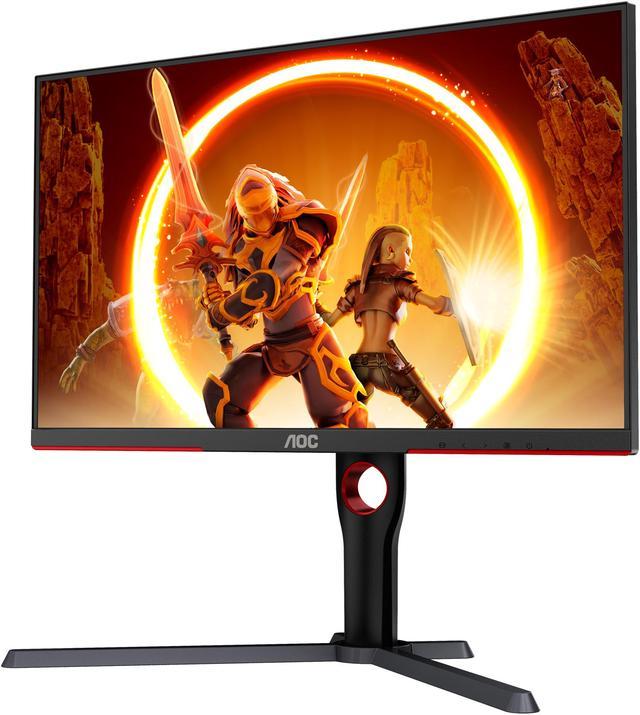
AOC Q27G3XMN 27-inch QHD Mini LED Gaming Monitor
Pros
- 336-zone Mini LED local dimming with DisplayHDR 1000 certification
- 1300 nit peak HDR brightness, noticeably better than standard IPS panels
- FreeSync Premium Pro certified for full AMD VRR feature set
- Good VA contrast ratio around 3000:1 for deep blacks in dark games
Cons
- VA panel has some pixel smearing at cold temperatures in fast scenes
- Large stand base takes up real desk space
- Haloing around bright objects in HDR is visible if you look for it
Price as of Jul 25, 2026 — see current price on Amazon.
The AOC Q27G3XMN does something almost no other monitor under $300 does: it makes HDR look like HDR is supposed to look. The 336-zone Mini LED backlighting with DisplayHDR 1000 certification means you get 1300 nit peak brightness in HDR scenes, with actual local dimming that controls what areas of the screen light up. On a standard IPS panel with DisplayHDR 400 and no dimming zones, HDR is theater. On the Q27G3XMN, it's functional.
This matters specifically for RX 9060 XT owners because AMD's RDNA 4 architecture has solid HDR game support, and the RX 9060 XT is certified for DirectX 12 Ultimate. Games like Alan Wake 2, Cyberpunk 2077, and the newer wave of HDR-native titles actually benefit from a panel with real HDR capability rather than the tacked-on HDR 400 you find everywhere.
FreeSync Premium Pro is the key certification to note here. Regular FreeSync and FreeSync Premium work fine with AMD cards, but FreeSync Premium Pro adds Low Framerate Compensation and requires HDR support validation. The Q27G3XMN has it, which means the VRR and HDR features work together properly instead of fighting each other.
The VA panel is a tradeoff worth knowing about. VA has better native contrast than IPS (around 3000:1 versus 1000:1), which makes black levels genuinely impressive. But VA panels have worse pixel response than IPS, and in very fast competitive scenes you can see some smearing. For single-player games, open worlds, story-driven RPGs, and anything where you're spending time looking at environments rather than flicking between targets, the Q27G3XMN is a better experience than any 180Hz IPS panel at this price. For CS2 or Valorant grinders, the ASUS TUF above is the better call.
LG UltraGear 27GR83Q-B: Best 240Hz Competitive Pick
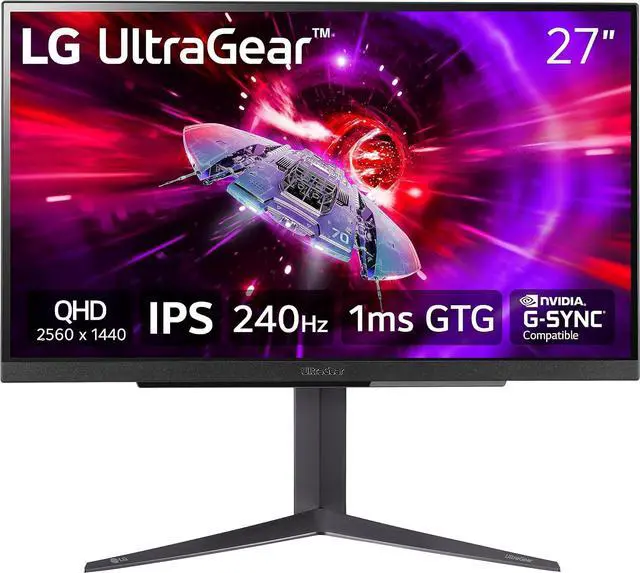
LG UltraGear 27GR83Q-B 27-inch QHD 240Hz IPS Gaming Monitor
Pros
- 240Hz at 1440p for competitive gaming where the 9060 XT can push frame rates high
- HDMI 2.1 port supports 4K 120Hz from PS5 or Xbox Series X
- Full ergonomic stand and 95% DCI-P3 color coverage
- Nano-IPS panel quality is noticeably better than standard IPS at this price
Cons
- 240Hz premium is wasted in heavy AAA titles where the 9060 XT runs below 180fps
- DisplayHDR 400 only, no local dimming
- Costs $120 more than the ASUS TUF without adding HDR quality
Price as of Jul 25, 2026 — see current price on Amazon.
Here's the competitive gaming case for an RX 9060 XT. In lighter esports titles like Valorant, CS2, and Apex Legends, the 9060 XT with FSR 4 Quality mode enabled at 1440p sits comfortably above 180fps, often touching 220 to 260fps depending on the scene. At that frame rate ceiling, 240Hz is actually useful. The difference between 180Hz and 240Hz in a fast-moving game is subtle but real, and competitive players do notice it.
LG's 27GR83Q-B is the clearest 240Hz option in this price range. The nano-IPS panel covers 95% DCI-P3, which is better than most IPS panels under $400. LG's HDMI 2.1 implementation is reliable: the port holds 240Hz over HDMI 2.1 consistently without needing driver workarounds. That HDMI 2.1 port also opens up 4K 120Hz from a PS5 or Xbox Series X, making this a solid dual-purpose panel if you have consoles alongside your AMD gaming rig.
One thing to say clearly: if you mostly play demanding AAA games rather than esports titles, 240Hz does not make a meaningful difference over 180Hz with the RX 9060 XT. At 1440p ultra settings in Cyberpunk or Black Myth: Wukong, the 9060 XT runs in the 80 to 120fps range. A 180Hz panel captures all of that. The extra 60Hz sits unused. The ASUS TUF at $199 saves you $120 in that scenario. Buy the 27GR83Q-B if competitive gaming is a regular part of your library, not just an occasional thing.
The stand is excellent: height, tilt, swivel, and pivot all included. LG also offers a 3-year warranty with dead-pixel coverage, which is meaningful peace of mind on a $320 purchase.
MSI MAG 274QP QD-OLED X24: Best OLED for RX 9060 XT
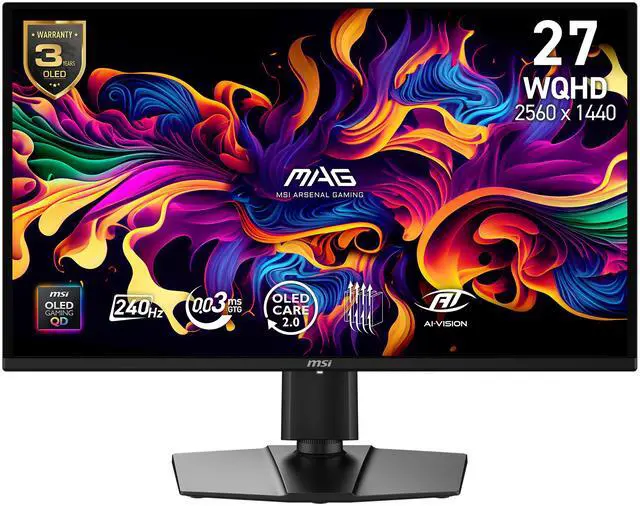
MSI MAG 274QP QD-OLED X24 27-inch WQHD QD-OLED Gaming Monitor
Pros
- Third-gen QD-OLED panel with 0.03ms response and true infinite contrast
- 240Hz with FreeSync Premium Pro for full AMD variable refresh support
- 99% DCI-P3 and 138% sRGB coverage, exceptional color fidelity
- Full ergonomic stand with height, tilt, swivel, and pivot included
Cons
- $399 makes it significantly more expensive than the GPU itself
- OLED burn-in risk exists, though OLED Care 2.0 firmware helps manage it
- Runs warm under sustained brightness, though temps are within spec
Price as of Jul 25, 2026 — see current price on Amazon.
The MSI MAG 274QP QD-OLED X24 is the premium pick on this list. At $399 it costs more than the GPU, and that's actually fine. Monitors last longer than GPUs. The 9060 XT will likely be replaced in two or three upgrade cycles. A QD-OLED panel from 2026 will still be excellent in 2029.
MSI built the MAG 274QP around a third-generation QD-OLED panel running at 240Hz with 0.03ms pixel response. The contrast is true infinite: OLED pixels turn off completely in dark scenes, so shadow detail in games like Elden Ring or Returnal is in a completely different league from any LCD panel at any price. The 99% DCI-P3 color coverage with 138% sRGB saturation is also meaningfully better than the 93 to 95% DCI-P3 you get from top-tier IPS panels.
What I like specifically about the MSI versus some of the other QD-OLED options on the market: it includes FreeSync Premium Pro certification, which pairs perfectly with the RX 9060 XT. The full VRR range works properly, HDR and variable refresh rate work together without fighting, and the 240Hz ceiling gives the 9060 XT room to breathe in competitive and lighter titles. OLED Care 2.0 firmware extends the panel refresh cycle and runs automated maintenance tasks to manage burn-in risk, which is a meaningful improvement over older OLED implementations.
The full ergonomic stand is worth calling out. Some QD-OLED monitors at this price ship with tilt-only stands to cut costs. The MAG 274QP gives you height, tilt, swivel, and pivot. That's everything.
If budget is tight and you're choosing between a better GPU and a better monitor, go with the better GPU. But if the 9060 XT is already in your build and you have $400 to work with for the display, this is where I'd spend it.
Buying Guide: Choosing the Right Monitor for Your RX 9060 XT
What Resolution Should I Target With the RX 9060 XT?
1440p is the performance sweet spot, full stop. The RX 9060 XT with FSR 4 Quality mode active in demanding AAA titles hits 110 to 140fps at 1440p, which fills a 180Hz panel comfortably. In lighter titles like Valorant and CS2, expect 200 to 260fps at 1440p, where 240Hz actually becomes useful.
4K is now a legitimate secondary option because of the 16GB VRAM. Native 4K runs around 60 to 80fps in demanding games, and FSR 4 Quality mode pushes that to 90 to 120fps with good image quality retention. For most players, the faster frame rates and smoother motion at 1440p are still the better trade.
1080p is a waste. The RX 9060 XT easily pushes over 200fps at 1080p in most games, which saturates even 500Hz panels. You're paying for a GPU that can do much more than 1080p is able to show you.
Does FreeSync Premium Pro Matter for the RX 9060 XT?
It matters more than standard FreeSync does. Regular FreeSync certifies basic variable refresh rate functionality over a defined range. FreeSync Premium adds Low Framerate Compensation, which maintains smooth motion even when the GPU dips below the monitor's minimum VRR frequency. FreeSync Premium Pro adds all of that plus validated HDR support, meaning HDR mode and variable refresh rate work together rather than conflicting.
The AOC Q27G3XMN and MSI MAG 274QP QD-OLED X24 both carry FreeSync Premium Pro certification, which gives you the full AMD VRR feature set. The ASUS TUF VG27AQ3A and LG 27GR83Q-B carry standard FreeSync Premium. For everyday gaming the difference is subtle, but if you're running HDR games and want VRR active at the same time, FreeSync Premium Pro monitors handle it more reliably.
How Does FSR 4 Compare to DLSS 4 for Monitor Pairing?
FSR 4 is a meaningful step forward from FSR 3. The image quality at Quality mode is genuinely competitive with DLSS 4 Quality in most games according to Digital Foundry's side-by-side analysis, and the 9060 XT's RDNA 4 architecture includes dedicated AI accelerators that make FSR 4 run with minimal performance overhead. On a 1440p monitor with a fast IPS or OLED panel, the upscaled output looks clean.
Where DLSS 4 still edges ahead is in Frame Generation. NVIDIA's Multi Frame Generation adds extra frames beyond the base frame rate in a way that feels genuinely smooth. AMD's FSR 4 Frame Generation exists and works, but the quality is slightly behind NVIDIA's implementation in most comparisons. For monitors targeting 180Hz, this gap matters less than it does at 240Hz. At 180Hz with FSR 4 on, the 9060 XT produces a smooth, visually clean gaming experience that most buyers will have no complaints about.
Is the RX 9060 XT Worth It Compared to the RTX 5060 Ti?
AMD claims the 16GB RX 9060 XT is approximately 6% faster than the RTX 5060 Ti 8GB at 1440p ultra across 40 games, and independent tests from TechSpot and Tom's Hardware broadly confirm the cards trade blows. The 9060 XT is faster in rasterization by a small margin. NVIDIA's RTX 5060 Ti has better ray tracing performance and DLSS 4's Multi Frame Generation.
The 16GB versus 8GB VRAM gap is the 9060 XT's clearest advantage. In late-2025 and 2026 titles with large texture budgets, the extra VRAM shows up in frame time consistency at 4K and in fewer VRAM-related stutters at 1440p ultra with all settings maxed. For future-proofing, 16GB is the better position to be in.
Frequently asked questions
- What is the best monitor for the RX 9060 XT?
- The ASUS TUF VG27AQ3A at $199 is the best overall value: 27-inch 1440p, 180Hz Fast IPS, full ergonomic stand, and FreeSync Premium. If you want OLED quality and have $399 to spend, the MSI MAG 274QP QD-OLED X24 delivers a noticeably better image in single-player games.
- Can the RX 9060 XT run 4K?
- Yes, and more comfortably than 8GB cards can. At native 4K ultra settings the 9060 XT runs 60 to 80fps in demanding titles. FSR 4 Quality mode pushes that to 90 to 120fps. The 16GB VRAM means you don't hit texture memory limits the way an 8GB RTX 5060 does at 4K.
- Is 1440p or 4K better for the RX 9060 XT?
- 1440p is better for most people because the frame rates are higher: 110 to 140fps in AAA titles with FSR 4 Quality, 200fps plus in esports games. 4K is worth considering if you primarily play single-player games at a measured pace and want the resolution upgrade. The 16GB VRAM makes 4K more practical than it would be on an 8GB card.
- Does the RX 9060 XT support FreeSync?
- Yes. The RX 9060 XT supports FreeSync Premium and FreeSync Premium Pro, which is AMD's full variable refresh rate feature set. All four monitors in this guide support AMD FreeSync. The AOC Q27G3XMN and MSI MAG 274QP QD-OLED X24 both carry FreeSync Premium Pro certification, which is the highest tier and includes validated HDR plus adaptive sync working together.
- Is OLED worth it with the RX 9060 XT?
- For single-player and story-driven games, yes. The MSI MAG 274QP QD-OLED X24 at $399 has infinite contrast and 0.03ms response time that makes dark game environments and fast motion look noticeably better than any IPS panel. For competitive gaming where you're chasing frame rates and avoiding distractions, the ASUS TUF VG27AQ3A at $199 is a better allocation of budget.
- How does the RX 9060 XT compare to the RTX 5060 for monitor use?
- The RX 9060 XT is approximately 6% faster than the RTX 5060 Ti at 1440p ultra according to AMD's data and independent testing. For monitor pairing the most meaningful difference is VRAM: 16GB on the 9060 XT versus 8GB on the RTX 5060. That gap shows up in 4K gaming and in 1440p titles with heavy texture loads. The RTX 5060 has DLSS 4 Multi Frame Generation; the 9060 XT has FSR 4 Frame Generation, which is slightly behind but competitive.
Bottom Line
The RX 9060 XT is a strong 1440p card with a VRAM advantage that gives it a leg up in demanding workloads. Most buyers should pair it with the ASUS TUF VG27AQ3A at $199 and be done with it: you get a 27-inch 1440p 180Hz Fast IPS panel with a real ergonomic stand and FreeSync Premium, and you have budget left over. If you spend significant time in single-player immersive games, stretch to the MSI MAG 274QP QD-OLED X24 at $399 for the OLED upgrade. Competitive players who regularly sit above 180fps in esports titles should look at the LG 27GR83Q-B and its 240Hz panel instead.
All four monitors here support AMD FreeSync and will work correctly with the RX 9060 XT's variable refresh rate. The choice comes down to budget, gaming style, and how much you value HDR or OLED image quality.
How We Pick
We pick products by combining spec-level research, price checks, trusted third-party benchmarks, and owner sentiment from high-signal sources.
- Performance and real-world value in the category this guide targets
- Price-to-performance and deal consistency over recent pricing windows
- Build quality, reliability patterns, and known long-term issues
- Recommendation refresh cadence to keep these picks current
Author
TheTechSearch Editorial Team
Independent product reviewers & PC builders
We compare real-world specs, reviews and owner reports, price trends, and user feedback to recommend gear that actually makes sense to buy.