Best VPN for Gaming and Streaming in 2026
The honest guide to which VPNs actually help with gaming and streaming, which ones hurt more than they help, and what NordVPN gets right. Expert picks, pros...
As an Amazon Associate we earn from qualifying purchases made through our links — this doesn't affect our picks.
Most VPN reviews skip the most important thing to say about gaming VPNs: for most people in most situations, a VPN will make your connection slightly worse, not better. A VPN adds a routing hop between you and game servers. That hop costs latency. Physics doesn't care about your subscription.
But that's not the whole story. There are real use cases where a VPN genuinely helps gamers and streamers, and choosing the right one matters if you're in one of those situations. I'll tell you when to use one, when not to, and which services actually hold up.
| VPN | Avg Speed (Mbps) | Servers | Gaming Features | Price/mo (annual) |
|---|---|---|---|---|
| NordVPN | 730+ Mbps | 7,100+ in 118 countries | Meshnet, gaming servers | $3.69 |
| ExpressVPN | 480+ Mbps | 3,000+ in 105 countries | Lightway protocol | $6.67 |
| Surfshark | 390+ Mbps | 3,200+ in 100 countries | Nexus routing | $2.19 |
| ProtonVPN | 310+ Mbps | 4,100+ in 91 countries | Stealth protocol | $4.99 |
When a VPN Actually Helps
Geo-restrictions on game servers or content. If your ISP routes you inefficiently to certain game servers, or if a title isn't available in your region, a VPN can help. Same logic applies to streaming: accessing a regional library that has content not available in your country is the classic VPN use case.
ISP throttling. Some ISPs throttle gaming or streaming traffic. If your ping spikes specifically during peak hours and your overall broadband tests fine, your ISP might be shaping traffic. A VPN encrypts your connection and prevents the ISP from seeing what service you're using, which can dodge selective throttling.
Protecting against DDoS during competitive play. Anyone who's done serious ranked or tournament play knows that DDoS attacks on individual players are a real problem. A VPN masks your real IP, which removes the attack vector. This is one of the most legitimate gaming use cases.
Early access to game releases. Games release at midnight in specific time zones. A VPN lets you connect to a server in a region where the clock already hit midnight. This works on some platforms, not all.
When a VPN Makes Things Worse
If you're connecting to a game server that's geographically close and your ISP doesn't throttle gaming traffic, adding a VPN hop will raise your ping. Not dramatically, but measurably. For competitive play where you're already at 15ms and want to stay there, a VPN is the wrong tool.
And if a VPN is oversold or undersupported, you can end up with packet loss on top of added latency. Budget VPNs that oversell server capacity are the main culprit here. The free VPN category is especially risky for gaming because free services invariably run overloaded infrastructure.
NordVPN
NordVPN is the choice I'd recommend for most gaming and streaming use cases. A few things separate it from the crowded field:
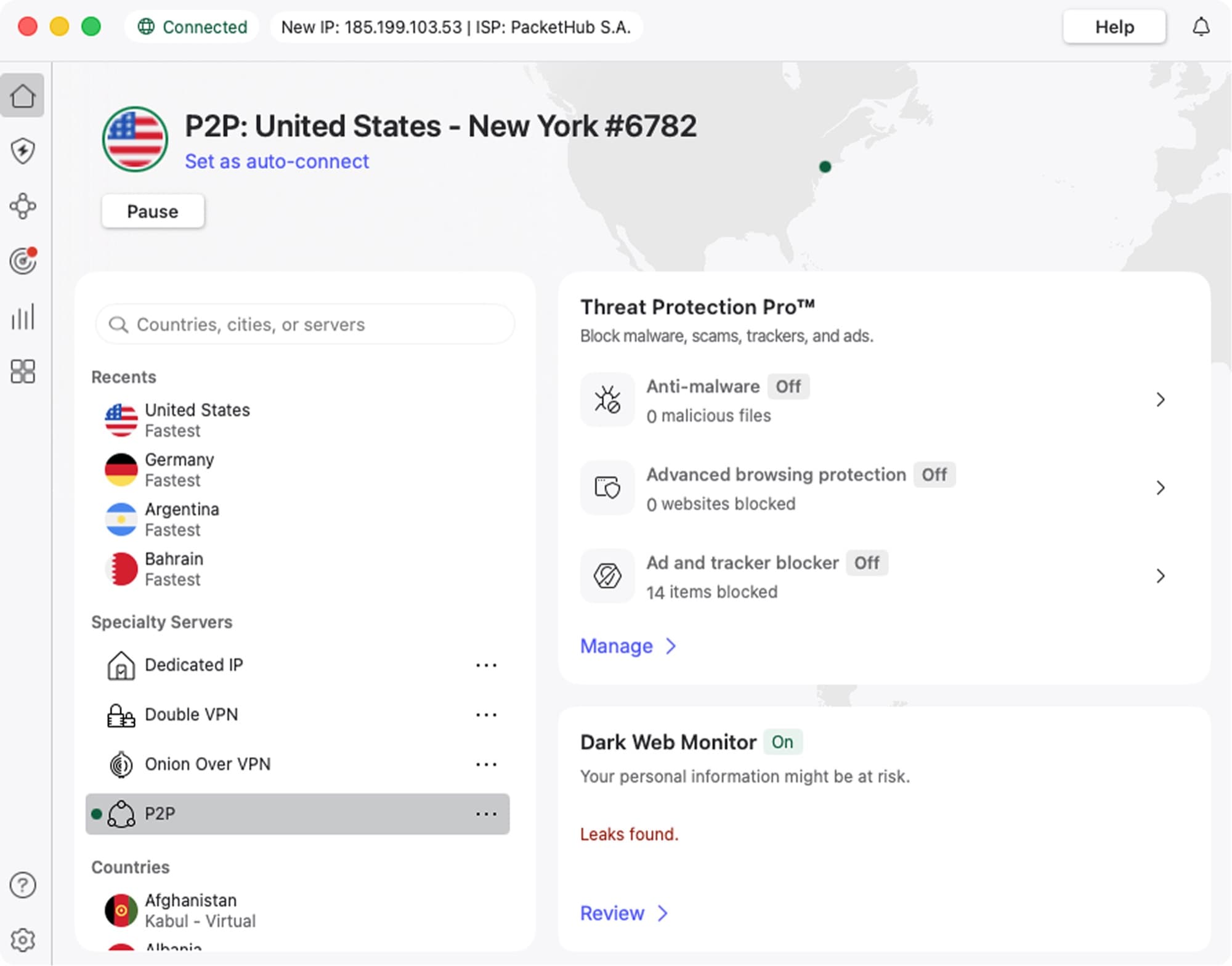
Meshnet is the feature that no other major VPN offers. It lets you connect devices on a private encrypted network, which means you can route gaming traffic through a friend's device in another city, or create a LAN party connection over the internet. For online co-op gaming, Meshnet is genuinely unique.
The raw speed numbers matter for streaming more than gaming. NordVPN says its infrastructure uses 10 Gbps servers at its colocated facilities.
NordLynx is their proprietary protocol built on WireGuard. It's faster than OpenVPN by a meaningful margin and adds less overhead to gaming connections than their older protocol options.
They run dedicated streaming-optimized servers that are regularly updated to stay ahead of streaming service VPN detection. If you've ever had a VPN stop working with Netflix or Disney+, that's because streaming services block VPN IP ranges as they're detected. NordVPN maintains enough IP rotation to stay ahead of this more consistently than most.
VPN
NordVPN
Best all-around VPN for gaming, streaming, and privacy
From $3.49/mo on the 2-year plan ($94.23 for 27 months). Renews at $139.08 a year.
Read our NordVPN pageExpressVPN
ExpressVPN is fast, polished, and expensive. Their Lightway protocol is one of the better alternatives to WireGuard-based solutions, and their app experience across Windows, macOS, iOS, and Android is genuinely well-built.
For pure streaming use, ExpressVPN consistently unblocks streaming libraries that other VPNs miss. They have a dedicated team that maintains server compatibility.
The problem is price. At $6.67 per month on an annual plan, you're paying nearly double NordVPN. For casual use or occasional travel, the price premium is hard to justify. For streaming-only users who want the most polished experience and don't care about Meshnet or gaming-specific features, it's worth considering.
Surfshark
Surfshark is the budget pick that actually works. At $2.19 per month on a long-term plan, it's the cheapest credible VPN in this category. Unlimited simultaneous connections means one subscription covers your whole house, which is genuinely useful.
For streaming, Surfshark performs well on the major platforms. For gaming, it's adequate but not exceptional. Their Nexus routing technology (which routes through multiple servers for enhanced security) adds latency that's counterproductive for gaming if enabled.
The honest answer is that Surfshark is a good streaming VPN and a serviceable general-use VPN, but for gaming specifically it falls behind NordVPN on server quality and consistency.
ProtonVPN
Proton is the privacy-first choice. Run by the team behind ProtonMail, it's the VPN you want if you care more about what the company does with your data than about gaming performance. Their no-logs policy has been independently audited and they're headquartered in Switzerland, outside 14-Eyes surveillance alliance jurisdiction.
For gaming, ProtonVPN is slower than the others. Their Stealth protocol (designed to bypass VPN blocking) adds overhead that isn't ideal for latency-sensitive traffic. For privacy-focused users who occasionally game, it's fine. For serious gaming VPN use, it's not optimized for that.
How to Choose the Right Gaming VPN
Check server locations before buying. The VPN server needs to be geographically between you and the game server for routing optimization to work. A VPN with servers only in major US cities won't help you connect to servers in Southeast Asia.
Test free trials. Most premium VPNs offer 30-day money-back guarantees. Run your usual games during the trial and actually measure your latency before and after. If ping improves or stays the same, keep it. If ping gets worse, cancel.
Avoid free VPNs for gaming. Free VPN services monetize through data collection and oversell their server capacity. Overloaded servers cause packet loss, which is worse for gaming than a slightly raised ping. If you're not paying, you're not getting infrastructure designed for gaming traffic.
Match the protocol to the use case. For gaming, WireGuard-based protocols (NordLynx, Lightway, Surfshark's WireGuard mode) outperform OpenVPN on latency. For high-security applications where you need to obscure VPN use entirely, switch to an obfuscated protocol at the cost of some speed.
Frequently asked questions
- Does a VPN reduce lag in games?
- Sometimes, but not usually. A VPN helps when your ISP routes game traffic inefficiently or throttles gaming connections. In those cases, routing through a VPN server can lower ping. For most connections, however, the VPN adds 5-30ms of overhead that makes things slightly worse. Test with a 30-day trial before committing.
- Can I use a VPN to play region-locked games early?
- Yes, on many platforms. By connecting to a VPN server in a region where the release time has already passed, you can often access the game before your local midnight launch. This works on Steam and some console stores, though some platforms have patched this method.
- Will a VPN stop me from getting banned in games?
- Not reliably, and using a VPN to evade bans typically violates game terms of service. Anti-cheat systems and ban systems have multiple fingerprinting methods beyond IP address. A VPN might help you re-access a region-blocked account temporarily, but it's not a reliable bypass for an active ban.
- Does NordVPN work with Netflix, Disney+, and HBO Max?
- Yes. NordVPN maintains dedicated streaming servers that are regularly rotated to stay compatible with major streaming platforms. Streaming service VPN detection is an ongoing cat-and-mouse situation, so there's no permanent guarantee, but NordVPN is among the most consistent services for unblocking streaming content.
- How much does a VPN slow down my connection?
- There's no fixed percentage. The hit depends on the protocol, how far away the server is and how busy it is, and WireGuard-based protocols such as NordLynx generally cost less speed than OpenVPN. Run a speed test with the VPN on and off during the trial to see what your own line loses. For gaming, raw throughput matters less than latency; the more relevant question is how much ping increases, which depends on VPN server location and protocol.
- Is NordVPN safe to use for gaming?
- Yes. NordVPN has been independently audited three times for its no-logs policy and uses RAM-only servers that can't retain data between sessions. They're also based in Panama, outside major intelligence-sharing alliances. For gaming and streaming, they're one of the better-reviewed services from both security and performance perspectives.
Bottom Line
If you need a VPN for gaming or streaming, NordVPN is the most well-rounded option. It runs 10 Gbps servers and the WireGuard-based NordLynx protocol, Meshnet is a genuinely useful feature for co-op gaming setups, and their streaming server maintenance keeps Netflix and other platforms working reliably.
The honest caveat: don't buy a VPN expecting it to magically lower your gaming latency. Test it first with a free trial. For streaming use, the value case is clearer because unblocking regional content and getting consistent unblocking are real, immediate benefits.
Still deciding whether you need a VPN at all? Our guide to whether you need a VPN at home covers what it hides, what it doesn't, and when to skip it.
How We Pick
We pick products by combining spec-level research, price checks, trusted third-party benchmarks, and owner sentiment from high-signal sources.
- Performance and real-world value in the category this guide targets
- Price-to-performance and deal consistency over recent pricing windows
- Build quality, reliability patterns, and known long-term issues
- Recommendation refresh cadence to keep these picks current
Author
TheTechSearch Editorial Team
Independent product reviewers & PC builders
We compare real-world specs, reviews and owner reports, price trends, and user feedback to recommend gear that actually makes sense to buy.