Do You Need a CRM? An Honest Answer for Small Businesses in 2026
Most CRM advice comes from companies that sell CRMs. Here are the thresholds that actually mean you need one, and when a spreadsheet still wins. Expert picks...
As an Amazon Associate we earn from qualifying purchases made through our links — this doesn't affect our picks.
Short answer: if one person is tracking fewer than about 30 active relationships and nobody else needs to see that list, you do not need a CRM. A spreadsheet is faster, free, and you already know how to use it.
If a second person has started touching the same customer records, or if you've lost a deal in the last quarter because a follow-up fell through a crack, you needed one three months ago.
That's the whole decision. Everything below is the reasoning, the thresholds, and where to land once you've decided.
Why Nobody Will Tell You "No"
Search this question and count who's answering. Salesforce. NetHunt. OnePageCRM. ConvergeHub. Gmelius. A couple of agencies that charge to set up CRMs. Every commercial result on page one is a business that only makes money if your answer is yes.
That's not a conspiracy, it's just incentives. But it means the case for staying on a spreadsheet does not get written, and it's a real case for a lot of businesses.
The stat those pages all quote, by the way, is $8.71 returned for every $1 spent on CRM software. It comes from Nucleus Research and it's an average across companies of every size, including enterprises running sales teams of two hundred. Treat it as directional, not as a forecast for your two-person shop.
The Three Thresholds That Actually Matter
Forget feature lists. There are three questions, and if you answer yes to any of them you have outgrown a spreadsheet.
1. Does more than one person need the same record?
This is the big one. A spreadsheet is a single-writer tool wearing a multi-writer costume. The moment two people are editing the same client list, you get version conflicts, overwritten cells, and the particular kind of argument where both people are looking at different numbers and both are sure they're right.
The usual trigger is a first hire. You bring someone on to handle accounts, and within a month you're maintaining two sources of truth and reconciling them by hand.
If that's you, stop reading and go get a free CRM. The threshold has been crossed.
2. Are you past roughly 30 to 50 active relationships?
Somewhere between thirty and fifty live clients or open deals, a person stops being able to hold the state of things in their head. Below that, you remember who you owe a call. Above it, you don't, and the spreadsheet won't remind you because spreadsheets have no concept of time.
The number isn't magic and it varies with how long your sales cycle runs. A consultant with eight clients on retainer and a two-year relationship cycle is fine. A contractor quoting forty jobs a month is not.
3. Has a follow-up already cost you money?
The clearest signal is the one that already happened. A quote you never chased. A renewal you noticed a week after it lapsed. A warm lead that went quiet and you never found out why because nothing prompted you to ask.
One of those is bad luck. Two in a quarter is a systems problem, and a CRM is the system.
When You Genuinely Don't Need One
Here's the part the vendor blogs skip.
You're solo with a short client list. Under thirty active relationships, one person, no handoffs. A spreadsheet with a "next action" column and a "next action date" column does 90% of what an entry-level CRM does, at zero cost and zero setup.
Your business is purely transactional. If you sell a thing once and the customer leaves happy and you never speak again, there is no relationship to manage. An e-commerce store with no repeat-purchase motion gets more from good analytics than from a CRM.
You're pre-validation. If you have not yet proven that people will pay you, a CRM is a very comfortable way to feel productive without selling anything. Build the thing. Find out if it works. Then buy tools.
Your real problem is email, not pipeline. A lot of people who think they need a CRM actually need a list and a sending tool. If your growth motion is "publish something, collect subscribers, sell to the list," that's email marketing, and a CRM is the wrong shape. Our email marketing software guide covers that case properly.
That last one is worth sitting with. It's the most common misdiagnosis in this category.
What a CRM Actually Does That a Spreadsheet Cannot
Three things, concretely.
It remembers time. A record can be due. A spreadsheet cell cannot. Every follow-up problem in the section above is, mechanically, a scheduling problem, and this is the feature that solves it.
It logs communication without anyone typing. Connect Gmail or Outlook and the email thread attaches itself to the contact. Nobody has to remember to paste it in, which matters because nobody ever remembers to paste it in.
It survives a person leaving. When the one person who knew the accounts walks out, a CRM still knows what was said and what's owed. A spreadsheet and a sent-items folder do not.
Notice what's not on that list: reporting dashboards, AI scoring, sequences, forecasting. Those are real features and most small businesses never touch them. Do not buy on them.
Where to Land If the Answer Is Yes
Three routes, depending on what shape your business actually is. All three have a free tier that isn't a trial, so the decision costs nothing to test.
The default: a free CRM you can grow into
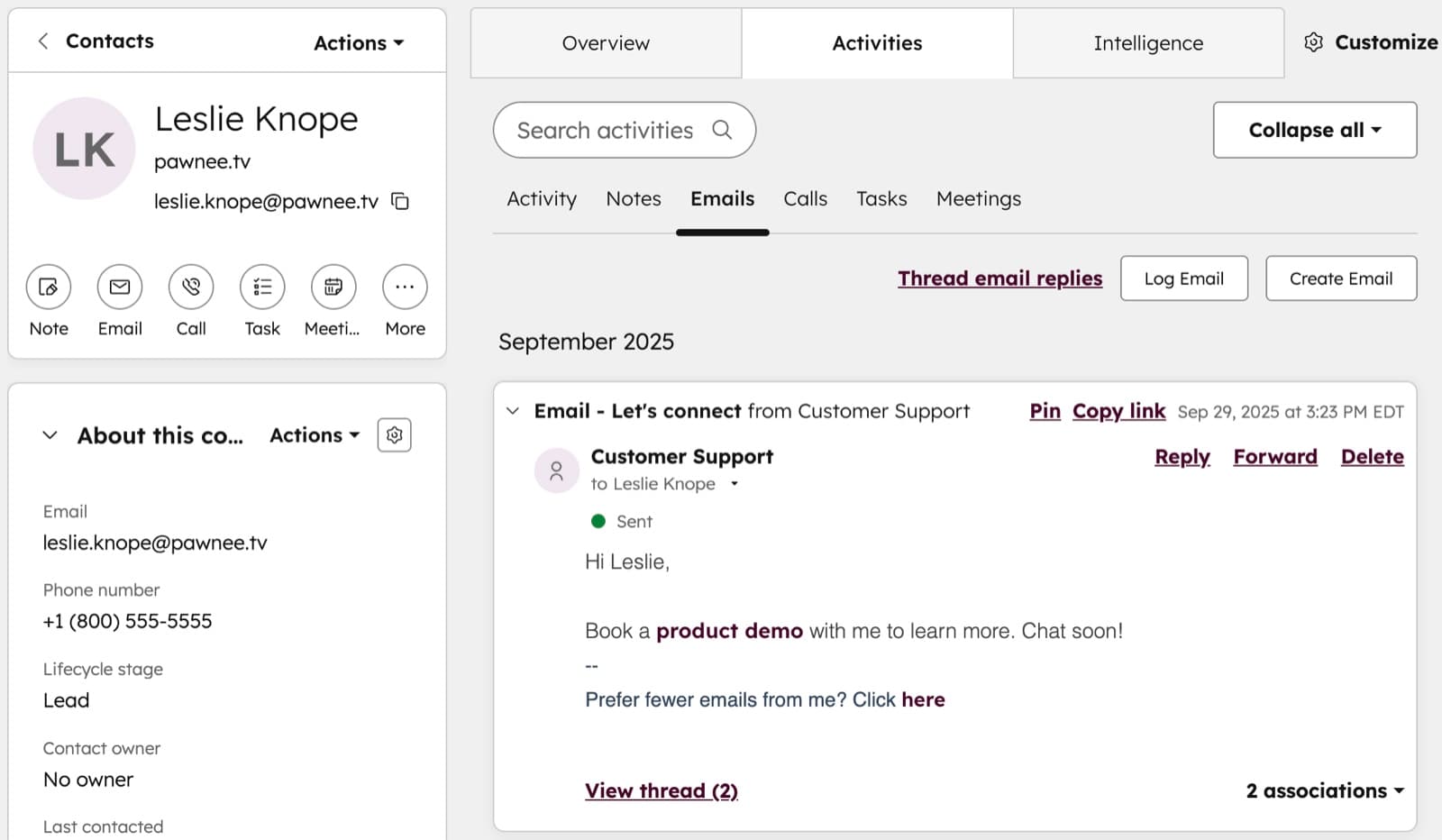
For a service business, an agency, a contractor, a B2B shop with a pipeline, start with the free tier and see whether you use it for a month. Contact records, deal stages, tasks with due dates, email tracking from your existing inbox.
The reason to start free rather than cheap is that the failure mode for CRM adoption is not cost, it's abandonment. Half of small teams that buy one stop logging in within a quarter. Find out whether your team will actually use the thing before money is involved.
CRM
HubSpot
The right first CRM for most small businesses: free for 2 users and 1,000 contacts with no time limit, and the upgrade path is gradual rather than a cliff.
Free for 2 users; Starter from $7 a seat a month (annual). Starter is $10 a seat a month billed monthly; the regular price is $20 a seat.
Read our HubSpot pageIf your growth is a list, not a pipeline
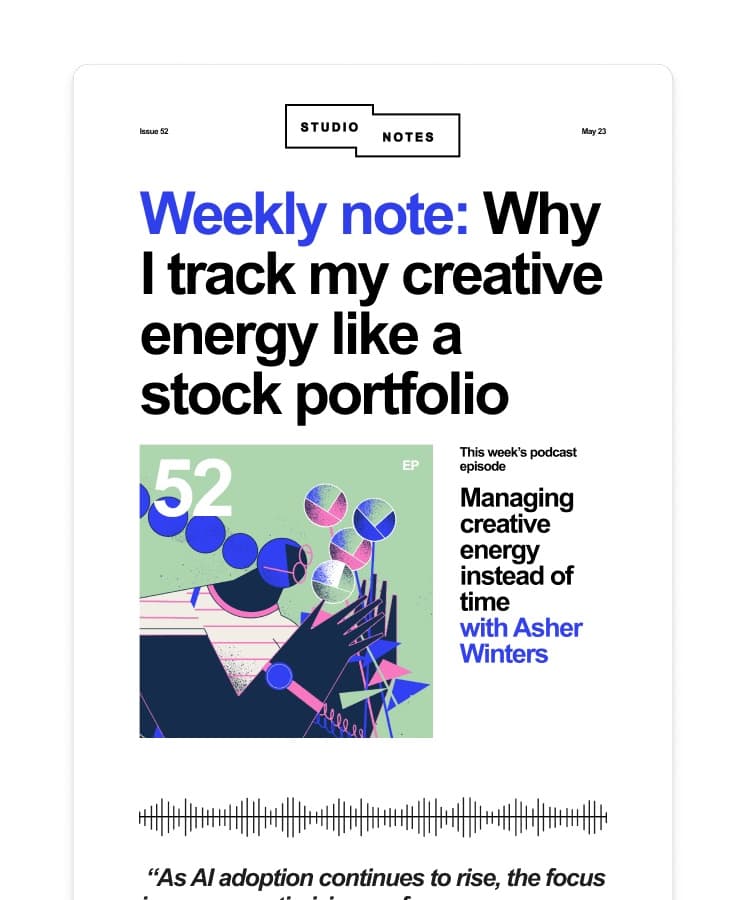
Creators, newsletter operators, course sellers, anyone whose customers arrive through content rather than through conversations. What you need is subscriber management and sending, with tagging good enough to behave like light CRM.
Buying a sales CRM for this is a category error, and you'll spend six months trying to make a deal pipeline describe something that isn't a deal pipeline.
Email marketing
Kit
For list-led businesses where the relationship lives in email rather than in a sales pipeline.
Free to 10,000 subscribers; Creator from $33 a month, yearly. Billed monthly instead, Creator is $39 a month at 1,000 subscribers.
Read our Kit pageIf you want one bill instead of a stack
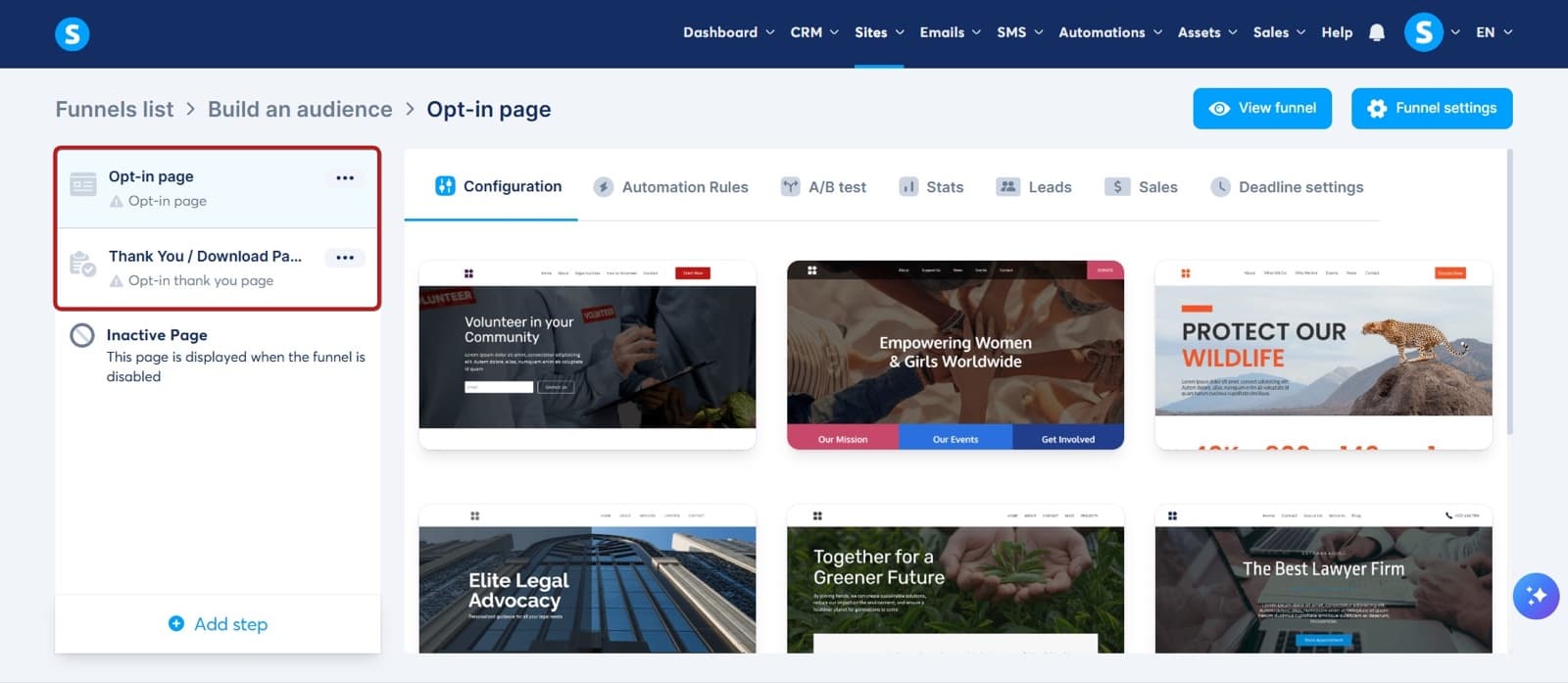
Solo operators selling digital products often need a bit of everything: a funnel, an email list, a course, a checkout. Assembling that from four specialist tools costs more in subscriptions and integration breakage than one all-in-one platform costs outright.
Each individual piece is less refined than the specialist version. For a one-person operation that tradeoff usually favours the single bill.
All-in-one marketing platform
Systeme.io
All-in-one for solo operators: funnels, email, courses and checkout under one subscription rather than four.
Free plan $0 forever, paid from $17 a month. Yearly is $170, $470 or $970 — two months free, prices include tax.
Read our Systeme.io pageWhat It Costs When You Outgrow Free
Worth knowing before you start, because the jump is where people get surprised.
| Tier | HubSpot | Kit | Systeme.io | |---|---|---|---| | Free | 2 users, 1,000 contacts, no time limit | Up to 10,000 subscribers | Free forever plan | | Entry paid | $7 a seat a month, billed annually | Creator from $33 a month, yearly | From $17 a month | | Paid, billed monthly | $10 a seat a month | $39 a month at 1,000 subscribers | Same monthly rate | | Full price reference | $20 a seat a month | Scales with subscriber count | Yearly $170, $470 or $970 |
The pattern to watch is that CRM pricing scales per seat while email pricing scales per contact. A five-person team on a CRM and a five-person team on an email tool hit very different bills, and which one is cheaper depends entirely on whether you have more people or more subscribers.
Already on HubSpot's free tier and weighing the jump? Our HubSpot Free vs Starter breakdown covers the four triggers that justify paying.
For a broader view of how these fit alongside the rest of a small-business stack, our online business tools guide lays out the whole set.
The Migration Nobody Warns You About
Moving off a spreadsheet is not a CSV import, or rather it is, and that's the problem.
Spreadsheets accumulate junk. Duplicate rows for the same company under two spellings. A "status" column with eleven values that mean four things. Notes in a cell that should be five fields. Import that straight into a CRM and you get a CRM full of the same mess, except now it's harder to fix because it's spread across objects.
Budget an afternoon to clean the sheet before you import it. Collapse the status values to a real pipeline. Deduplicate by email address. Decide what a "contact" is versus what a "company" is, because the CRM will make you answer that anyway and it's easier to answer in a spreadsheet.
Teams that skip this step are the ones that abandon the CRM in month three.
Frequently asked questions
- Is a free CRM actually free, or is it a trial?
- HubSpot's free tier has no time limit: 2 users and 1,000 contacts, with contact records, deal stages, tasks and email tracking from Gmail or Outlook. Kit is free up to 10,000 subscribers and Systeme.io has a free forever plan. These are real free tiers rather than 14-day trials, which is why starting free is the sensible way to test whether your team will use the tool at all.
- How many customers do I need before a CRM is worth it?
- Roughly 30 to 50 active relationships for a single person, though it depends on your sales cycle. A consultant with eight retainer clients on multi-year cycles is fine on a spreadsheet. A contractor quoting forty jobs a month is not. The firmer trigger is headcount: the moment a second person needs to edit the same customer records, the spreadsheet has failed regardless of the count.
- Can I just use a shared Google Sheet instead?
- For a while, yes, and for a solo operator it may be the better tool. A shared sheet breaks down on two specific things a CRM does natively: it has no concept of a task being due, so nothing reminds you to follow up, and it has no conflict handling, so two simultaneous editors overwrite each other. If neither of those applies to you, stay on the sheet.
- What is the difference between a CRM and email marketing software?
- A CRM is organised around individual relationships and their state: who they are, what stage they are at, what is owed next. Email marketing software is organised around a list and what gets sent to it. If your growth motion is conversations you need a CRM. If it is publishing and a subscriber list, you need the email tool, and buying a sales CRM for that job is the most common mistake in this category.
- Why do so many small businesses stop using their CRM?
- Abandonment, not cost. The system only works if every interaction gets logged, and if logging is manual and nobody enforces it, the data goes stale within weeks and then the CRM is worse than the spreadsheet because people trust it and it is wrong. Connect your actual email account so logging happens automatically, and clean your data before importing it rather than after.
- Should I pay for a CRM before I have paying customers?
- No. Pre-validation, a CRM is a productive-feeling way to avoid selling. There is nothing to manage until people are paying you. Build the offer, find out whether anyone wants it, and buy tooling once the relationships exist to track.
Bottom Line
The honest answer is that a lot of small businesses are sold a CRM a year before they need one, and a smaller number of businesses needed one a year before they bought it.
Use the three thresholds. Second person on the records, past thirty to fifty active relationships, or a follow-up that already cost you money. Any one of them and the answer is yes, and you should start on a free tier, because what usually kills a CRM rollout is abandonment, and a free tier lets you find that out before any money is involved.
None of them, and you can close this tab and go back to your spreadsheet with a clear conscience. Add a "next action date" column while you're there.
How We Pick
We pick products by combining spec-level research, price checks, trusted third-party benchmarks, and owner sentiment from high-signal sources.
- Performance and real-world value in the category this guide targets
- Price-to-performance and deal consistency over recent pricing windows
- Build quality, reliability patterns, and known long-term issues
- Recommendation refresh cadence to keep these picks current
Author
TheTechSearch Editorial Team
Independent product reviewers & PC builders
We compare real-world specs, reviews and owner reports, price trends, and user feedback to recommend gear that actually makes sense to buy.