Is 32GB RAM Worth It for Gaming in 2026?
The honest answer on whether you need 32GB RAM for gaming, when 16GB still works, and which DDR5 kits are actually worth buying. Expert picks, pros and cons,...
As an Amazon Associate we earn from qualifying purchases made through our links — this doesn't affect our picks.
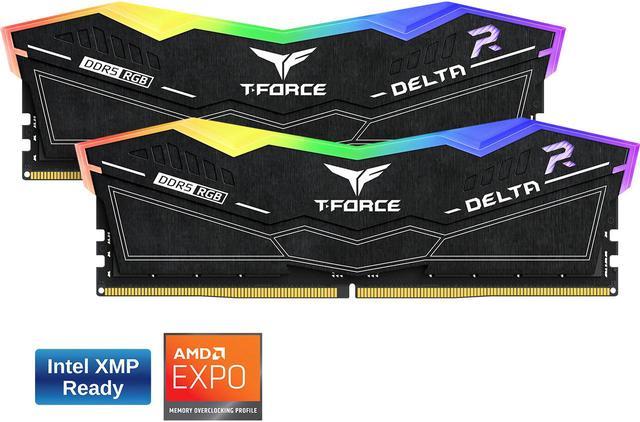
TeamGroup T-Force Delta RGB DDR5 32GB (2x16GB) 6000MHz CL38
Our top recommendation for this category
Price as of Aug 28, 2026 — see current price on Amazon.
In this guide
- Price warning: read this before you buy anything
- At a glance: 32GB DDR5 kits, with today's listed prices
- The actual gaming case for 32GB in 2026
- The case where 16GB is still fine
- TeamGroup T-Force Delta RGB DDR5 32GB 6000MHz
- G.Skill Trident Z5 Neo RGB DDR5 32GB 6000MHz
- Kingston Fury Beast RGB DDR5 32GB 5600MHz
- Corsair Vengeance DDR5 32GB 5600MHz
- Crucial Pro DDR5 32GB 5600MHz
- How to pick the right RAM for your build
- Bottom line
Short answer: yes, and by more than you'd expect. In 2022, 16GB felt like the obvious sweet spot for a gaming rig. By 2026, a 16GB system can stutter in Cyberpunk 2077 with Chrome open in the background, Discord running, and Windows deciding it's a good moment to index files. Doubling to 32GB removes that pressure.
Here's the thing that doesn't get said enough: 32GB isn't about raw gaming performance in most benchmarks. It's about headroom. Real headroom, the kind where you stop choosing between your game and your browser. Stability at hour four of a session when Windows has been quietly accumulating background processes the whole time.
The case for sticking with 16GB still exists. If you're on a tight budget, gaming on a locked console-style setup with nothing running in the background, or playing older titles that cap out at 8GB, 16GB is fine. But for anyone gaming at 1440p or 4K, running modern AAA titles, and multitasking like a normal human in 2026, 32GB is the right call.
Price warning: read this before you buy anything
DDR5 pricing has gone sideways. Every kit below sold for $65 to $90 in August 2026, and the in-stock ones now list at $500 to $630, five to eight times as much. Two of the five, the Corsair Vengeance and the Crucial Pro, are hard to find in stock at all.
So the recommendation has an asterisk on it. Yes, 32GB is the right amount of memory for gaming in 2026, and everything below about why is still true. No, this is not the week to buy it unless your build is blocked without it. If you're on 16GB and functional, wait. If you're building new, price the kit into the budget before you buy the rest of the parts, because it is no longer the cheap component it was.
At a glance: 32GB DDR5 kits, with today's listed prices
| Kit | Speed | Timings | Type | Price | |
|---|---|---|---|---|---|
| TeamGroup T-Force Delta RGB | 6000MHz | CL38 | Intel XMP + Expo | $499.99 | Check Price |
| G.Skill Trident Z5 Neo RGB | 6000MHz | CL30 | AMD Expo + XMP | $599.99 | Check Price |
| Kingston Fury Beast RGB | 5600MHz | CL40 | Intel XMP + Expo | $629.99 | Check Price |
| Corsair Vengeance DDR5 | 5600MHz | CL36 | Intel XMP | Unavailable | Check Price |
| Crucial Pro DDR5 | 5600MHz | CL46 | Intel XMP + Expo | Unavailable | Check Price |
The actual gaming case for 32GB in 2026
Modern AAA games have gotten genuinely memory-hungry. Call of Duty: Black Ops 7 recommends 32GB as an optimal setting. Starfield's performance patch documentation notes that systems with more than 16GB see measurably smoother streaming. Hogwarts Legacy on Ultra settings peaks around 11-12GB of RAM usage by itself. Add Windows 11's baseline overhead of 3.5-4.5GB, Discord at 500MB-1GB depending on server count, your browser, and a streaming app or two, and 16GB starts feeling tight in a way that wasn't true two years ago.
The stutter you feel when your system runs out of physical RAM isn't just a performance issue. Windows starts paging to your SSD, which introduces random latency spikes that feel like micro-freezes. Even a fast NVMe drive is 10-50x slower than actual RAM for this purpose. That's the stutter that disappears when you add more memory.
For competitive gaming (CS2, Valorant, Apex), the game itself doesn't use much RAM. But your system still needs headroom for background services, and 32GB means those background processes never compete with your game for memory. Pros have run 32GB as standard for years.
The case where 16GB is still fine
Look, I'm not going to pretend 32GB is essential for every setup. If you're playing Minecraft, Stardew Valley, older esports titles at 1080p, or running a dedicated gaming PC that sits offline with nothing running, 16GB genuinely suffices. Benchmark differences between 16GB and 32GB in a controlled gaming-only test are often in the 1-3% range.
The gap shows up in real-world use. And "real-world" in 2026 means Discord is open. Maybe YouTube is on your second monitor. Your browser has tabs open. Task Manager is in the tray. That's where 32GB earns its keep.
TeamGroup T-Force Delta RGB DDR5 32GB 6000MHz
TeamGroup T-Force Delta RGB DDR5 32GB (2x16GB) 6000MHz CL38
Pros
- Cheapest 32GB DDR5 kit still in stock of the five here
- Both AMD Expo and Intel XMP 3.0 profiles included
- Delta RGB is one of the cleaner-looking RGB heat spreader designs
- Strong track record for stability across Intel and AMD builds
Cons
- $499.99 is roughly six times what this kit cost in August 2026
- CL38 at 6000 is looser than the G.Skill's CL30 at the same frequency
- T-Force software is less polished than Corsair iCUE
Price as of Aug 28, 2026 — see current price on Amazon.
If you have to buy memory during the shortage, this is the least painful listing of the five. CL38 at 6000MHz is a genuinely fine spec: the bandwidth is there for an AMD build running Infinity Fabric 1:1, the latency is a step behind a CL30 kit, and for gaming that gap is a couple of frames.
I want to be straight about what's happening with the price, though. This kit was $79.99 in August. At $499.99 it is not good value in any normal sense, it's just the cheapest of a bad set of options. The Delta RGB heat spreader is still my favorite of the bunch visually, with a large diffuser panel that makes the lighting read as a continuous strip rather than point sources. That is not worth $420.
G.Skill Trident Z5 Neo RGB DDR5 32GB 6000MHz
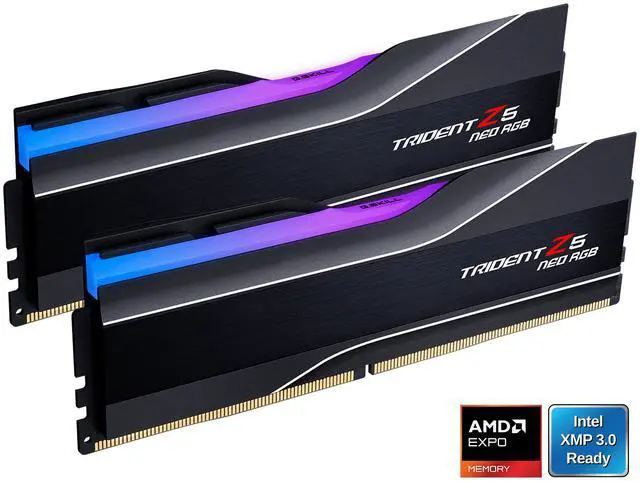
G.Skill Trident Z5 Neo RGB DDR5 32GB (2x16GB) 6000MHz CL30
Pros
- 6000MHz at CL30 is best-in-class for AMD Ryzen 7000/9000 platforms
- AMD Expo profile is native and plug-and-play in the BIOS
- Tight subtimings give real-world latency improvements over slower kits
- Distinctive aluminum heatspreader looks premium in any windowed build
Cons
- $599.99, up from $89.99 in August 2026
- $100 more than the TeamGroup kit for tighter timings worth a few frames
- 6000MHz is mostly meaningful on AMD, Intel platforms see less benefit
Price as of Aug 28, 2026 — see current price on Amazon.
G.Skill's Trident Z5 Neo RGB is the kit I'd put in every AMD Ryzen 7000 or 9000 build. The reason is AMD Infinity Fabric: Ryzen CPUs have a memory controller that runs synchronously with RAM up to 6000MHz (the 1:1 ratio sweet spot). Push past that and you pay a latency penalty. Sit below it and you leave bandwidth on the table. 6000MHz CL30 hits the exact point where AMD memory performance maxes out.
Enable Expo in BIOS on a compatible X670, B650, X870, or B850 board and this kit sets itself up in under a minute. No manual tuning. And honestly, the RGB on the Trident Z5 Neo looks better in person than most product photos suggest, the diffuser creates a smooth glow rather than individual LED hotspots.
At today's prices that technical advantage costs $100 over the TeamGroup kit. If you're building an AMD rig right now and you've decided to buy anyway, this is still the one I'd pick. If you have any flexibility on timing, wait.
Kingston Fury Beast RGB DDR5 32GB 5600MHz
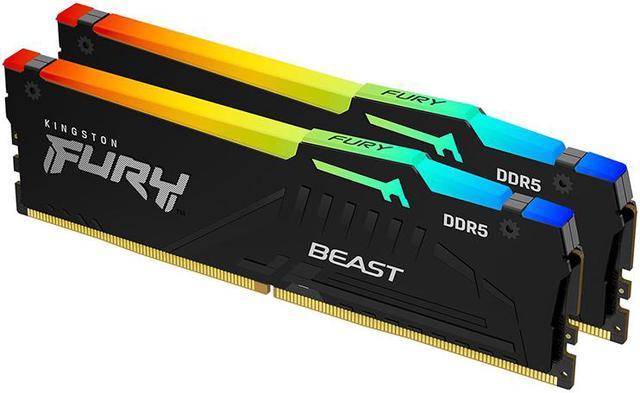
Kingston Fury Beast RGB DDR5 32GB (2x16GB) 5600MHz CL40
Pros
- Both Intel XMP 3.0 and AMD Expo profiles on the same kit
- Infrared sync technology for RGB lighting across sticks without cables
- Wide compatibility list across Intel 12th-14th gen and AMD 600-800 series
- RGB heat spreader adds minimal height, fits most cooler clearances
Cons
- $629.99 makes it the most expensive kit here for the loosest timings
- CL40 timings aren't as tight as competing kits
- RGB only syncs with Kingston's own software, not mainstream apps
Price as of Aug 28, 2026 — see current price on Amazon.
The Fury Beast RGB earns its spot here because of dual-profile support, it runs native Expo on AMD and native XMP on Intel, which means it's the kit I'd recommend to someone who's building but not sure which platform they're on, or someone who might swap platforms later. Practically speaking, most RAM works on both platforms, but having the official profile for both is nice.
Kingston's RGB implementation is unusual, infrared sync means both sticks sync their lighting without a cable between them, which is a small but genuinely useful feature in tight builds. The CL40 timings are the weak point, and at $629.99 it's the hardest of the three in-stock kits to justify. If you're buying at these prices anyway, buy one of the 6000MHz kits above instead.
Corsair Vengeance DDR5 32GB 5600MHz
On spec this is the best-value kit here: CL36 at 5600MHz is a well-rounded, no-nonsense combination, the non-RGB heat spreader fits any case, and the kit runs stable on both Intel and AMD at rated spec. AMD users should note there's no native Expo profile on this particular model, so it's one extra BIOS step to set XMP and let it cross-apply.
It's often out of stock, so check the listing before you plan a build around it. If it shows up near the $69.99 on the card, it's the kit to buy.
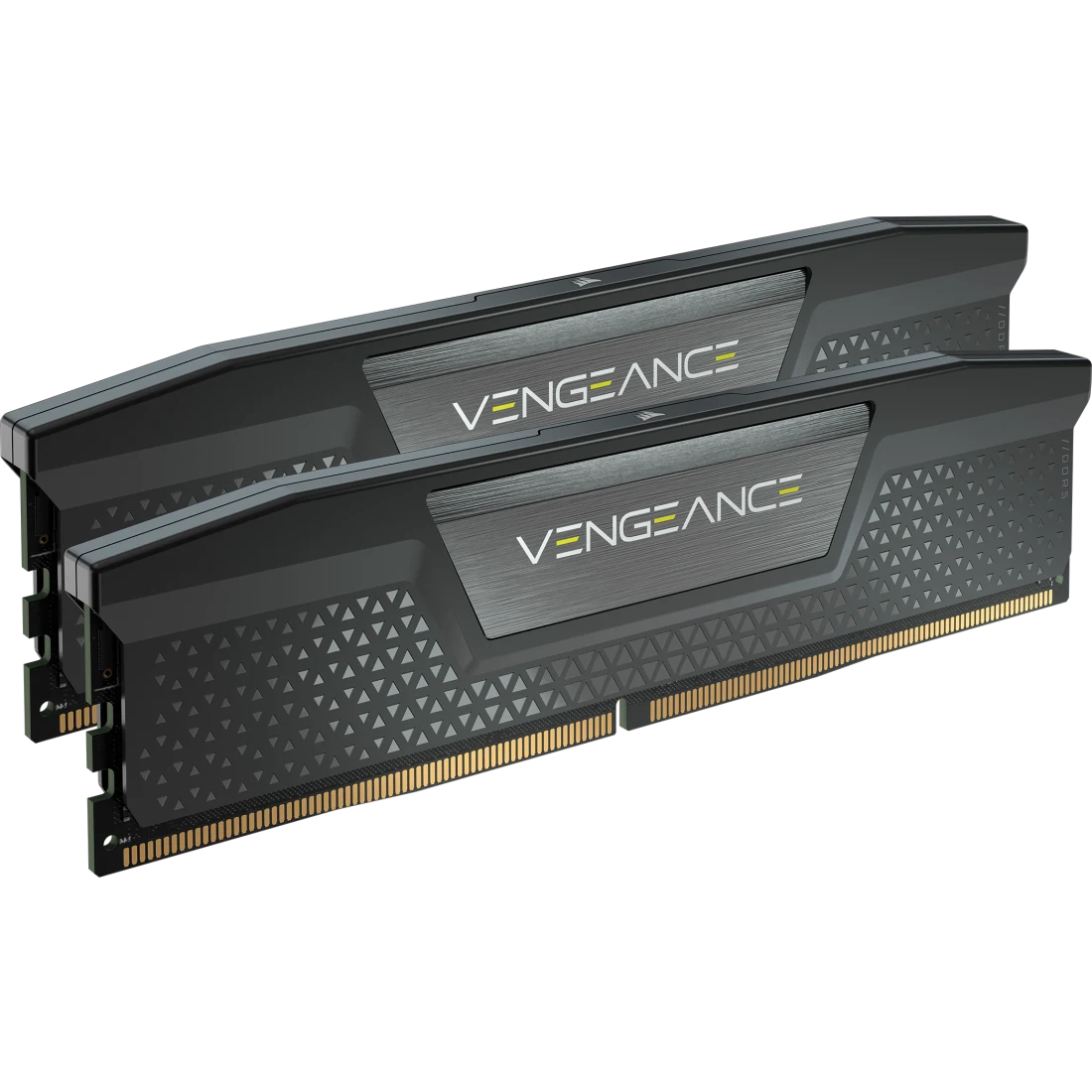
Corsair Vengeance DDR5 32GB (2x16GB) 5600MHz CL36
Pros
- CL36 timings at 5600MHz beat most competing kits at the same price
- JEDEC-compatible for wide motherboard support
- No RGB means lower profile, fits any build aesthetic
- Excellent Corsair iCUE integration for timing overrides
Cons
- Often out of stock, so check availability first
- No AMD Expo profile on this specific model, works, but AMD users miss out
- CL36 feels slightly dated compared to CL30 kits on the market
Price as of Aug 28, 2026 — see current price on Amazon.
Crucial Pro DDR5 32GB 5600MHz
The Crucial Pro is the plug-and-play budget answer: no RGB, JEDEC speeds out of the box with zero configuration, and a board-by-board compatibility list on Crucial's site that's actually kept current. CL46 is the slowest latency of the five kits here, which costs you 2-4 FPS in memory-sensitive games and rather more in rendering and data work.
It's often out of stock too, so check the listing before you count on it.
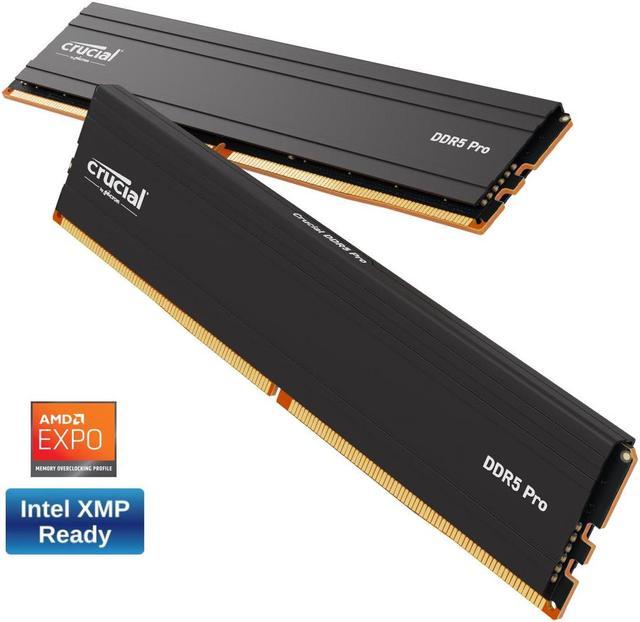
Crucial Pro DDR5 32GB (2x16GB) 5600MHz CL46
Pros
- Was frequently the cheapest 32GB DDR5 kit you could find
- No RGB means zero compatibility headaches with tight builds
- Crucial's compatibility validator tool covers thousands of motherboards
- Works at JEDEC speeds out of the box with zero configuration
Cons
- Often out of stock, so check availability first
- CL46 is the slowest latency in this roundup, noticeable in memory-sensitive workloads
- No overclocking headroom to speak of
Price as of Aug 28, 2026 — see current price on Amazon.
How to pick the right RAM for your build
DDR4 vs DDR5: should you upgrade?
If you're already on an Intel 12th/13th gen or AMD Ryzen 5000 system that runs DDR4, upgrading to DDR5 means a new motherboard and likely a new CPU too. That's not a RAM upgrade at that point. DDR4 32GB kits are still widely available and perform well for gaming, and in the current market they are the far cheaper way to get to 32GB. Only move to DDR5 if you're building new on Intel Core Ultra, Core i-series 14th gen, or AMD Ryzen 7000/8000/9000.
What speed actually matters?
For Intel systems, 5600MHz is the practical sweet spot. Going to 6000MHz yields maybe 1-2% real-world gaming gains that you won't notice. Prioritize timings over raw speed, CL36 at 5600 beats CL46 at 6400 in latency-sensitive tasks.
For AMD Ryzen 7000/9000, 6000MHz hits the Infinity Fabric 1:1 ratio and is genuinely worth targeting. The G.Skill Trident Z5 Neo at 6000MHz CL30 is the ideal combo for AMD builds. Going above 6000MHz (to 6400, 6800MHz) runs the Infinity Fabric 2:1 mode which actually increases memory latency, don't do it unless you're a hardcore overclocking enthusiast.
Dual-channel is non-negotiable
Always install RAM in matched pairs using the correct slots for dual-channel. A 2x16GB kit beats a single 32GB stick in every benchmark. For most motherboards, that means slots A2 and B2 (check your manual, labels vary). Dual-channel roughly doubles memory bandwidth compared to single-channel, which matters for integrated graphics and affects gaming with any AMD processor.
Does timing really matter for gaming?
Honestly, less than spec-sheet warriors suggest. In controlled gaming tests, the difference between CL30 and CL46 at the same frequency is 2-5 FPS in memory-sensitive titles, zero in most others. Where tight timings help is in work tasks: video encoding, 3D rendering, database processing. If you're purely gaming, don't stress a CL46 kit. If you're mixing gaming with creative work, tighter timings are worth paying for, though in today's market that step costs about $100 rather than the $15-20 it used to.
Frequently asked questions
- Will going from 16GB to 32GB noticeably improve my gaming FPS?
- In pure gaming benchmarks, usually not, 1-5% at most in titles that heavily use memory. What you'll notice is fewer stutters when other apps are open, smoother multitasking, and stability during long gaming sessions when Windows background processes accumulate. The real benefit is headroom, not raw FPS.
- Is DDR5 worth it over DDR4 for gaming in 2026?
- If you're building new on Intel Core Ultra or AMD Ryzen 7000+, DDR5 is the platform default and you don't have a choice. If you're on a DDR4 platform, upgrading to DDR5 alone isn't worth it, you'd need a new CPU and motherboard. Just buy 32GB DDR4 and call it done.
- What happens if I mix different RAM kits?
- It might work, but you lose dual-channel efficiency if the sticks have different specs, and stability issues can emerge from voltage and timing mismatches. Always buy a matched 2x16GB kit rather than two separate sticks. If you already have 16GB as a 2x8GB kit, adding another matched 2x8GB of the same speed/brand is usually fine.
- Is 64GB RAM overkill for gaming?
- For pure gaming, yes. 64GB makes sense if you're running virtual machines, doing professional video editing, working in 3D CAD/animation, or running a server alongside gaming. For gaming + streaming + Discord + browser? 32GB covers you with room to spare through the rest of this console generation.
- Which slot should I put RAM in for dual-channel?
- Almost always A2 and B2, the slots closest to the CPU typically go unused, and A2/B2 are usually marked with a different color. Check your motherboard manual since some boards label slots differently. Installing in the wrong slots drops you from dual-channel to single-channel and cuts bandwidth roughly in half.
- How do I enable XMP or Expo after installing new RAM?
- Restart your PC and enter the BIOS (usually by pressing Delete or F2 during POST). Find the XMP or Expo toggle, it's often under an AI Tweaker, DRAM Settings, or Overclocking section. Enable it, save, and reboot. Your RAM will now run at its rated speed instead of the default JEDEC speed. Takes 30 seconds.
Bottom line
For 2026 gaming, 32GB is still the right answer. It's not about chasing benchmark gains, it's about eliminating the headroom problem that 16GB increasingly runs into with modern games, Windows 11 overhead, and real-world multitasking. None of that has changed.
What's changed is the price. In August a solid kit was $65-90 and the advice was "just buy it." Today the cheapest in-stock kit here is the TeamGroup T-Force Delta RGB at $499.99, the G.Skill Trident Z5 Neo is $599.99, and the two budget kits are hard to find at all. At those numbers, "just buy it" is bad advice.
So: if you're on 16GB and your games run, sit tight and watch the prices. If you're building new and the machine is blocked without memory, the TeamGroup kit is the cheapest way through it and the G.Skill is the one I'd pick for an AMD board if the extra $100 doesn't hurt. If you're on a DDR4 platform, stay there for now, a DDR4 32GB kit gets you the same headroom for a fraction of this.
Install it in the right slots, enable XMP or Expo in BIOS, and move on. The difference you'll feel is real, just not necessarily in a frame counter, and right now it's real money too.
How We Pick
We pick products by combining spec-level research, price checks, trusted third-party benchmarks, and owner sentiment from high-signal sources.
- Performance and real-world value in the category this guide targets
- Price-to-performance and deal consistency over recent pricing windows
- Build quality, reliability patterns, and known long-term issues
- Recommendation refresh cadence to keep these picks current
Author
TheTechSearch Editorial Team
Independent product reviewers & PC builders
We compare real-world specs, reviews and owner reports, price trends, and user feedback to recommend gear that actually makes sense to buy.