Is an AIO Cooler Worth It in 2026?
When a liquid AIO actually beats a good air cooler, when it's money spent on looks, and the four coolers worth buying either way. Expert picks, pros and cons...
As an Amazon Associate we earn from qualifying purchases made through our links — this doesn't affect our picks.
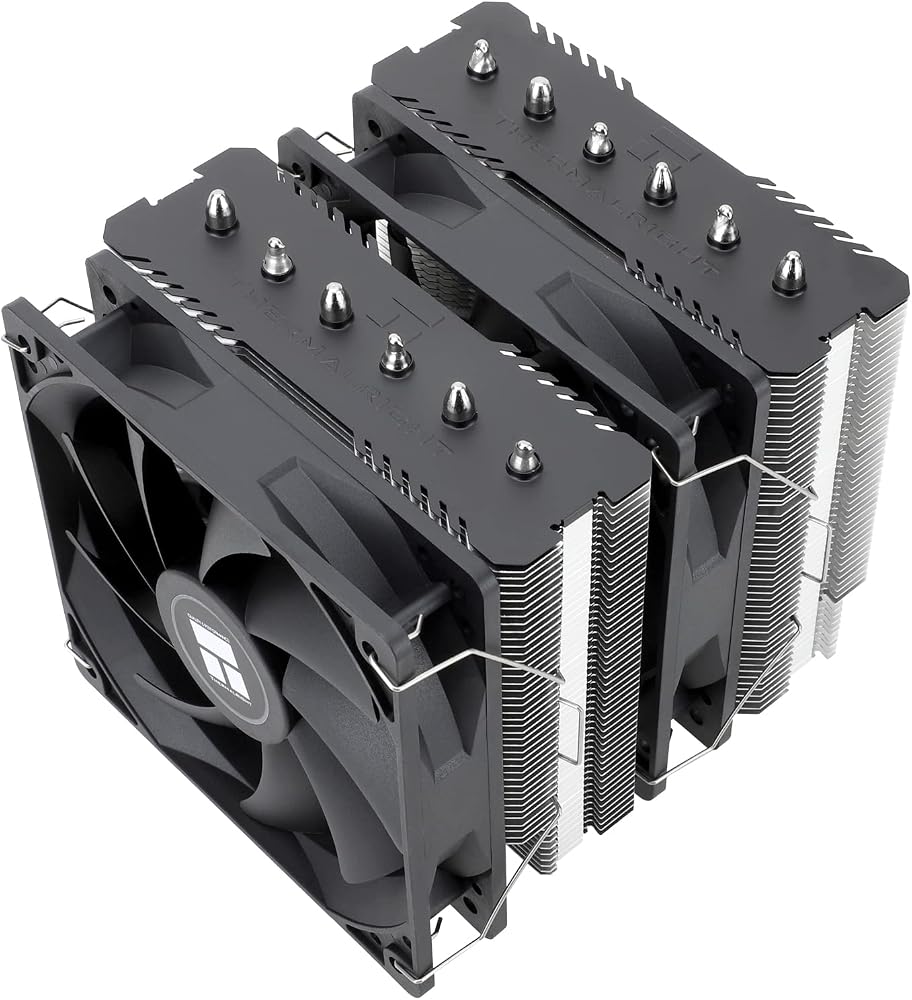
Thermalright Peerless Assassin 120 SE
Our top recommendation for this category
Price as of Oct 8, 2026 — see current price on Amazon.
For most gaming PCs, no. A good dual-tower air cooler keeps a modern gaming CPU within a few degrees of a 360mm AIO, costs less, and has no pump to wear out. An AIO starts earning its price when the chip pulls well over 200W for long stretches, when your case can't fit a 160mm tower, or when you simply want the clean look of a radiator and an empty space above the socket.
That's the whole answer. The rest of this page is how to tell which side of that line your build sits on, and what to buy once you know.
The Short Answer
| Your build | Verdict | |---|---| | Ryzen 7 9800X3D or 7800X3D, gaming | Air is enough | | Core Ultra 5 or Ryzen 5, gaming | Budget air is plenty | | Ryzen 9 9950X or Core Ultra 9 285K, long renders | AIO is worth it | | Small case, tower won't fit | 240mm AIO if the front fits a radiator | | Silent PC is the priority | Big air cooler, low fan speed | | You want the look | AIO, and that's a fine reason |
How Much Heat Your CPU Actually Makes
Cooling is a heat budget, so start with the chip. AMD rates the Ryzen 7 9800X3D at a 120W TDP. The Ryzen 9 9950X is rated at 170W, and Intel lets the Core Ultra 9 285K run up to 250W of maximum turbo power.
Games rarely push any of these to their limit. A 9800X3D in a game usually sits far below its rated power, because games load a few cores hard and leave the rest idling. Rendering, compiling and video exports are different. They load every core at once, for minutes or hours.
Where air runs out
A rough rule that holds up across most review data: up to about 150 to 200W, a good air cooler is fine. Between 200 and 250W, a 240mm or 280mm AIO starts pulling ahead by a few degrees. Above 250W sustained, a 360mm radiator is the comfortable answer.
Thermalright rates the Peerless Assassin 120 SE for 265W. That's a spec-sheet number and you shouldn't run any cooler at its ceiling, but it tells you how much headroom a $35 tower has for a 120W gaming chip.
What the Benchmarks Say
The gap is smaller than the marketing suggests. The PC Enthusiast ran the Noctua NH-D15 G2 against MSI's MPG CORELIQUID P13 360mm AIO on two chips. Under an AIDA64 full-load stress test on a Core Ultra 7 270K Plus, the Noctua hit 75°C and the AIO hit 67°C. On a Ryzen 7 7800X3D the numbers were 73°C and 70°C.
Eight degrees on a hot Intel chip. Three on the X3D. Neither result is a throttling problem.
PC Gamer's review found the same pattern: the 360mm AIO was cooler under sustained stress, but the gap stayed small, especially on the 7800X3D. And Tom's Hardware titled its NH-D15 G2 review "Not worth $150," which says more about the price of premium air than about air cooling itself.
Why X3D chips change the math
AMD's X3D processors stack extra cache on the compute die. That layer makes heat harder to pull out of the chip, so temperatures run high no matter what's on top. Throwing a bigger cooler at an X3D chip gets you less than it would on a standard Ryzen. It's the main reason the 7800X3D gap above is three degrees and not ten.
The Real Costs of Liquid
Pumps wear out
An AIO is a sealed loop with a small pump that runs whenever the PC is on. Pumps are the part that fails, and when one fails the CPU overheats fast. An air cooler's only moving parts are fans, and a dead fan costs a few dollars to replace.
Warranty is a decent proxy for how long a maker expects the loop to last. Arctic backs the Liquid Freezer III Pro for six years, which is unusually long for an AIO. Noctua gives the NH-D15 G2 six years as well.
Noise is different, not always lower
A big air cooler at low RPM is very quiet. The PC Enthusiast measured the NH-D15 G2 at 24.8 dB(A) at 1500 RPM, and 19.7 dB(A) with Noctua's low-noise adapter. AIOs add a pump hum some people notice and others never hear. Under a long render, though, a 360mm radiator can hold the same temperature with its three fans spinning slower than two tower fans would need to.
Fit cuts both ways
The NH-D15 G2 is 168mm tall and weighs 1,525g with fans. Plenty of mid-towers can't close their side panel over that. The flip side: Arctic's Liquid Freezer III Pro radiators are 38mm thick, so check that your front or top mount has room for the radiator plus fans before you order.
Air towers also crowd tall RAM. An AIO leaves the area around the socket open, which makes RAM swaps easy and shows off the board if you care about that.
Who Should Buy an AIO
- Heavy all-core workloads. A 9950X or 285K rendering for an hour is where a 360mm radiator earns its keep.
- Cases built around radiators. Some small-form-factor and showcase cases have no room for a tall tower but a perfect 240mm mount.
- People who want the look. A tidy radiator and no hulking tower is a legitimate thing to pay for. Just pay for it knowingly.
Who Should Stick With Air
- Gaming-first builds, especially on X3D chips.
- Anyone on a budget. The $35 Thermalright below cools a 120W chip comfortably.
- People who keep PCs for a decade. No pump means one less part with a lifespan.
Four Coolers Worth Buying
One budget air tower, one premium air tower, and two AIOs that are priced close enough to air to make the decision about fit and workload, not money.
| Cooler | Type | Fans | Key spec | Price | |
|---|---|---|---|---|---|
| Thermalright Peerless Assassin 120 SE | Dual-tower air | 2 x 120mm | 6 heat pipes | $34.90 | Check Price |
| Noctua NH-D15 G2 | Dual-tower air | 2 x 140mm | 8 heat pipes | $159.95 | Check Price |
| ARCTIC Liquid Freezer III Pro 240 | 240mm AIO | 2 x 120mm | 38mm radiator | $58.79 | Check Price |
| ARCTIC Liquid Freezer III Pro 360 | 360mm AIO | 3 x 120mm | 38mm radiator | $79.99 | Check Price |
Thermalright Peerless Assassin 120 SE: the reason most people don't need an AIO
Thermalright Peerless Assassin 120 SE
Pros
- Six 6mm heat pipes and two 120mm fans for under $35
- Rated for 265W, far above a gaming chip's draw
- 155mm tall, fits most mid-towers
- AM5 and LGA1851 support out of the box
Cons
- Fans reach 25.6 dB(A) at full speed
- Plain look with no lighting
- Tall RAM can clash with the front fan
Price as of Oct 8, 2026 — see current price on Amazon.
This cooler is why the "do I need an AIO" question usually ends with no. It's a dual-tower, six-heat-pipe design for the price of a nice mouse pad, and it has been the default budget recommendation for years.
For a Ryzen 7 9800X3D or a Core Ultra 5 gaming build, it's all the cooler the chip needs. Spend the difference on the GPU.
Noctua NH-D15 G2: premium air for quiet high-end builds
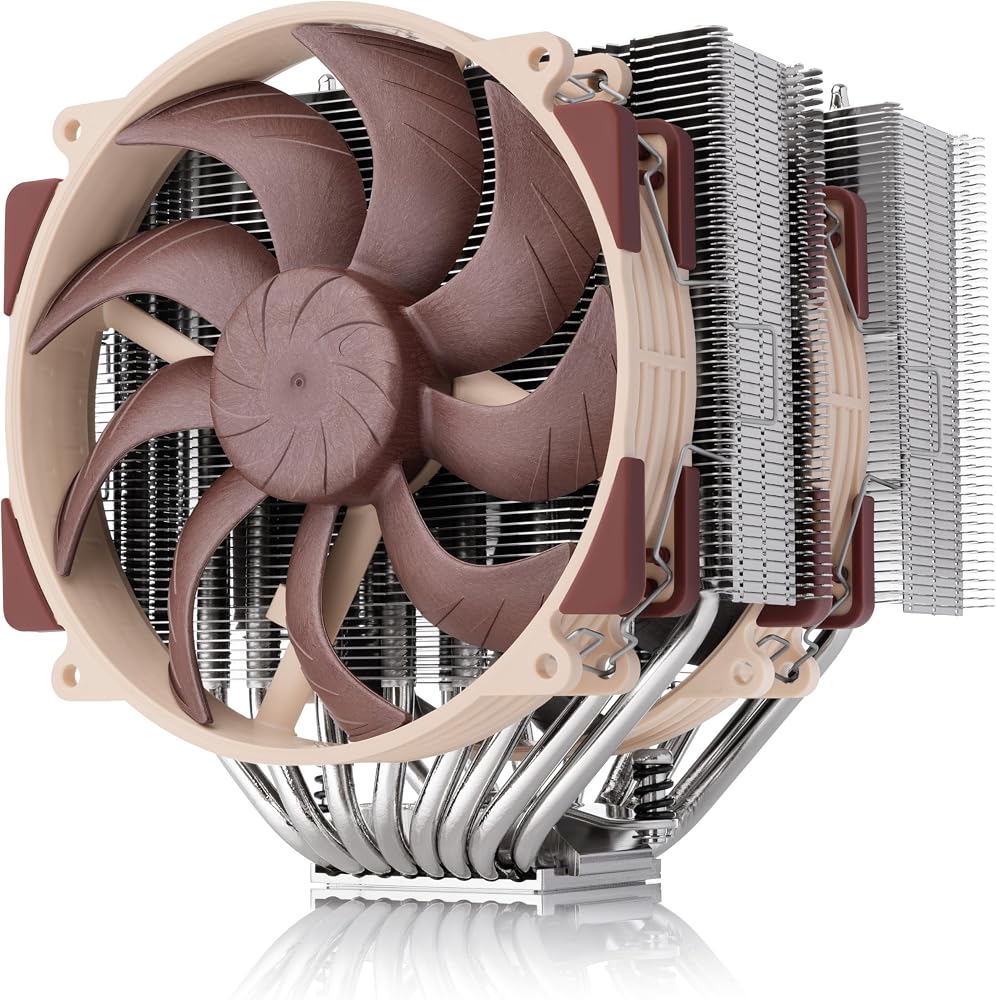
Noctua NH-D15 G2
Pros
- Eight heat pipes and two NF-A14x25 G2 140mm fans
- 19.7 dB(A) with the low-noise adapter
- Within 3°C of a 360mm AIO on a 7800X3D in one review
- Six-year warranty, no pump to fail
Cons
- 168mm tall and 1,525g with fans
- Costs as much as a good 360mm AIO
- Brown-and-beige fans won't suit every build
Price as of Oct 8, 2026 — see current price on Amazon.
The NH-D15 G2 is for people who want AIO-class cooling with nothing to leak or wear out. It's very quiet, very well built, and Noctua's accessory kit and support are the best in the business.
But be honest about the price. Amazon lists it at $159.95, a touch above Noctua's roughly $150 MSRP and twice the cost of the Arctic 360 below. If your case fits a 360mm radiator and you're running heavy all-core loads, the AIO is the better value. If you want silence and longevity, this is the one.
ARCTIC Liquid Freezer III Pro 240: the small-case AIO
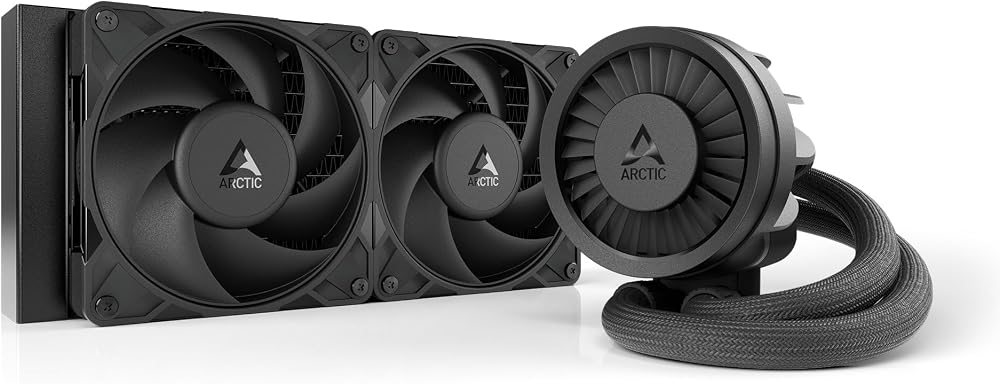
ARCTIC Liquid Freezer III Pro 240
Pros
- Priced close to a mid-range air tower
- Thick 38mm radiator with P12 Pro fans
- Small VRM fan on the pump block cools the motherboard power stages
- Six-year warranty
Cons
- 38mm radiator needs room in a slim case
- P12 Pro fans get loud at high RPM
- Small gains over air on a gaming-only build
Price as of Oct 8, 2026 — see current price on Amazon.
Pick this when a tower simply won't fit. It mounts on a front or top 240mm position and frees the whole socket area, which is often the difference in a compact case.
The VRM fan is a small, smart touch. AIOs don't move air across the motherboard the way a tower does, and Arctic's little fan on the pump block puts some of that back. Reviews of the Pro line credit it with cutting VRM temperatures by roughly 8 to 12°C under load.
ARCTIC Liquid Freezer III Pro 360: the AIO worth buying
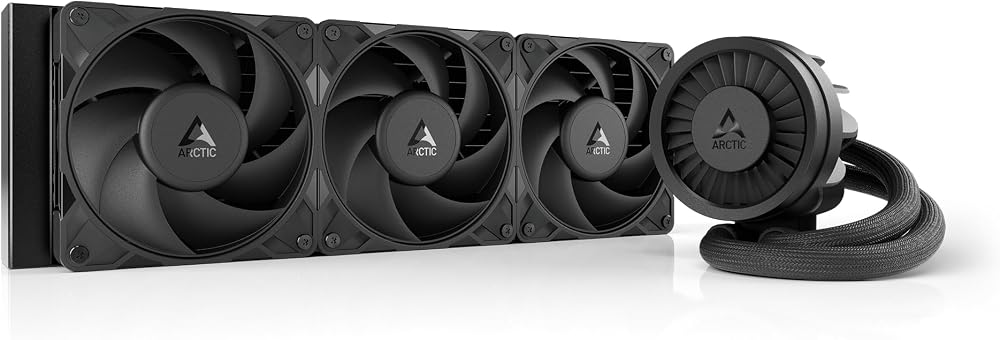
ARCTIC Liquid Freezer III Pro 360
Pros
- Three P12 Pro fans on a 38mm radiator
- Native offset mounting for AM5 and LGA1851 hotspots
- VRM fan built into the pump block
- Six-year warranty, unusually long for an AIO
Cons
- Needs a case with a 360mm radiator mount
- Pump hum may bother very noise-sensitive users
- Overkill for a gaming-only X3D build
Price as of Oct 8, 2026 — see current price on Amazon.
If you've landed on "yes, I need an AIO," this is the one to buy. Amazon listed it at $79.99 on 8 October 2026, below Arctic's own $99.98 list. That's about half the price of the Noctua.
Offset mounting matters on modern chips. Both AM5 and Intel's LGA1851 parts put their hottest spot slightly off-center, and Arctic shifts the cold plate to sit over it. Pair that with a thick radiator and three fans, and this is the cooler for a 9950X or 285K running long all-core jobs. For more 360mm options, see our best 360mm AIO coolers roundup.
How to Decide in Five Minutes
Look up your CPU's power rating
Check the TDP or maximum turbo power on AMD's or Intel's spec page. Under about 150W, buy air and move on.
Be honest about your workload
Gaming barely loads a modern CPU. Hour-long renders and compiles do. If you rarely run anything that pegs every core, the extra cooling headroom of an AIO goes unused.
Measure the case before the cooler
Find your case's maximum CPU cooler height and its radiator support. That list often makes the decision for you.
Decide if the look matters
There's no wrong answer. Just know that a $35 tower and an $80 AIO will often game at nearly the same temperature, so the extra money buys appearance and access, not frames.
Frequently asked questions
- Is an AIO better than an air cooler?
- Under sustained heavy loads, a 360mm AIO usually runs a few degrees cooler. In one review the Noctua NH-D15 G2 hit 73°C on a Ryzen 7 7800X3D against 70°C for a 360mm AIO. For gaming, a good air cooler performs close enough that most people won't see a difference.
- Do I need an AIO for a Ryzen 7 9800X3D?
- No. AMD rates the 9800X3D at 120W, and games rarely push it that far. A dual-tower air cooler like the Thermalright Peerless Assassin 120 SE handles it comfortably. X3D chips also run warm because of the stacked cache, so a bigger cooler helps less than you'd expect.
- How long does an AIO cooler last?
- The pump is the part that wears out, and warranties are a good guide to expected life. Arctic covers the Liquid Freezer III Pro for six years. An air cooler has no pump, so a failed fan is the only common repair.
- Can an AIO leak?
- It's rare with sealed, pre-filled loops from established brands, but it's possible. A leak can damage parts, which is why warranty length and brand reputation matter more for an AIO than for an air cooler.
- Is a 240mm AIO better than a big air cooler?
- Usually not by much. A 240mm AIO and a good dual-tower air cooler perform in the same range. Choose the 240mm when a tall tower won't fit your case or you want clearance around the socket and RAM.
- Which is quieter, air or AIO?
- At idle and light loads, a large air cooler at low fan speed is typically quieter because there's no pump. Under long all-core loads, a 360mm radiator can hold temperatures with slower-spinning fans, which can make it quieter than a tower working hard.
Bottom Line
An AIO cooler is worth it when your CPU spends real time above 200W, when your case fits a radiator better than a tower, or when you want the look and accept paying for it. For a gaming build, especially on an X3D chip, the Thermalright Peerless Assassin 120 SE does the job for $34.90. If you do need liquid, the ARCTIC Liquid Freezer III Pro 360 is the one to buy, and our best CPU coolers guide covers more options on both sides.
How We Test
We score products by combining spec-level research, pricing history, trusted third-party benchmarks, and owner sentiment from high-signal sources.
- Performance and real-world value in the category this guide targets
- Price-to-performance and deal consistency over recent pricing windows
- Build quality, reliability patterns, and known long-term issues
- Recommendation refresh cadence to keep these picks current
Author
TheTechSearch Editorial Team
Independent product reviewers & PC builders
We test and compare real-world specs, price trends, and user feedback to recommend gear that actually makes sense to buy.