Should I Upgrade My CPU or GPU First? A 2026 Decision Guide
Not sure whether to upgrade your CPU or GPU first? Here's how to diagnose the real bottleneck in your gaming PC and which upgrade actually moves the needle.
As an Amazon Associate we earn from qualifying purchases made through our links — this doesn't affect our picks.
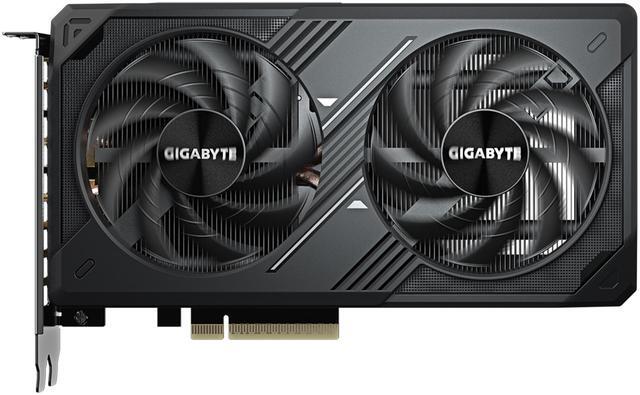
GIGABYTE GeForce RTX 5060 WINDFORCE OC 8G
Our top recommendation for this category
Price as of Aug 29, 2026 — see current price on Amazon.
You've got a few hundred dollars burning a hole in your pocket and your games are stuttering. The question everyone Googles before pulling the trigger: do I upgrade the CPU or the GPU first?
The right answer isn't the same for everyone, and anyone who tells you "always upgrade the GPU first" is giving you a blanket rule that will send some people in the completely wrong direction. Here's how to figure out which one is actually holding your system back - and which upgrade makes sense for your specific situation.
The Short Answer
If your GPU usage sits above 95% and your CPU hovers below 70% during gameplay, upgrade the GPU. Your CPU has headroom. Your GPU is the ceiling. The reverse is also true - if your CPU is pegged at 95%+ while your GPU idles at 60%, no amount of GPU horsepower will help you.
Most gamers are GPU-limited at 1080p and 1440p. But if you're running a very old CPU (anything pre-Ryzen 3000 or pre-10th-gen Intel on an older socket), there's a real chance your processor is quietly strangling whatever GPU you plug in.
| Scenario | Symptom | Fix |
|---|---|---|
| GPU bottleneck | High GPU usage (95%+), low CPU load, low frame rates at high settings | Upgrade GPU |
| CPU bottleneck | High CPU usage (90%+), GPU under 70% load, stuttery frame pacing even at low settings | Upgrade CPU |
| Both are fine | GPU 80-90%, CPU 60-80%, you just want more frames | GPU upgrade first |
| Thermal throttle | Usage looks normal but frames drop under load, temps over 90°C | Cooling first, then hardware |
| VRAM limit | GPU at 60% but major stutters, frame time spikes - VRAM maxed out | GPU with more VRAM |
How to Actually Check Your Bottleneck
Before spending money, spend five minutes diagnosing. Open MSI Afterburner, enable GPU usage and CPU usage overlays, then run your most demanding game for about ten minutes. Look at the numbers while it's running, not after.
What you're looking for:
- GPU usage 90-100%, CPU 50-70% - You're GPU-limited. This is the most common situation for anyone on a mid-range or older GPU.
- CPU at 90%+ across most cores, GPU at 40-65% - You're CPU-limited. This often shows up as frame time spikes rather than a consistently low average FPS.
- Both below 80% - You might have a RAM issue (check if you're running in single channel), a storage bottleneck, or your game just isn't well-optimized.
The Task Manager GPU tab works too. Just make sure you're looking at "3D" utilization, not "Copy" or "Video Encode."
If You Need a GPU Upgrade
A GPU upgrade is the right move for most people reading this. Prices below were checked on September 19, 2026, and they have all moved up since this guide went out. Supply is tight; if your current card still runs your games, waiting is a legitimate strategy.
GIGABYTE GeForce RTX 5060 WINDFORCE OC 8G
Pros
- Cheapest in-stock way into Blackwell and DLSS 4
- DLSS 4 support with Frame Generation
- PCIe 5.0
- Compact dual-fan design fits most cases
Cons
- 8GB VRAM will be limiting by 2027-2028
- $459 for an 8GB card is a lot more than the $299 it launched near
- 128-bit bus - same architecture limitation as the Ti
Price as of Aug 29, 2026 — see current price on Amazon.
The base RTX 5060 is the cheapest in-stock route into Nvidia's Blackwell architecture with DLSS 4, which makes it the default recommendation right now more by availability than by merit. At 1080p it delivers strong performance today.
The 8GB VRAM is a real concern for longevity, and the standard advice would be to stretch to a 16GB card. That stretch now costs about $290 more, so read the next card carefully before you decide.

ASUS Prime Radeon RX 9060 XT 16GB OC Edition
Pros
- 16GB GDDR6 is the VRAM buffer that ages well at 1440p
- RDNA 4 architecture, excellent rasterization
- Strong 1080p and 1440p performance
- In stock, which is not a given in this market
Cons
- $749.08, more than double the $349 launch MSRP
- FSR still trails DLSS for upscaling quality
- No ray tracing performance crown
Price as of Aug 29, 2026 — see current price on Amazon.
AMD's RX 9060 XT with 16GB is the card to get if you plan to keep it for three years or more. At 1440p, VRAM pressure from modern games has gotten real, and 8GB cards are already running out of headroom in some titles. You're trading some DLSS quality for the 16GB buffer, so it's a straight call between upscaling quality and longevity. If you're not locked into NVIDIA (G-Sync monitor, CUDA workflows), it's the smarter long-term buy.
A note on the board partner: this is the ASUS Prime at $749.08. Prices as of September 20, 2026. Newegg lists the identical ASUS SKU at $759, which tells you this is the market price and not one seller gouging.
If You Need a CPU Upgrade
CPU upgrades are often more painful because they can drag in a new motherboard requirement. Before buying, confirm your socket - if you're on LGA1700, you can drop in a 14th-gen chip without changing boards. If you're on AM5, all Ryzen 7000/9000 chips are socket-compatible. If you're on anything older (AM4, LGA1151, LGA1200), you're looking at a platform change.
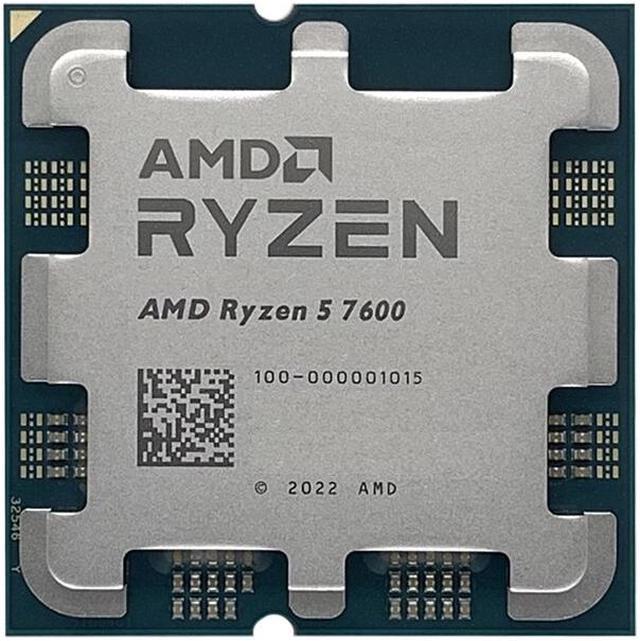
AMD Ryzen 5 7600
Pros
- Strong gaming IPC at 65W
- Excellent price-to-performance for AM5
- Handles any GPU you'll pair with it at 1080p/1440p
- 6 cores still plenty for modern gaming
Cons
- AM5 motherboard required if you don't have one
- Only 6 cores - less headroom for streaming or creative work
- At $226 it has lost the bargain pricing it had a year ago, and now sits close to AMD's $229 list
Price as of Aug 29, 2026 — see current price on Amazon.
The Ryzen 5 7600 is still a strong gaming CPU, but be clear about what it costs now. It's $226.25 at the moment, essentially AMD's $229 list price. Through much of 2025 it was discounted to $149. The memory and component price spike of 2026 took the deep discounts off this chip. Six cores sounds lean in 2026, but gaming rarely taxes more than 6-8 threads, and the Zen 4 IPC is fast enough that you won't leave GPU performance on the table. Budget for the board too: with an A620 motherboard you're looking at roughly $350 to $380 for the platform, not the sub-$300 it used to be.
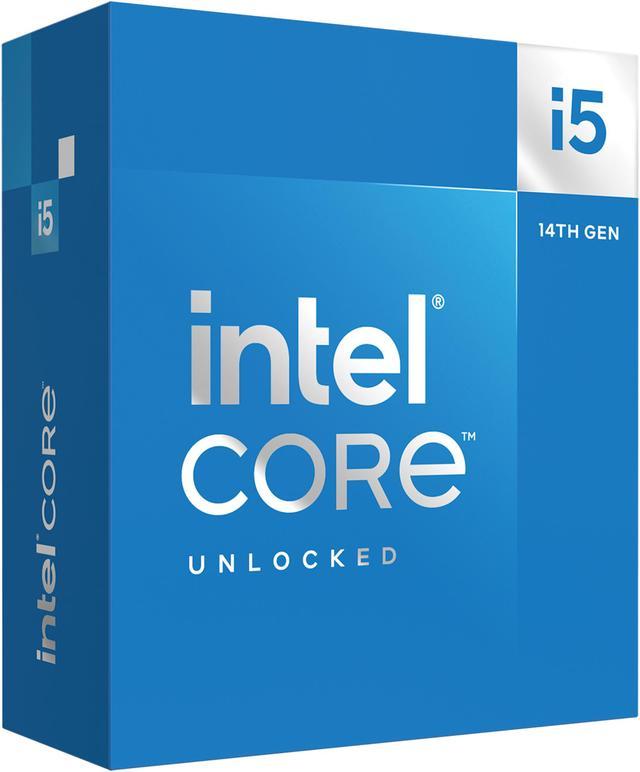
Intel Core i5-14600K
Pros
- 14 cores (6P + 8E) handle multitasking with ease
- Excellent gaming performance - competes with much pricier chips
- Works on existing LGA1700 boards
- Strong for streaming + gaming simultaneously
Cons
- Runs hot under sustained all-core load
- Needs a decent cooler to hit its potential
- Intel 14th gen is approaching end of platform
Price as of Aug 29, 2026 — see current price on Amazon.
The i5-14600K is Intel's answer for anyone on LGA1700 who wants to drop in a faster chip without a motherboard swap. This comparison has shifted: at $249 it is now only about $23 more than the Ryzen 5 7600, not the $100 gap it used to be, which makes the 14600K a much easier call than it was. If you already own an LGA1700 board, you also skip the platform cost entirely. Strong in gaming and noticeably better than the Ryzen 5 when you're pushing high-framecount titles like CS2 at 1080p. On price-to-performance alone, 14 cores for $23 more is the better deal right now, with one caveat: AM5 gives you an upgrade path that LGA1700 does not.
What About Doing Both?
Sometimes the honest answer is that both your CPU and GPU are long in the tooth, and a single upgrade won't move the needle enough. In that case, prioritize the GPU first - you'll see an immediate, visible improvement in every game - and save up for the CPU swap afterward. GPU upgrades rarely require touching anything else. CPU upgrades often cascade into a motherboard and RAM cost.
Before You Buy: Quick Checklist
For GPU upgrades:
- Check your PSU wattage - the RX 9060 XT and RTX 5060 both want a solid 600W, ideally 650W with headroom
- Measure your case clearance - triple-fan cards in this class run about 300 to 330mm long
- Make sure you have a PCIe 4.0 or 5.0 x16 slot (PCIe 3.0 will work but you leave some bandwidth on the table)
For CPU upgrades:
- Confirm your socket type before ordering anything
- Check if your motherboard BIOS supports the new chip - this is easy to miss
- Budget for a good cooler if you don't already have one. Stock coolers won't cut it for the i5-14600K
RAM while you're in there: If you're swapping CPUs and you're still on single-channel RAM, grab a matched pair while you're at it. Single-channel memory can cut gaming performance by 15-20% in CPU-sensitive titles.
Frequently asked questions
- Does it matter if I upgrade CPU or GPU first for 1080p gaming?
- At 1080p, you're almost always GPU-limited unless your CPU is genuinely ancient (pre-Ryzen 2000 or pre-8th gen Intel). Check your GPU utilization in game - if it's above 90%, your GPU is the priority.
- Will upgrading my GPU help if my CPU is old?
- Partially. A new GPU will still perform better than the old one, but you won't see the full performance you paid for if the CPU is the real bottleneck. In some competitive titles at 1080p low settings, a bottlenecked CPU can limit even a fast GPU to 60-80% of its potential.
- Is the RTX 5060 or RX 9060 XT better for 1440p gaming?
- They're within 5-10% of each other in rasterization at 1440p. The RX 9060 XT 16GB has a slight edge in pure performance for the money; the RTX 5060 Ti wins if you use DLSS-heavy games or plan to enable Frame Generation. Both handle 1440p at high settings well.
- Do I need a new motherboard to upgrade my CPU?
- Depends on your current socket. AM5 users can swap between any Ryzen 7000/9000 chip without changing boards. LGA1700 users can move up to 14th-gen chips on most existing boards after a BIOS update. Anything older (AM4, LGA1151, LGA1200) typically requires a full platform change.
- How do I check if my CPU is throttling my GPU?
- Open MSI Afterburner with an in-game overlay. Watch GPU utilization - if it consistently sits below 80% while your CPU threads are maxed out, the CPU is holding the GPU back. This is most obvious in CPU-sensitive games like Cyberpunk 2077 at 1080p low settings or Starfield.
- Is 6 cores still enough for gaming in 2026?
- Yes, for pure gaming. Most games today use 4-8 threads effectively, and a fast 6-core like the Ryzen 5 7600 outperforms slower 8-core chips in titles that care about single-thread speed. Where 6 cores start to hurt is simultaneous streaming or background CPU loads.
Bottom Line
For most people reading this in 2026, the GPU comes first. The RX 9060 XT 16G gets you actual 1440p headroom that will still be there in three years; the RTX 5060 8G is the cheaper in-stock entry if $649.99 isn't happening. Revisit the CPU side in a year if you're still feeling constrained. And if your task manager is showing a CPU pegged at 90% while your GPU loafs around at 50%, don't throw a $650 graphics card at a $150 problem. Diagnose first, buy second.
How We Pick
We pick products by combining spec-level research, price checks, trusted third-party benchmarks, and owner sentiment from high-signal sources.
- Performance and real-world value in the category this guide targets
- Price-to-performance and deal consistency over recent pricing windows
- Build quality, reliability patterns, and known long-term issues
- Recommendation refresh cadence to keep these picks current
Author
TheTechSearch Editorial Team
Independent product reviewers & PC builders
We compare real-world specs, reviews and owner reports, price trends, and user feedback to recommend gear that actually makes sense to buy.