Best Chromebooks for Students 2026
Five Chromebooks actually worth buying for school in 2026, from a $257 budget pick to a $647 convertible, plus the Plus-tier rule most buyers miss. Expert pi...
As an Amazon Associate we earn from qualifying purchases made through our links — this doesn't affect our picks.
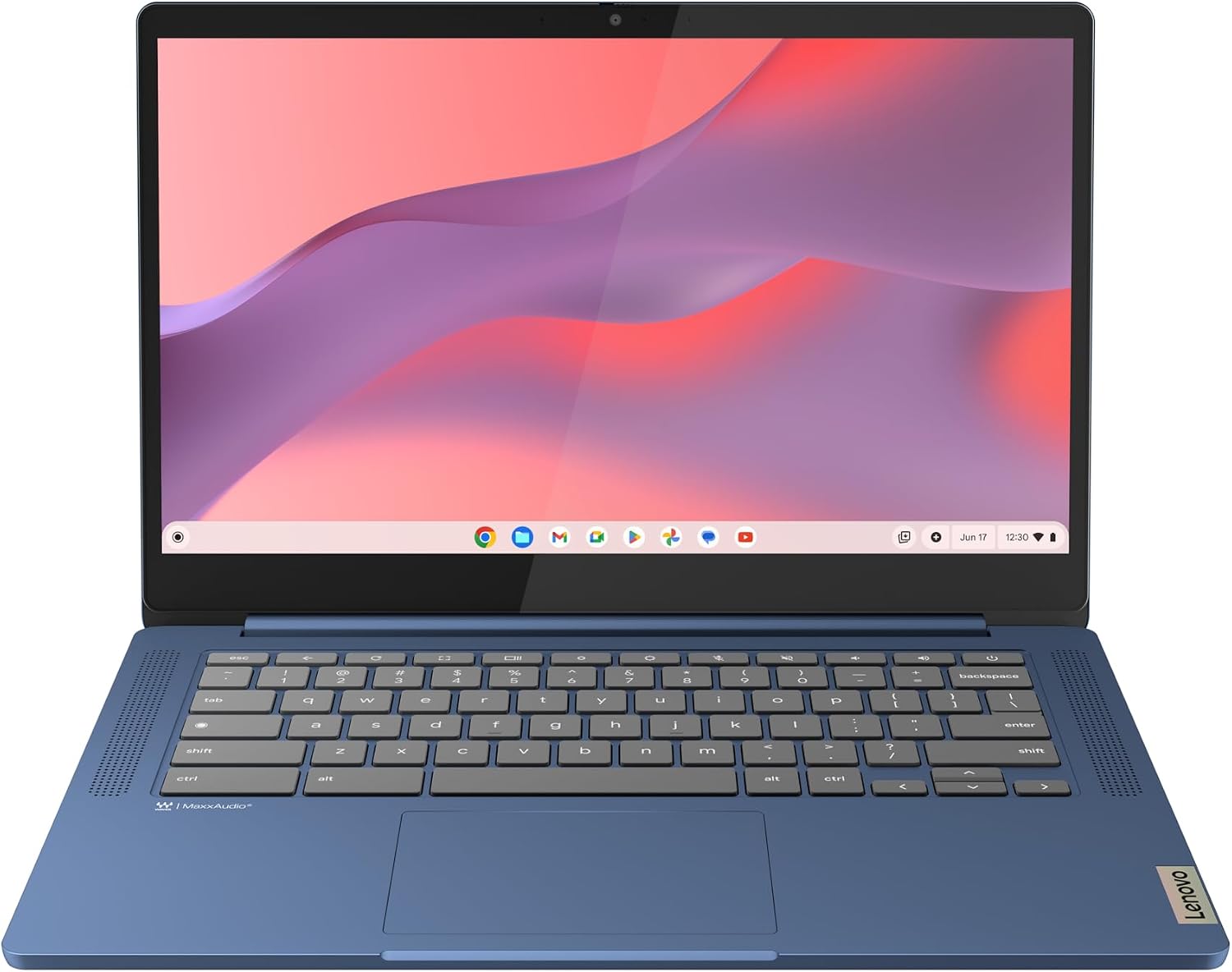
Lenovo IdeaPad Slim 3 Chromebook (14-inch)
Our top recommendation for this category
Price as of Jul 5, 2026 — see current price on Amazon.
In this guide
Chromebook prices move around every year, especially around the back-to-school rush. The market has quietly split into two tiers that most shoppers don't know exist. Get that one distinction right and you'll avoid the single most common Chromebook regret: buying a machine that feels slow the day you unbox it.
Quick Picks
| Model | Price | Display | Weight | Best For | |
|---|---|---|---|---|---|
| Lenovo IdeaPad Slim 3 | $256.89 | 14-inch HD | 2.87 lb | Tightest budgets | Check Price |
| Samsung Galaxy Chromebook Plus | $372 | 15.6-inch AMOLED | 2.58 lb | Best value overall | Check Price |
| Acer Chromebook Plus 515 | $429 | 15.6-inch FHD touch | 3.75 lb | Big-screen comfort | Check Price |
| ASUS Chromebook Plus CX34 | $499 | 14-inch FHD | 3.17 lb | Surviving a backpack | Check Price |
| Acer Chromebook Plus Spin 714 | $647 | 14-inch WUXGA touch | 3.09 lb | Power users and note-takers | Check Price |
First, the thing nobody tells you: Chromebook Plus is a real spec, not marketing
Google created the Chromebook Plus certification back in 2023, and it's the closest thing this market has to a quality floor. To wear the badge, a laptop needs at least 8GB of RAM, a 1080p IPS display or better, a 1080p webcam, and a current-generation processor. Regular Chromebooks have no such floor. That's how you end up with $180 machines running 4GB of RAM and a washed-out 1366x768 panel sitting on the same shelf as genuinely good hardware.
My rule for students: if you'll have more than eight tabs open (so, every college student who has ever lived), buy a Plus model. The budget tier only makes sense for grade schoolers, backup machines, or truly strict budgets. Four of my five picks are Plus certified. The one that isn't is there deliberately, so you can see exactly what the compromise looks like.
Lenovo IdeaPad Slim 3 Chromebook
Lenovo IdeaPad Slim 3 Chromebook (14-inch)
Pros
- All-day battery, Lenovo claims 13.5 hours and 10 to 12 is realistic
- Light 2.87-pound chassis with a comfortable keyboard
- Fanless and silent, boots in seconds
- Surprisingly decent speakers with Waves MaxxAudio tuning
Cons
- 4GB of RAM means tab hoarders will feel the ceiling fast
- 14-inch HD panel is dimmer and softer than any Plus-tier screen
- 64GB of storage fills up quicker than you'd think
Price as of Jul 5, 2026 — see current price on Amazon.
At $256.89, this is the cheapest Chromebook I'm comfortable recommending to anyone, and I want to be straight with you about what that money buys. The MediaTek Kompanio 520 chip sips power, which is why the battery genuinely lasts a full school day plus the bus ride home. The keyboard is better than it has any right to be at this price. And the whole thing weighs less than a big textbook.
The compromises are the screen and the memory. The 1366x768 panel looks fine for docs and YouTube, but next to the Samsung's AMOLED below it's not even a conversation. And 4GB of RAM handles maybe six to eight tabs before ChromeOS starts quietly killing background pages. For a middle schooler or a second machine that lives in the kitchen, none of that matters. For a college workload, it will.
One more honest note: this exact configuration was around $180 during 2025 holiday sales and $203 in spring 2026. It has drifted up to $256.89, which is more than a 4GB Chromebook is worth. Wait for it to fall back under $220 before you buy.
Samsung Galaxy Chromebook Plus
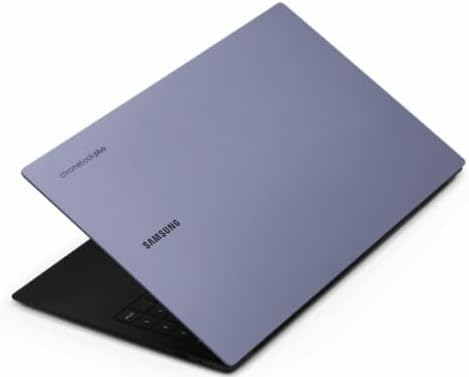
Samsung Galaxy Chromebook Plus (15.6-inch AMOLED)
Pros
- 15.6-inch AMOLED panel embarrasses laptops twice the price
- Just 2.58 pounds, absurdly light for a 15-inch machine
- Intel Core 3 100U plus 8GB RAM handles heavy multitasking
- Down from its $650 launch price, easily the deal of this list
Cons
- No touchscreen, which stings at this price
- 8GB is the only RAM configuration offered
- Neptune Blue finish shows fingerprints
Price as of Jul 5, 2026 — see current price on Amazon.
Here's the sleeper hit of 2026. Samsung launched this thing at $649 and the market shrugged, so now it's sitting at $372 and it is comfortably the best screen-per-dollar purchase in the entire Chromebook world. We're talking a 15.6-inch 1080p AMOLED panel, the same display tech in a Galaxy S25, with true blacks and colors that make streaming and photo work look properly good.
The rest of the package holds up. Intel's Core 3 100U is a proper laptop chip, not a Celeron in a trench coat, and paired with 8GB of RAM it chews through 20-tab research sessions without drama. The 256GB of storage is double what most rivals offer at this price. And somehow the whole machine weighs 2.58 pounds, which is lighter than most 13-inch laptops. Carrying a 15-inch screen that weighs nothing is a genuinely strange, genuinely great experience.
What's missing? Touch, mostly. If you annotate PDFs with your fingers or want tablet tricks, look at the Acer picks instead. But for a student who wants the biggest, best screen for writing papers and watching lectures (let's be honest, and Netflix), nothing else at this price comes close. I expected more pushback on this pick when I compared notes against the big review sites, but RTINGS and Tom's Guide both keep it near the top of their student lists too.
Acer Chromebook Plus 515
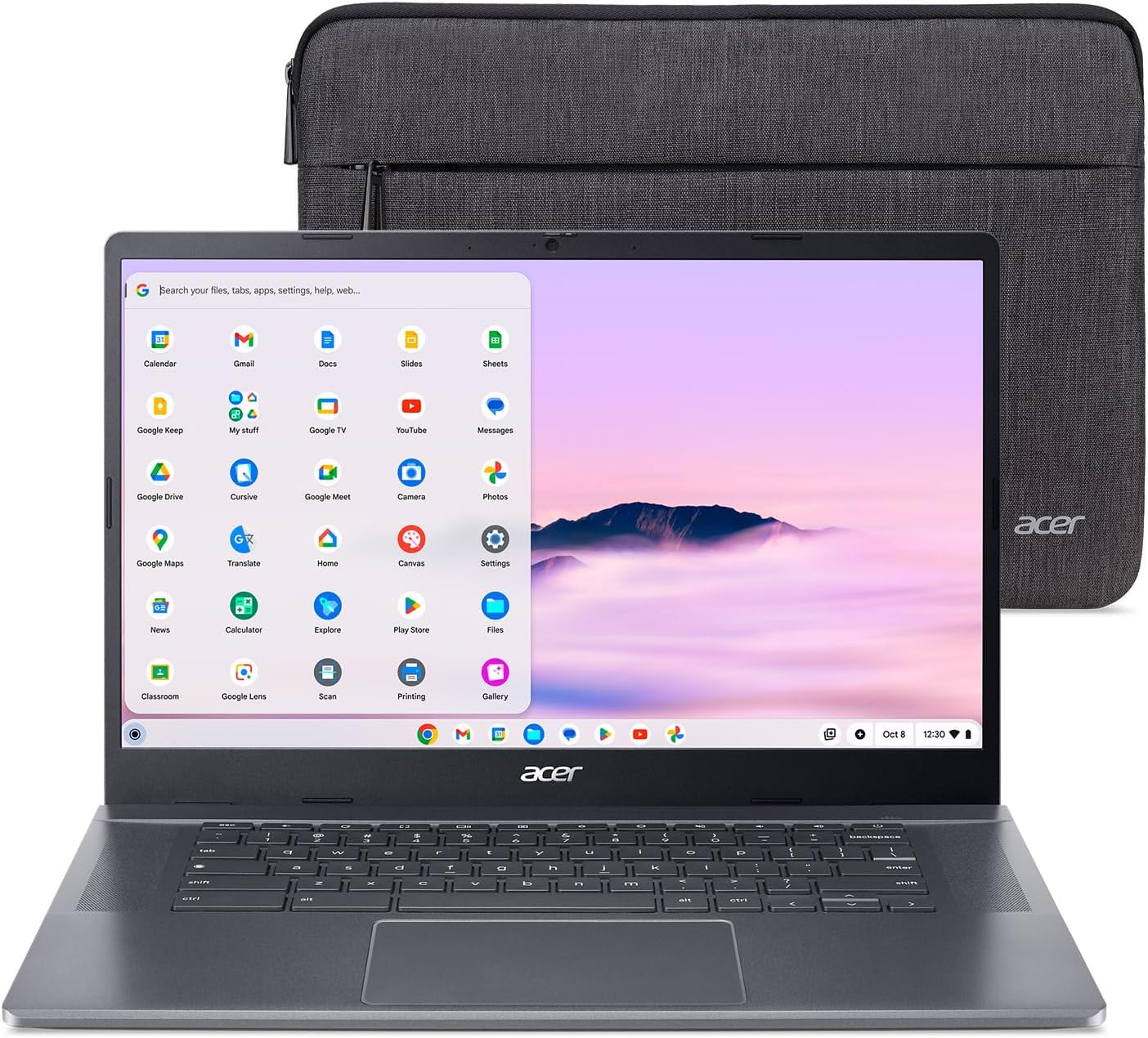
Acer Chromebook Plus 515 (CB515-2HT-33M4)
Pros
- 15.6-inch touchscreen, the only big-screen touch option here
- 13th-gen Intel Core i3-1305U with plenty of multitasking headroom
- Wi-Fi 6E and a full-size port selection, no dongles needed
- Excellent keyboard with a proper amount of key travel
Cons
- 3.75 pounds is a real weight penalty in a backpack
- IPS panel is good, but you'll notice the difference next to the AMOLED
- Battery lands closer to 9 hours than the claimed 11
Price as of Jul 5, 2026 — see current price on Amazon.
The 515 is what I'd call the sensible family sedan of this list. Nothing about it is flashy. Everything about it works. You get a 15.6-inch 1080p IPS touchscreen, a 13th-gen Core i3 with more than enough grunt for a heavy tab habit, 8GB of RAM, 256GB of storage, and the kind of port lineup (two USB-C, USB-A, HDMI) that means you'll never buy an adapter.
The touchscreen is the reason to pick this over the Galaxy Chromebook Plus. Once you've dragged a highlight across a PDF or pinched into a lecture slide, going back feels like a downgrade. Teachers and grad students who live in annotation tools should weight this heavily.
The tradeoff is mass. At 3.75 pounds this is the heaviest machine here by a wide margin, and you feel every ounce of it after a day on campus. If your Chromebook mostly lives on a desk, irrelevant. If you walk between classes all day, think hard about the Samsung or the Spin 714.
ASUS Chromebook Plus CX34
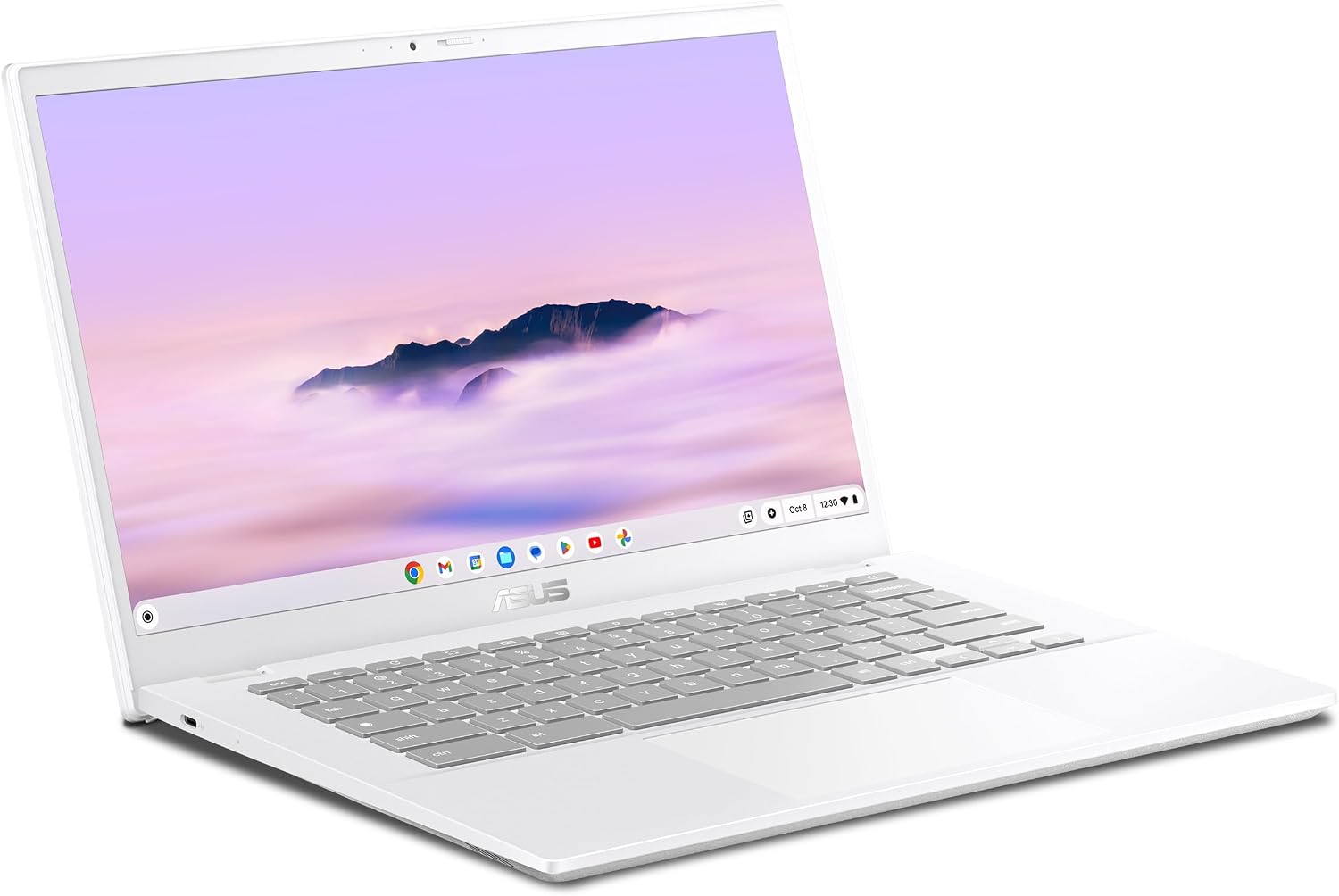
ASUS Chromebook Plus CX34 (CX3402CBA-DH386-WH)
Pros
- MIL-STD 810H tested, built to shrug off drops and squished backpacks
- Clean white design that doesn't look like a school-issued device
- 180-degree lay-flat hinge is handy for group study tables
- Quiet under load with 256GB of fast UFS storage
Cons
- At $499, you're paying for the build, not the 12th-gen i3 inside
- No touchscreen
- Display covers the basics but tops out around 250 nits
Price as of Jul 5, 2026 — see current price on Amazon.
Look, I'll say the awkward part first: spec-for-spec, the CX34 is a worse deal than the two machines above it. Its i3-1215U is a generation older than the Acer 515's chip, there's no touch, and it costs more. If you're buying purely on numbers, scroll up.
So why is it here? Because it's the machine I'd hand to the student who destroys laptops. ASUS puts the CX34 through MIL-STD 810H testing (drop, shock, vibration, the works), the hinge folds flat instead of snapping, and owners on r/chromeos consistently report these things surviving semesters of abuse that would've killed something flimsier. The all-white chassis also just looks good, which matters more to a 19-year-old than any spec sheet.
Think of the extra money as an insurance premium. For clumsy owners, commuters whose bags get slammed into train seats, or anyone who's already killed a laptop with a two-foot drop, it's a premium worth paying. Everyone else should buy the Samsung and a $25 sleeve.
Acer Chromebook Plus Spin 714
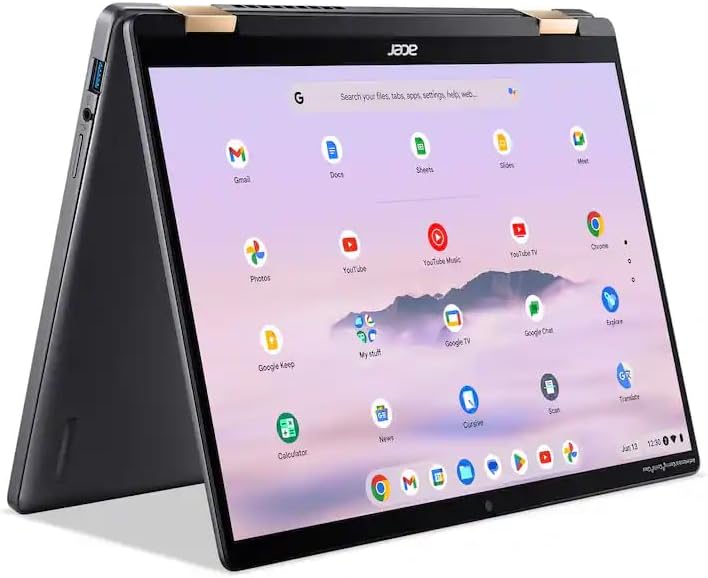
Acer Chromebook Plus Spin 714 (Core Ultra 5)
Pros
- Intel Core Ultra 5 115U is the fastest chip in this roundup by a clear margin
- 360-degree hinge turns it into a genuinely usable tablet for notes
- Thunderbolt 4 means one cable to a full desk setup
- Sharp 1920x1200 touchscreen with a taller, work-friendly 16:10 shape
Cons
- $647 is real money, flagship-Chromebook territory
- About 10 hours of battery, good but not class-leading
- 8GB of RAM at this price feels stingy when 16GB exists elsewhere
Price as of Jul 5, 2026 — see current price on Amazon.
The Spin 714 line has been the default answer to "what's the best premium Chromebook" for several years running, and the Core Ultra 5 refresh keeps the streak alive. This is the pick for students who will actually push a Chromebook: 40 tabs, Linux containers for a CS class, Android apps on an external monitor, all at once. The Ultra 5 115U doesn't flinch.
The convertible hinge is more than a gimmick for students specifically. Fold it into tent mode for lecture playback, flat for whiteboard-style group work, or full tablet for handwritten notes with a USI 2.0 pen (sold separately, annoyingly). The 16:10 aspect ratio also fits noticeably more document on screen than the 16:9 panels elsewhere on this list. And Thunderbolt 4 future-proofs your desk: one cable to a dock, monitor, and charger. I wrote more about that setup pattern in our Thunderbolt docking station guide.
Would I like 16GB of RAM at $647? Yes. Does 8GB actually hold this machine back today? Honestly, not much. ChromeOS memory management has gotten good enough that I only hit the wall with a Linux IDE and 30-plus tabs running together.
How to pick the right Chromebook for school
Match the tier to the workload
The Plus certification is your shortcut. Elementary and middle school, where the machine mostly runs one classroom app at a time? A regular Chromebook like the IdeaPad Slim 3 is fine and saves real money. High school and college, where research means a forest of tabs plus Spotify plus a Docs essay? Plus tier, 8GB minimum, no exceptions. You cannot add RAM to a Chromebook later. Ever.
Check the update expiration date before you buy
Every Chromebook has an Auto Update Expiration date, and it's the spec nobody reads. Google guarantees 10 years of updates for models released since 2021, but the clock starts at the platform's release, not your purchase date. Everything on this list is a 2023 to 2025 design, so you're covered into the mid-2030s. Where this bites people is clearance deals on 2019-era stock. A $150 Chromebook that stops getting security updates in 2029 is not a deal for a kid starting a four-year degree.
Storage matters more than it used to
The old wisdom said Chromebooks live in the cloud, so 64GB is plenty. That was true before Android apps, Linux support, and campus Wi-Fi that drops during finals week. Between offline lecture videos, a music library, and a few games, 64GB evaporates. 128GB is the practical floor for college. The Samsung and both Acers give you 256GB, which is enough to stop thinking about it entirely.
Chromebook or a cheap Windows laptop?
At the same price, I take the Chromebook almost every time, and I say that as someone who mains a Windows desktop. A $400 Windows laptop is a compromise machine: slow storage, bloatware, fan noise, a battery that fades by 2pm. A $400 Chromebook Plus is a fast machine with a better screen that boots in eight seconds and gets updates for a decade. The exceptions are real but specific: your program requires Windows-only software (some engineering and stats packages), or you game beyond Android titles. If that's you, our college laptop guide covers the Windows side. And if handwritten notes dominate your workflow, weigh a tablet from our student tablet roundup instead.
Don't overbuy the screen size
Fifteen-inch screens are wonderful at a desk and mildly punishing everywhere else, unless you get lucky with something like the featherweight Samsung. Be honest about your actual day. Four classes across campus with a commute favors 14 inches and under 3 pounds. A machine that lives in a dorm room can be as big and heavy as you like.
FAQ
Frequently asked questions
- Are Chromebooks good enough for college in 2026?
- For most majors, yes. Google Workspace, Canvas, Zoom, and Office web apps all run natively, and Linux support covers most intro programming courses. The exceptions are majors tied to Windows-only software like SolidWorks, MATLAB desktop, or serious video editing. Check your department's software list before buying, not after.
- What's the difference between Chromebook Plus and a regular Chromebook?
- Chromebook Plus is a Google certification with hard minimums: 8GB of RAM, a 1080p IPS or better display, a 1080p webcam, and a modern processor. Regular Chromebooks have no minimums at all, which is why some cost $150 and feel like it. For anything beyond light single-app use, buy Plus.
- Is 4GB of RAM enough for a student Chromebook?
- For a grade schooler running one classroom app at a time, yes. For high school or college multitasking, no. ChromeOS starts discarding background tabs around 6 to 8 open pages on 4GB machines, and you'll notice reloads constantly. 8GB is the practical minimum for serious schoolwork, and it cannot be upgraded later.
- How long do Chromebooks get updates?
- Models released since 2021 get 10 years of automatic updates from the platform's release date. Every pick in this guide is covered into at least the early 2030s. Always check the Auto Update Expiration date on Google's support site before buying older clearance stock, because the countdown starts at release, not purchase.
- Should students get a touchscreen Chromebook?
- It depends on workflow. If you annotate PDFs, sketch diagrams, or want tablet-style reading, touch is worth prioritizing, and the Acer 515 at $429 is the cheapest good big-screen touch option here. If you mostly type papers and browse, skip it and put the savings toward the Samsung's far better AMOLED display.
- Can you run Microsoft Office on a Chromebook?
- Yes, through the browser at office.com with a Microsoft 365 subscription, and most schools provide one free. The full desktop Office apps don't install on ChromeOS, but the web versions handle typical student documents fine. Files also open natively in Google Docs, Sheets, and Slides if you'd rather skip Microsoft entirely.
Bottom Line
Most students should buy the Samsung Galaxy Chromebook Plus at $372 and enjoy having the nicest screen in the lecture hall. Tightest budgets get honest value from the Lenovo IdeaPad Slim 3, though it has climbed to $256.89, which puts the far better Samsung only $115 away. Touch fans and desk dwellers should grab the Acer 515, the accident-prone should pay the ASUS CX34's durability premium, and power users who want one machine for four years of real work should spend up for the Spin 714. Whatever you pick, stick to the Plus tier for anything past middle school. That one rule filters out nearly every bad Chromebook on the market.
How We Test
We score products by combining spec-level research, pricing history, trusted third-party benchmarks, and owner sentiment from high-signal sources.
- Performance and real-world value in the category this guide targets
- Price-to-performance and deal consistency over recent pricing windows
- Build quality, reliability patterns, and known long-term issues
- Recommendation refresh cadence to keep these picks current
Author
TheTechSearch Editorial Team
Independent product reviewers & PC builders
We test and compare real-world specs, price trends, and user feedback to recommend gear that actually makes sense to buy.